24
Switching to the Button HDMI cable
A product set includes an additional Button HDMI cable which can be installed onto a
Button to allow it to work with laptops without a USB-C port. To switch the cable on the
Button to the HDMI cable, follow the steps below:
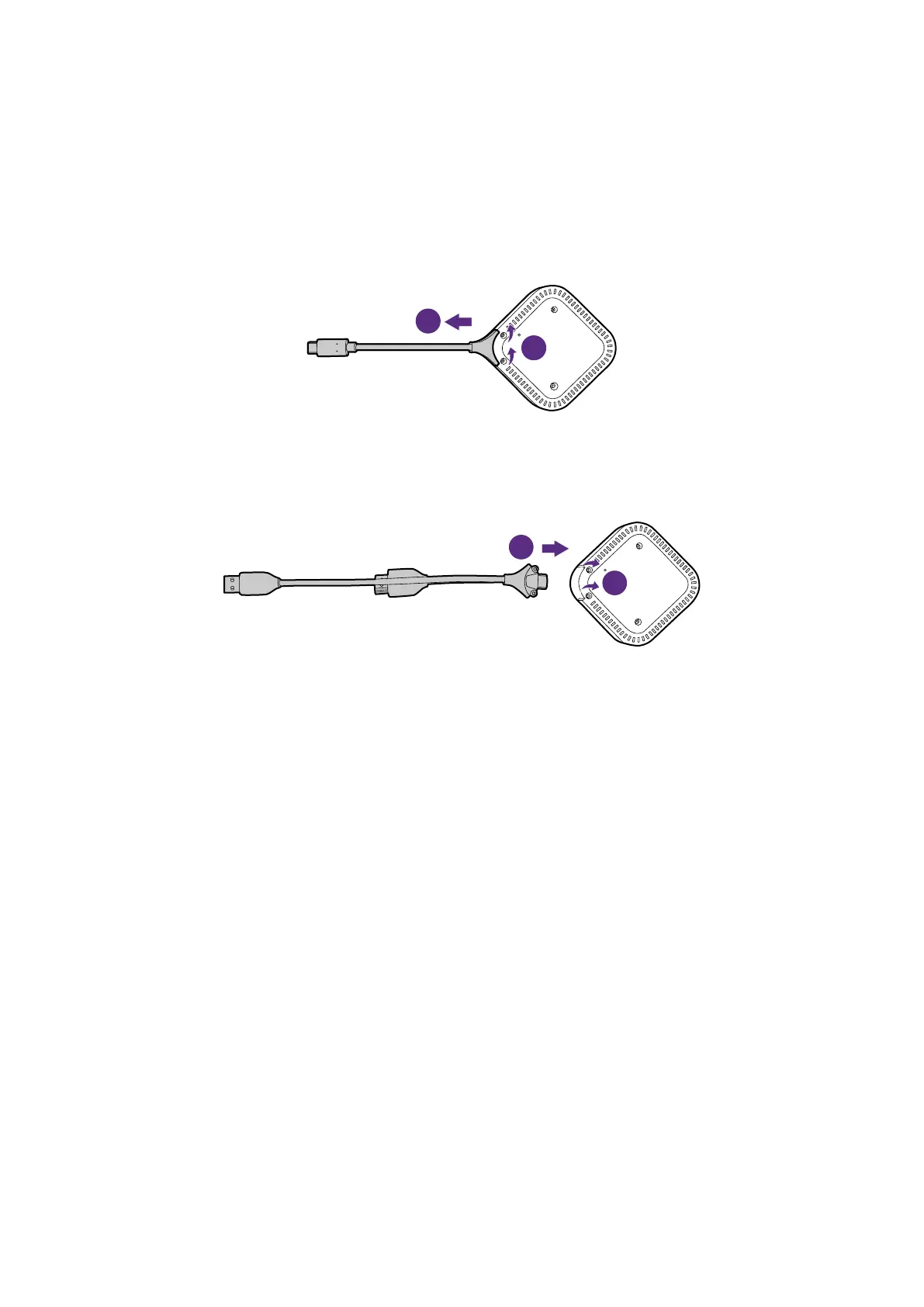
1. Remove the two screws on the bottom side of the Button adjacent to the USB-C cable.
2. Pull the plastic end of the USB-C cable to remove it from the Button.
1
2
3. Push the HDMI cable into the compartment on the Button so that the connectors on the
cable are inserted into the corresponding connectors on the Button.
4. Re-install the two screws on the bottom side of the Button.
1
2



 To Next Page