25
Setting up and powering a Button
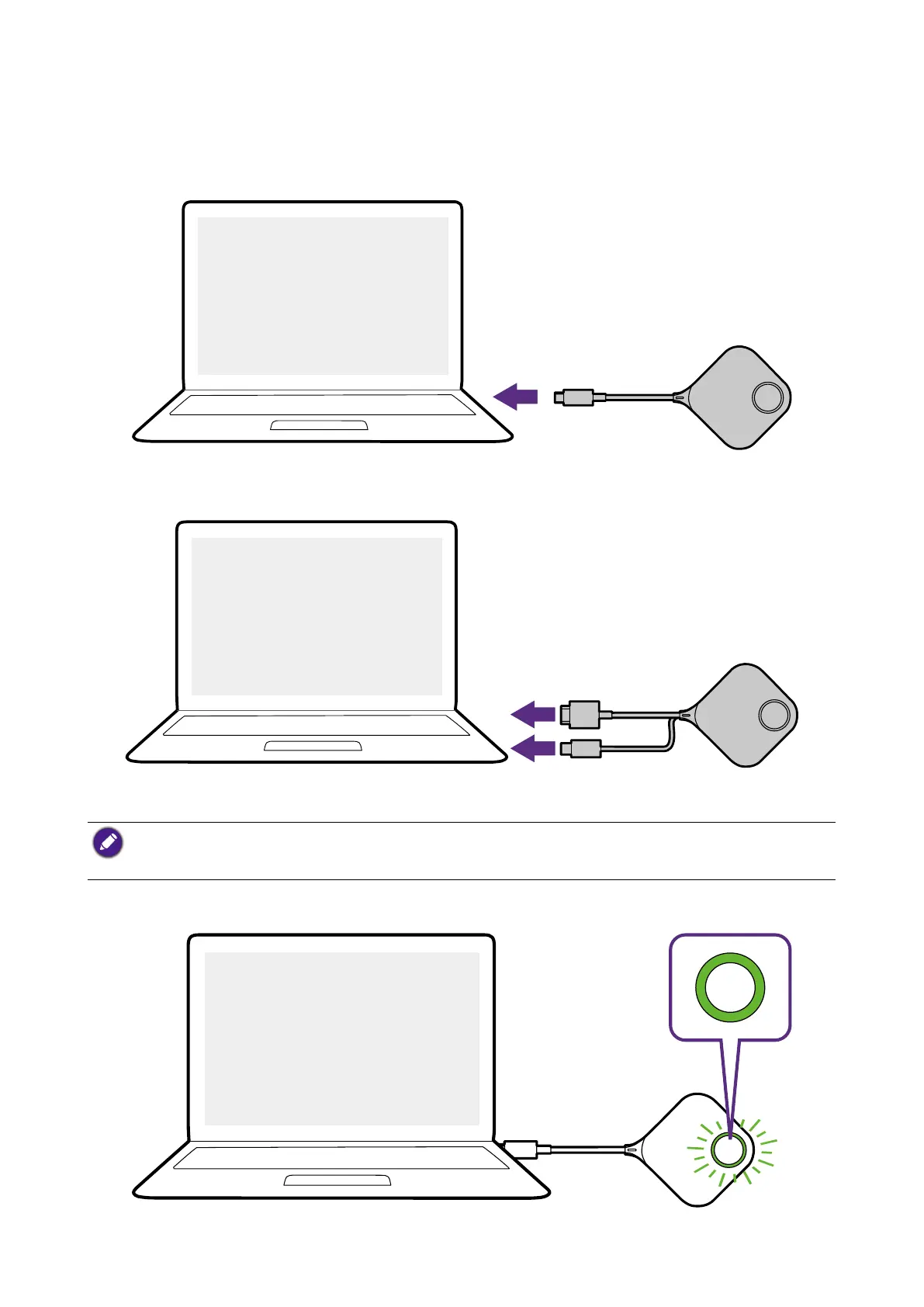
1. Connect the button to a laptop using one of the following methods:
• Connect the Button’s USB-C connector to the corresponding input of a laptop.
USB-C
• For Buttons where the connectors have been switched to the HDMI cable, connect the
Button’s HDMI and USB connectors to the corresponding inputs of a laptop.
HDMI
USB-A
• For instructions on how to switch to the HDMI and USB-A cable for the Button, see Switching to the
Button HDMI cable on page 24.
• From hereinafter the images and text will only feature a Button using the default USB-C cable.
2. The LED indicator of the Button will flash green while the Button is starting up.


 To Next Page