16
Attaching the Host to a ceiling mount
If the display is mounted on the ceiling:
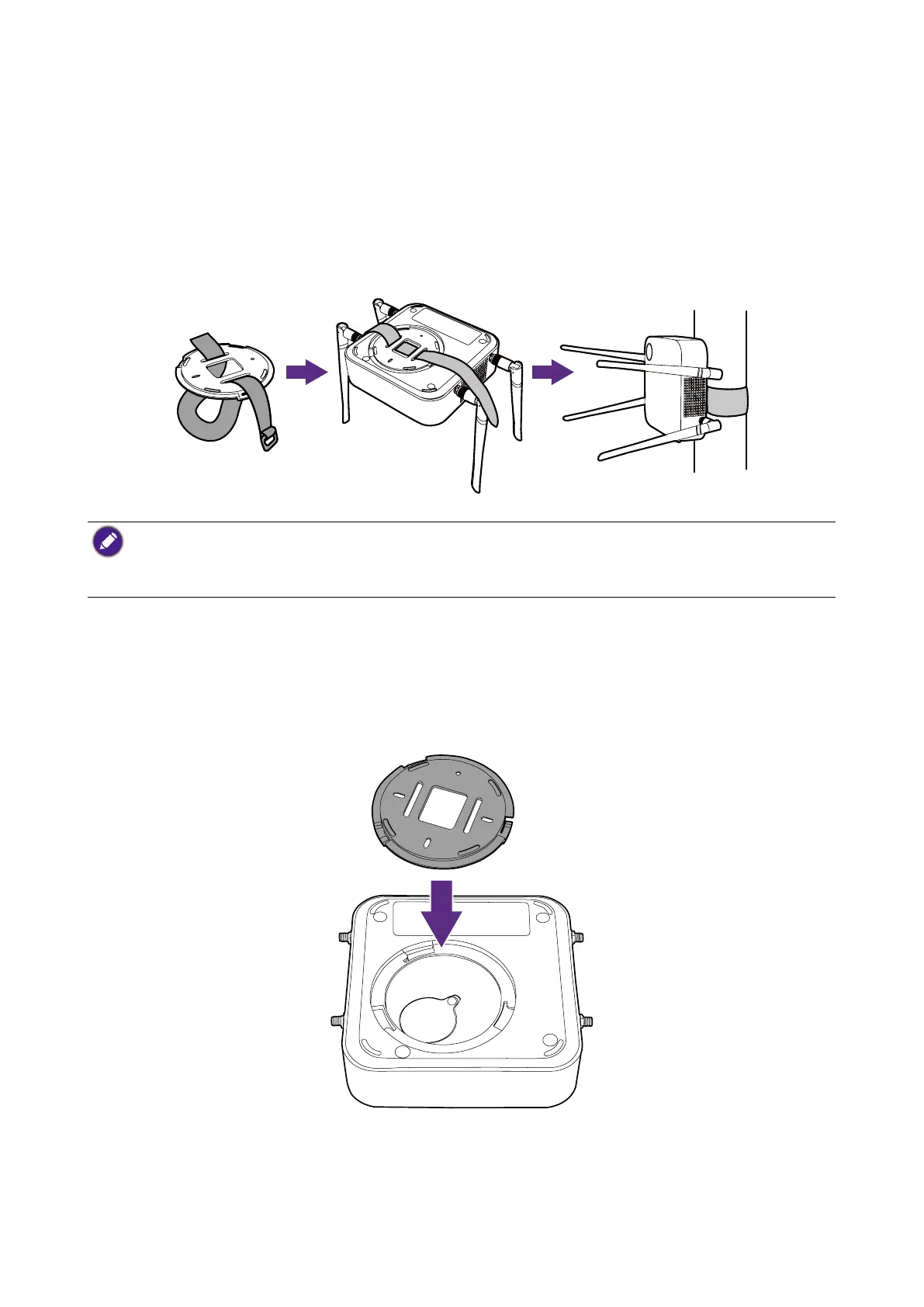
1. Attach the Host to the ceiling mount using the provided velcro strap.
2. Fix the Host to the mounting holder.
3. Use the supplied velcro to fix the mounting holder and the Host to the ceiling mount as
shown in the illustration.
• Please only use the velcro strap (300(L)mm*25(W)mm) provided with the kit to mount the Host to a
ceiling mount.
• Please see Positioning the Host antennas on page 19 for guidelines on positioning the antenna to
maximize signal reception.
Placing the Host on a table
If your display is placed on a table, first attach the lid to the Host by following the process
described below:
1. Align the lid over the bottom of Host, then insert the lid into the lid compartment.



 To Next Page