17
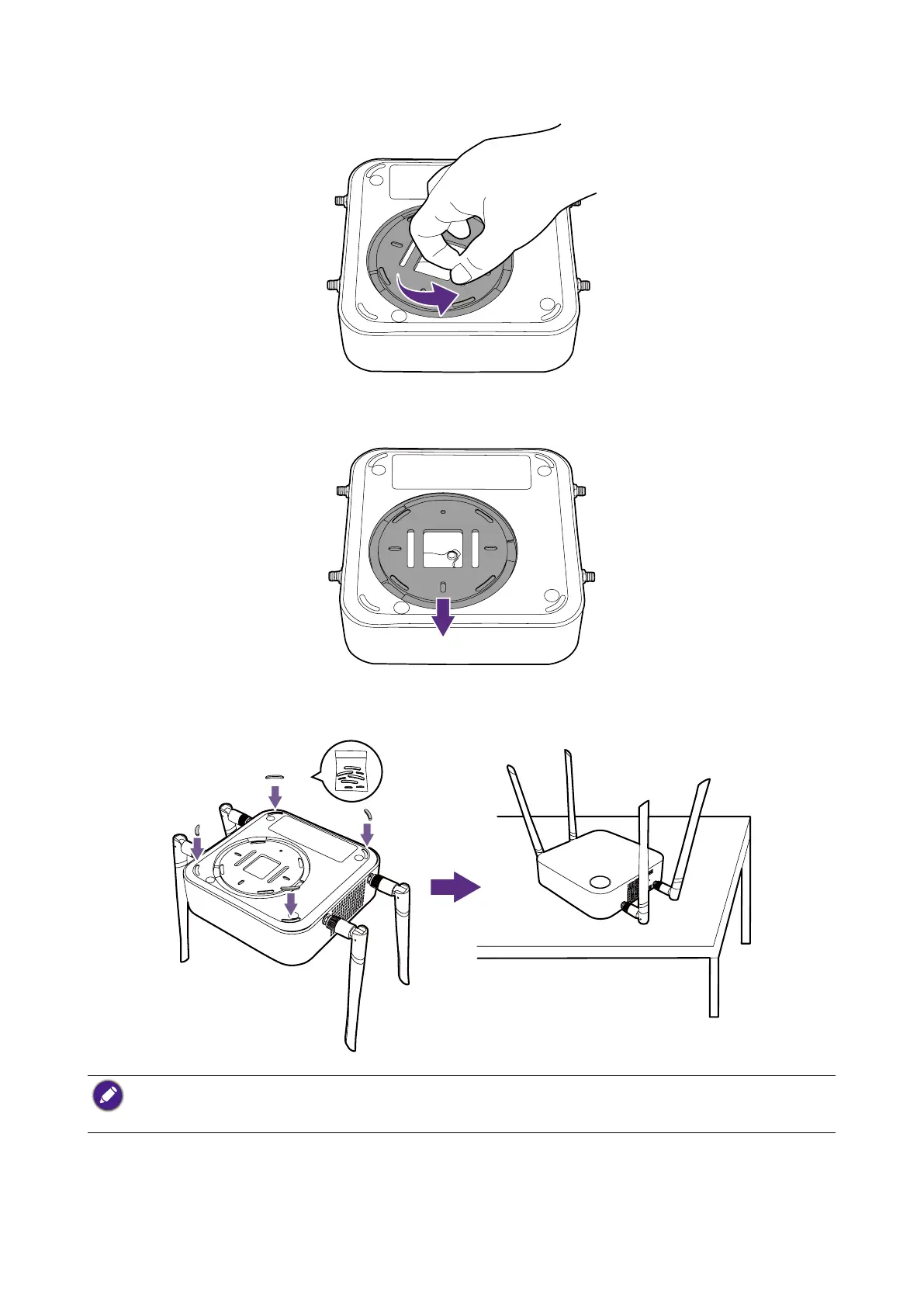
2. Turn the lid counter-clockwise until it clicks into place.
3. When the lid is correctly installed on the Host the alignment hole on the lid should be
pointed to the front side of the Host.
4. Attach the rubber feet to the recesses on the base of the Host and put the Host right
next to the display.
• Please only use the rubber foot provided with the kit to attach to the Host.
• Please see Positioning the Host antennas on page 19 for guidelines on positioning the antenna to
maximize signal reception.
You can also place the Host on a mobile display trolley. See the illustration.



 To Next Page