35
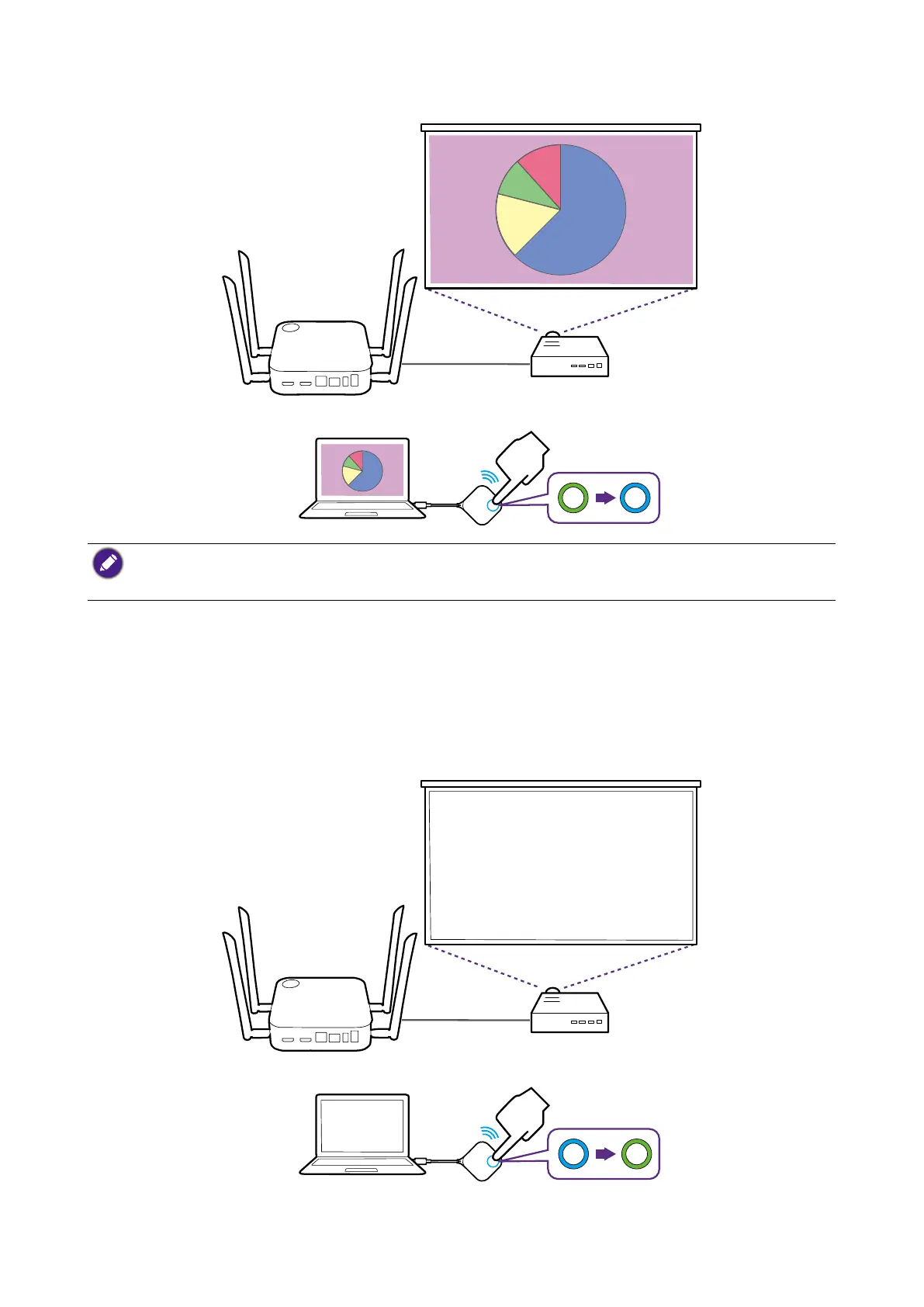
5. The device starts presenting, and the LED indicator of the Button turns static blue.
• Make sure the transmission distance between the Button and Host is within 15 meters and with no
obstacles.
• The product supports MacBooks and Windows laptops to mirror an extended desktop.
Idle presentation
1. To stop a presentation, press the Present key.
2. The device stops presenting, and the LED indicator of the Button turns green.
3. Users can press the Present key to return to the presentation.



 To Next Page