54
Information
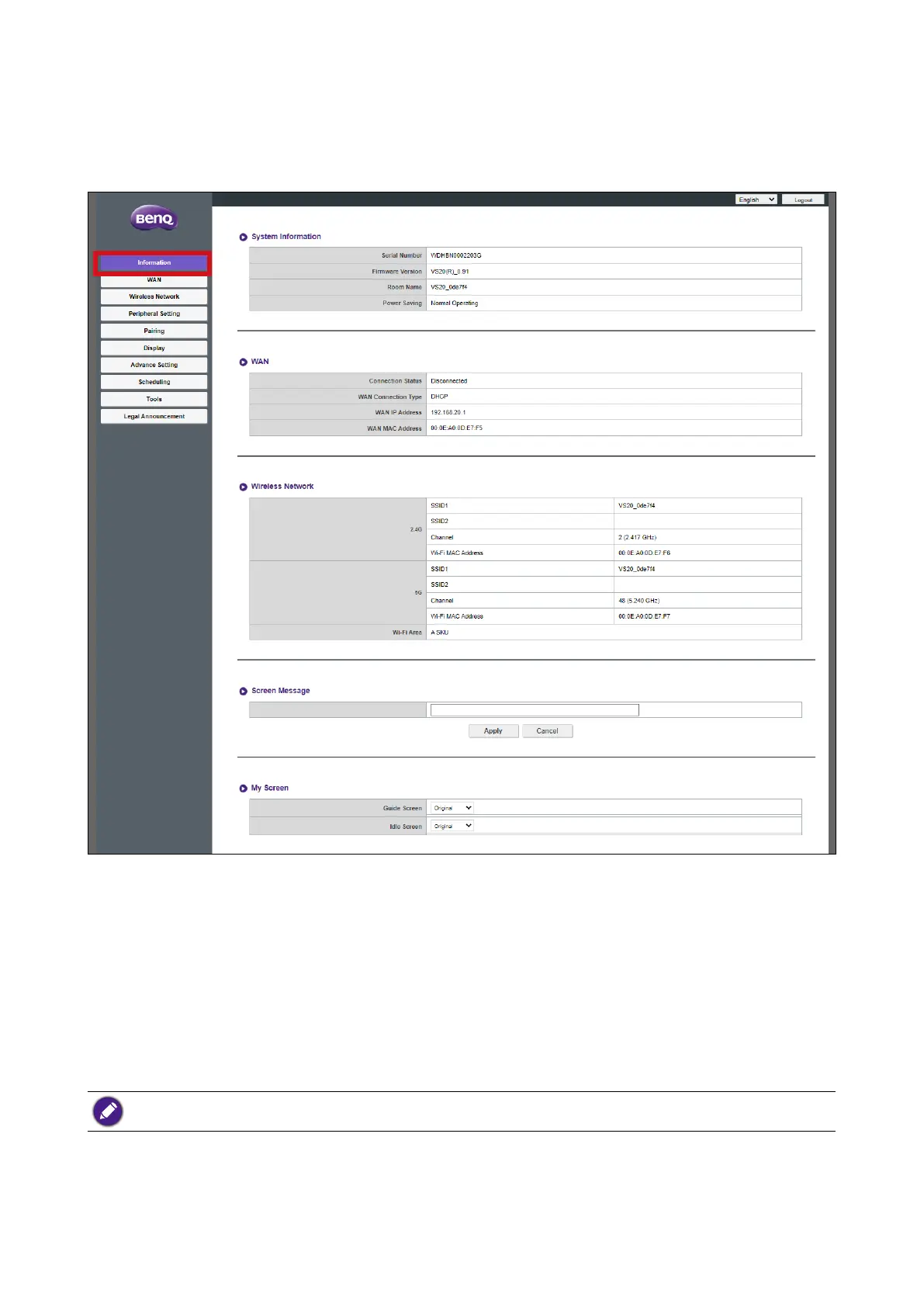
Click Information and you will see detailed information for System Information, WAN,
Wireless Network, My Screen, and Screen Message.
System Information
The System Information sub-menu lists the following basic system information for the
Host:
• Serial Number
• Firmware Version - To update the firmware, see Firmware Upgrade on page 70.
• Room Name - The room name is based on the SSID for the Host. To change the SSID, see
Setting on page 58 for more information.
If the SSID (Room Name) is changed, you need to pair the Button(s) to the Host again.
• Power Saving - Lists if the Host is currently in normal or standby mode.
WAN


 To Next Page