52
The following is an example of how you can log into the web management interface via a
mobile device with a wireless connection.
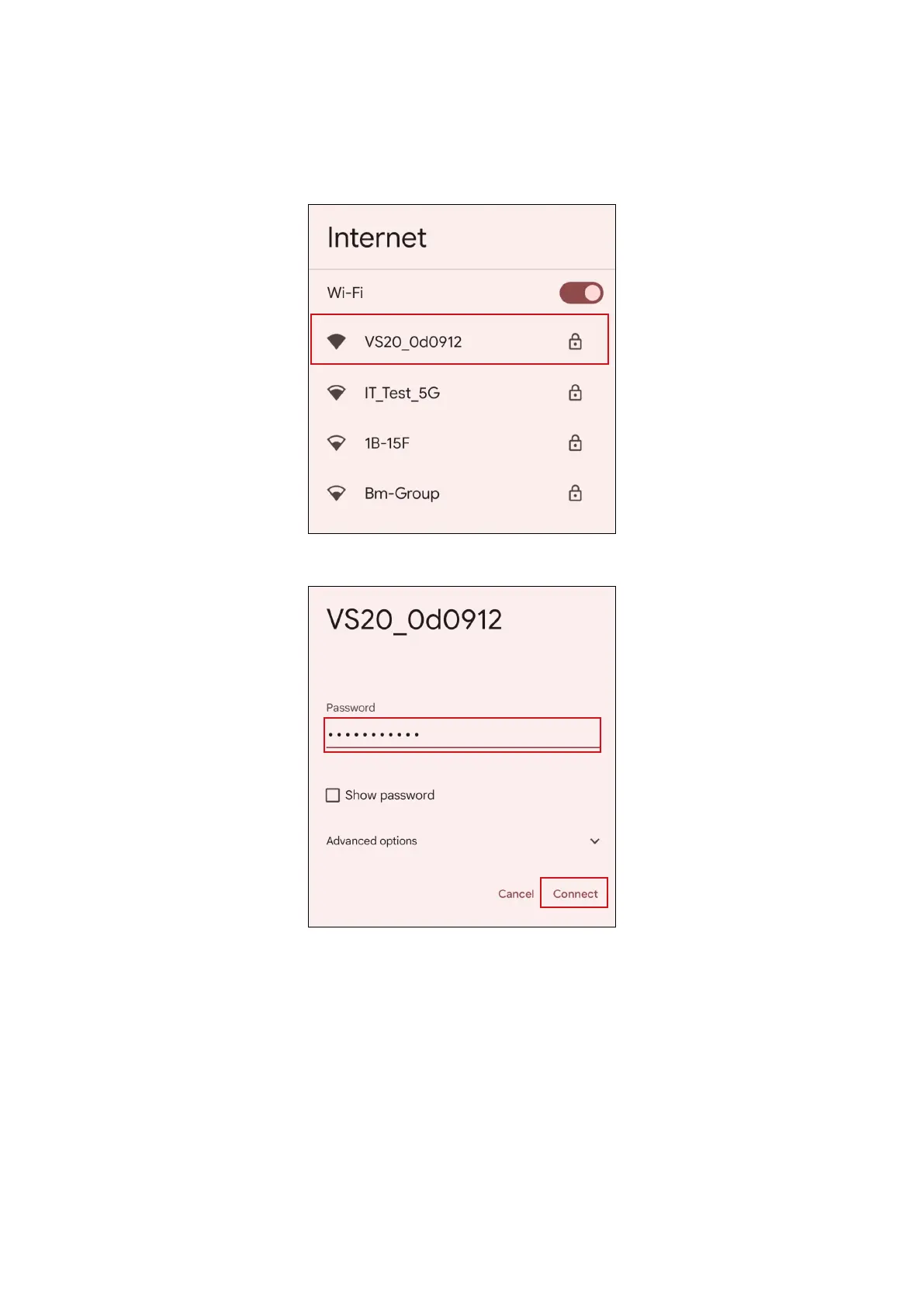
1. Go to Wi-Fi menu of the mobile device, and you can find the SSID of your Host:
VS20_0d0912.
2. Enter the default password “VS20_0d0912” and press Connect.
3. Access the web management interface following step 4-5 of Logging into the web
management interface via direct connection on page 48.



 To Next Page