24 of 109
User Interface
In the following sections, you will become more familiar with the operat-
ing software for your machine. The next sections will walk you through
the loading of a design and how to set machine settings such as color
sequence.
Main Screen Overview
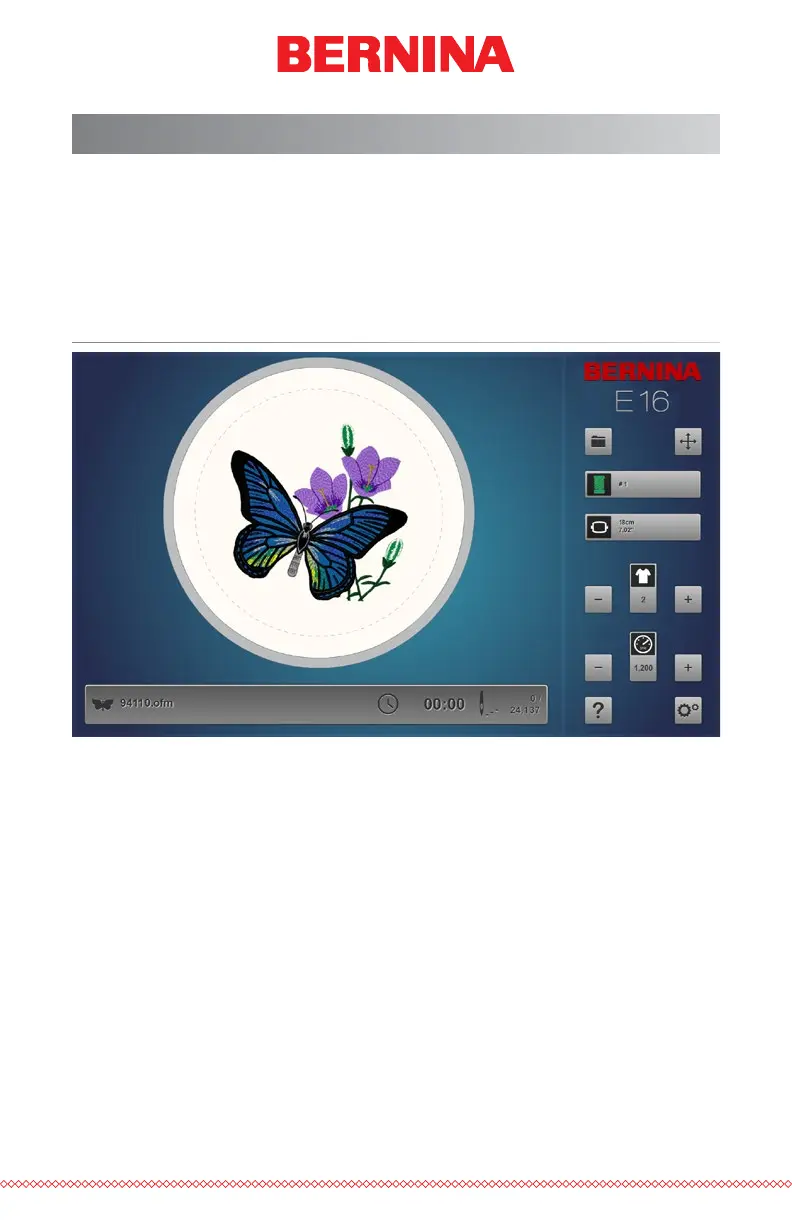
The Main Screen is divided into three sections. Largest portion of the screen
is devoted to a preview of the design in the selected hoop. This is meant
to give the user an understanding of placement within the hoop and color
selection.
Below the preview is the machine status. This will display the time, stitch
count, and le name of the design that is loaded to the selected machine.
The right side of the screen gives access to the software commands and
settings. Here you will nd operations such as loading a design or moving
the design within the hoop. At the bottom of this section, you have access
to the Help documentation and the Settings & Maintenance screen.



 To Next Page