33 of 109
Color Sequence
From the Main Screen, the Color button will display the needle that the
machine is currently on. Pressing the Color Sequence button will allow you
to set or edit a color sequence. This button will only be able to be pressed
when the machine is stopped.
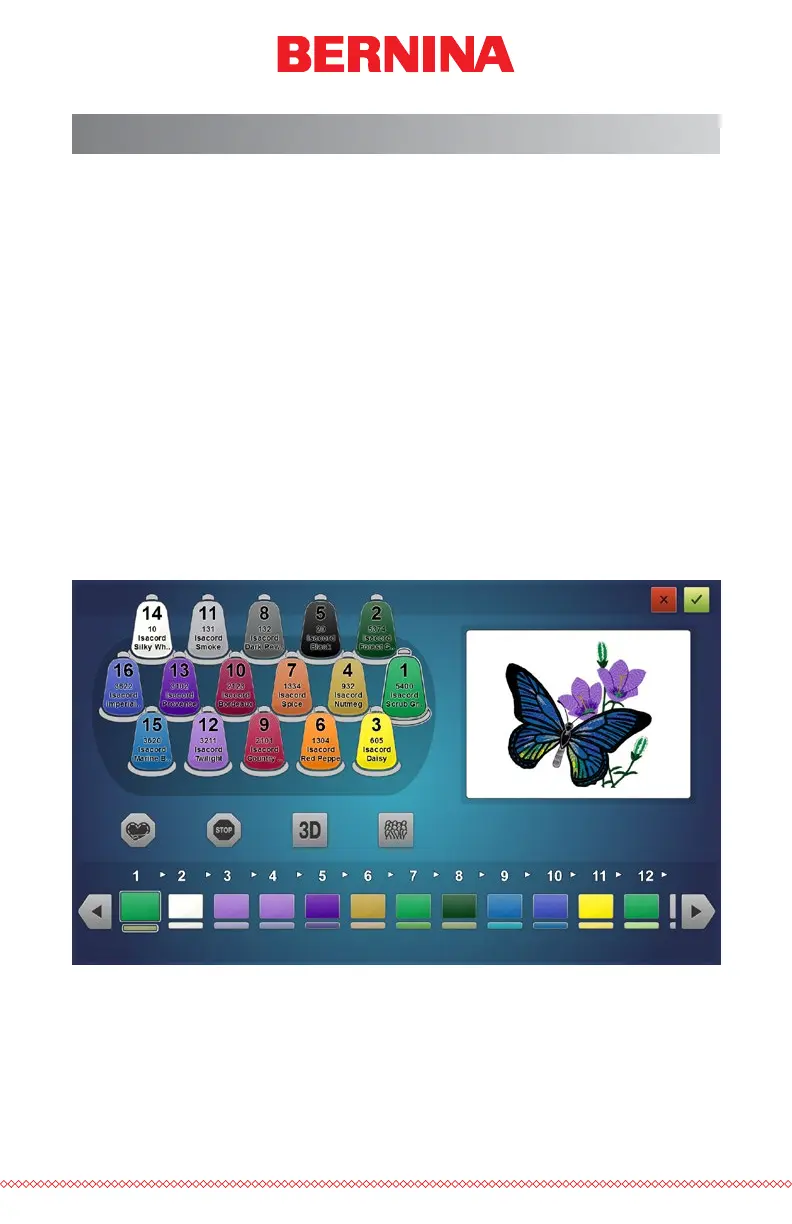
Color Sequence Screen
The main Color Sequence Screen displays a representation of the machine
thread tree, a preview of the design, the color sequence, and machine com-
mands or effects that you can add to the color sequence.
As the color sequence is altered, the design preview will change to reect
the new sequence.
The easiest way to get started is to rst assign colors to the thread tree.
Colors should be assigned after thread cones have been placed on the ma-
chine and the upper threading has been completed.



 To Next Page