82 of 109
3. Place a business card of medium to heavy stock (or equivalent) be-
tween the needle plate and the driver ring. A single business card
should be able to slide between them with little resistance. A gap
of two business cards is acceptable.
4. If the gap is too small or too large, the driver will need to be ad-
justed using the steps below.
Adjustment Procedure
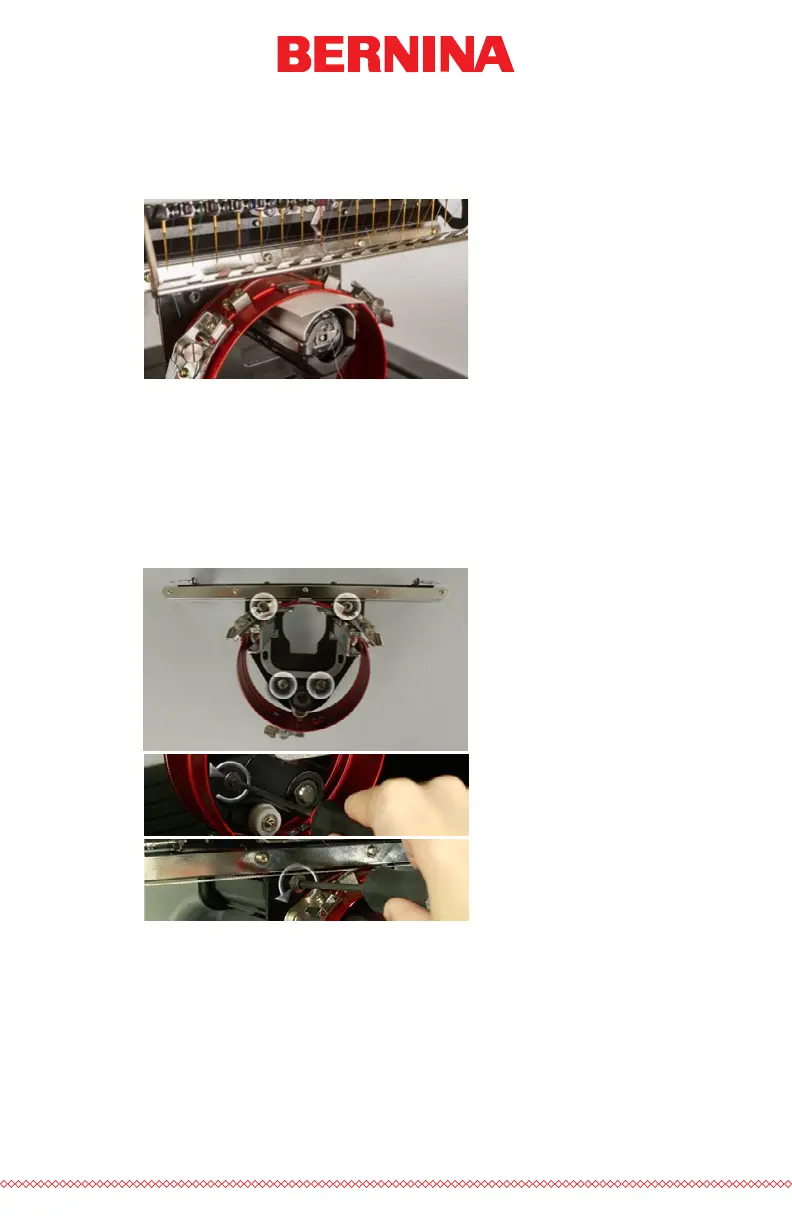
1. Begin by loosening the two bearing block hex screws and the two
interface bracket screws using the 4mm hex screwdriver.
2. Install the Red Wide Angle Driver on your machine. See the installa-
tion section of the document for details.



 To Next Page