7 Main Menu Device Setup LB 470 Level
56925BA2 Rev. 03, 11/2017
The information (Fig. 66, item 6 - 8) from the plateau measurement are dis-
played in the status information. The LED Run flashes on the EVU during the
plateau measurement. The LED "Warning" LED lights up at the same time.
If you click on the < Stop > button during the measurement, the measuring
process is interrupted. The measurement data are invalid and will be deleted.
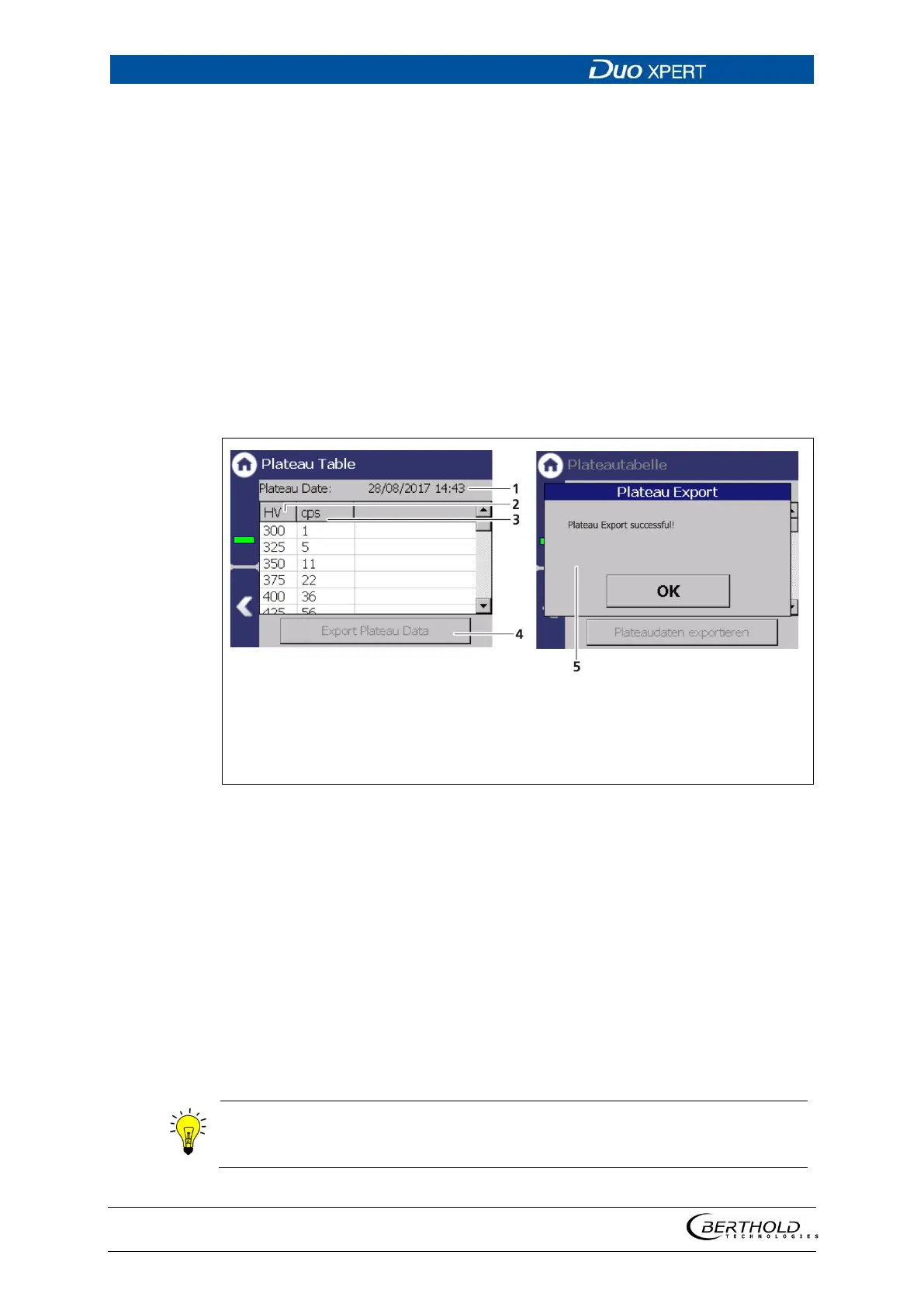
The recorded values are read and entered into the table (Fig. 67), the plateau
curve (Fig. 68) is drawn and stored automatically.
Plateau Table
Device settings | Setup | Sensors | [NAME DETECTOR] | Plateau | Plateau Table
The data from each measurement point are listed in the plateau table. The data
from the plateau table can be exported to a USB memory device.
Date and time of measurement recording
High voltage (HV) in volts
Count rate in the measurement channel (cps)
Button <Export plateau data>
Window “Export successful”
67 Plateau table
Export plateau data
1. Connect a USB storage device to the device (Fig. 3, item 5).
The USB memory device is recognised by the system after a few seconds and
the button <Export plateau data> can be clicked.
2. Click on the button <Export plateau data> (Fig. 67, item 4).
The values of the plateau measurement have been stored in a .txt file.
3. Confirm the message with <OK>.
The file name is derived from "Plateau",
the date and time of the measurement
process (PlateauYYYYMMDD_hr_min_sec.txt).



 To Next Page