LB 470 Level 7 Main Menu Device Setup
56925BA2 Rev. 03, 11/2017
Detector settings: Service | Event Log
Device settings | Setup | Sensors | [NAME DETECTOR] | Detector Service | Event Log
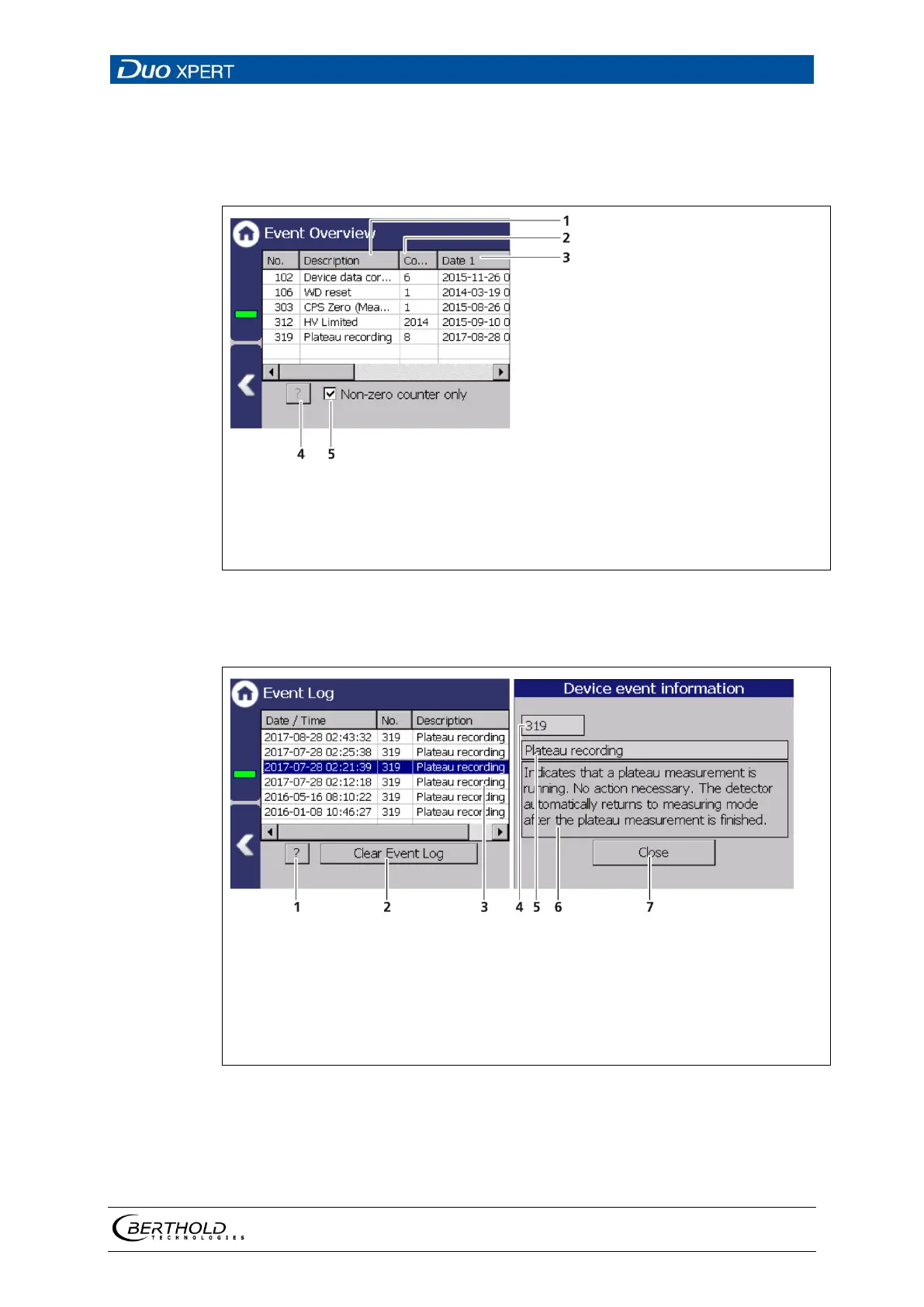
The last 25 events of the detector are displayed in the submenu "Event Log".
Date / time of the event
Event no.
Info (event title)
Button <?> to display the detailed event description.
Button <Delete event log>
75 Event Log (Detector)
Display event description
Button <?>
Button <Clear event log>
Highlighted event
Event no.
Event title
Event description
Button <Close>
76 Event Log
1. Click on a line in the list (Fig. 76, item 3).
2. Click on <? > (Fig. 76, item 1)
The event description appears.



 To Next Page