7 Main Menu Device Setup LB 470 Level
56925BA2 Rev. 03, 11/2017
3. With the button <Close>, close the event description (Fig. 76, item 7).
With the button <Clear event log> (Fig. 77, item 2) all events are deleted.
Detector settings: Detector Service | Event Overview
Device settings | Setup | Sensors | [NAME DETECTOR] | Detector Service | Event Over-
view
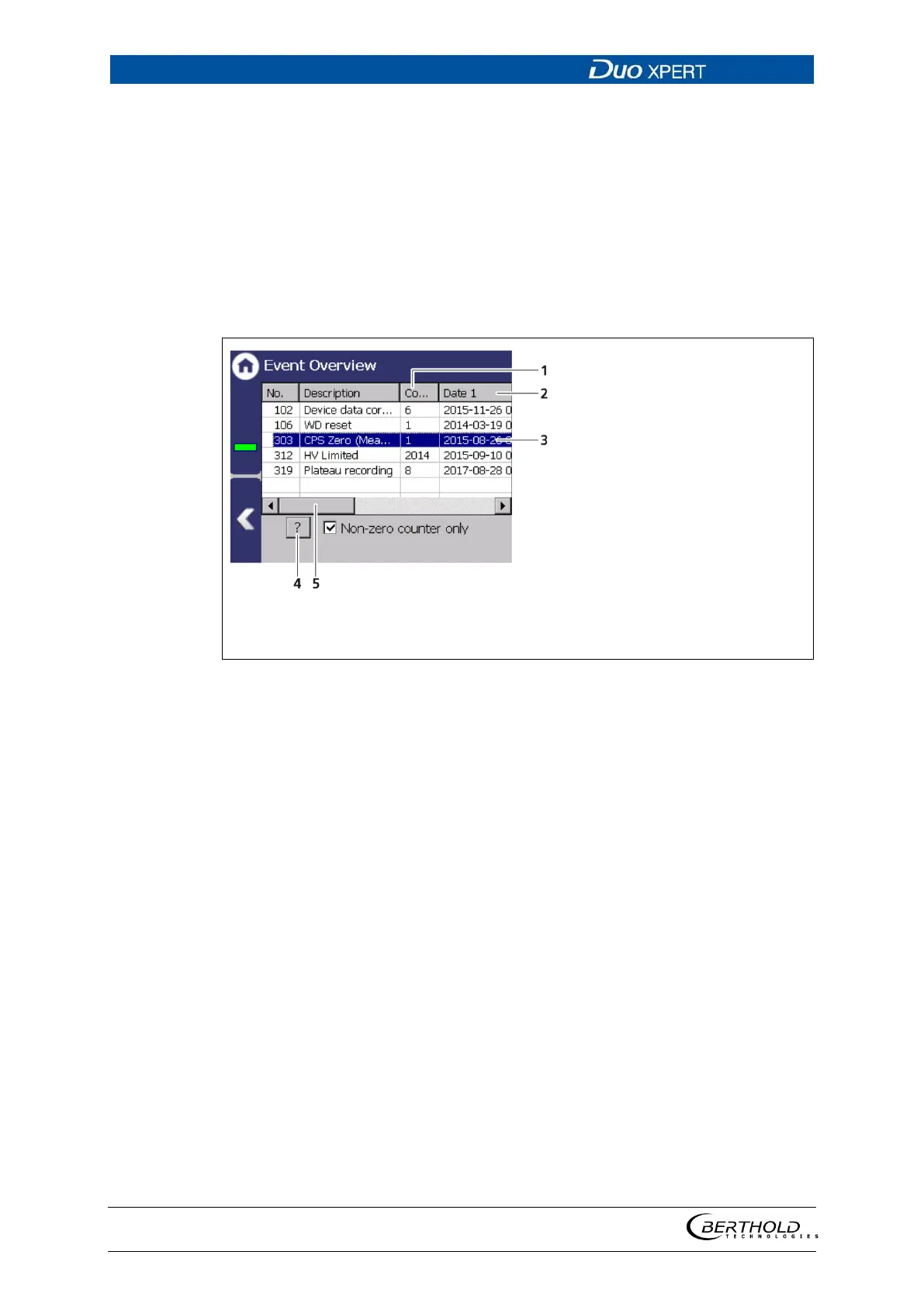
All events that can be logged are chronologically presented in tabular form in the
submenu "Event overview". Activate the check box "Non-zero counter only" in
order to display events that have occurred.
"Count" column
"Date" column
Event line
5
6
7
Button < ? >
Horizontal scroll barDisplay check box
"Non-zero counter only"
77 Event Overview
1. Click on a line in the list (Fig. 77, item 3).
2. Click on <? > (Fig. 77, item 4).
The event description appears.
3. With the button <Close>, close the event description.
4. Slide the bar of the horizontal scroll bar (Fig. 77, item 5) to the right to see at
what times (date, time) the event occurred.
The last 5 time points are displayed.



 To Next Page