Operation
BEUMER stretch hood® S
58 BA-6090103-EN
19.08.09
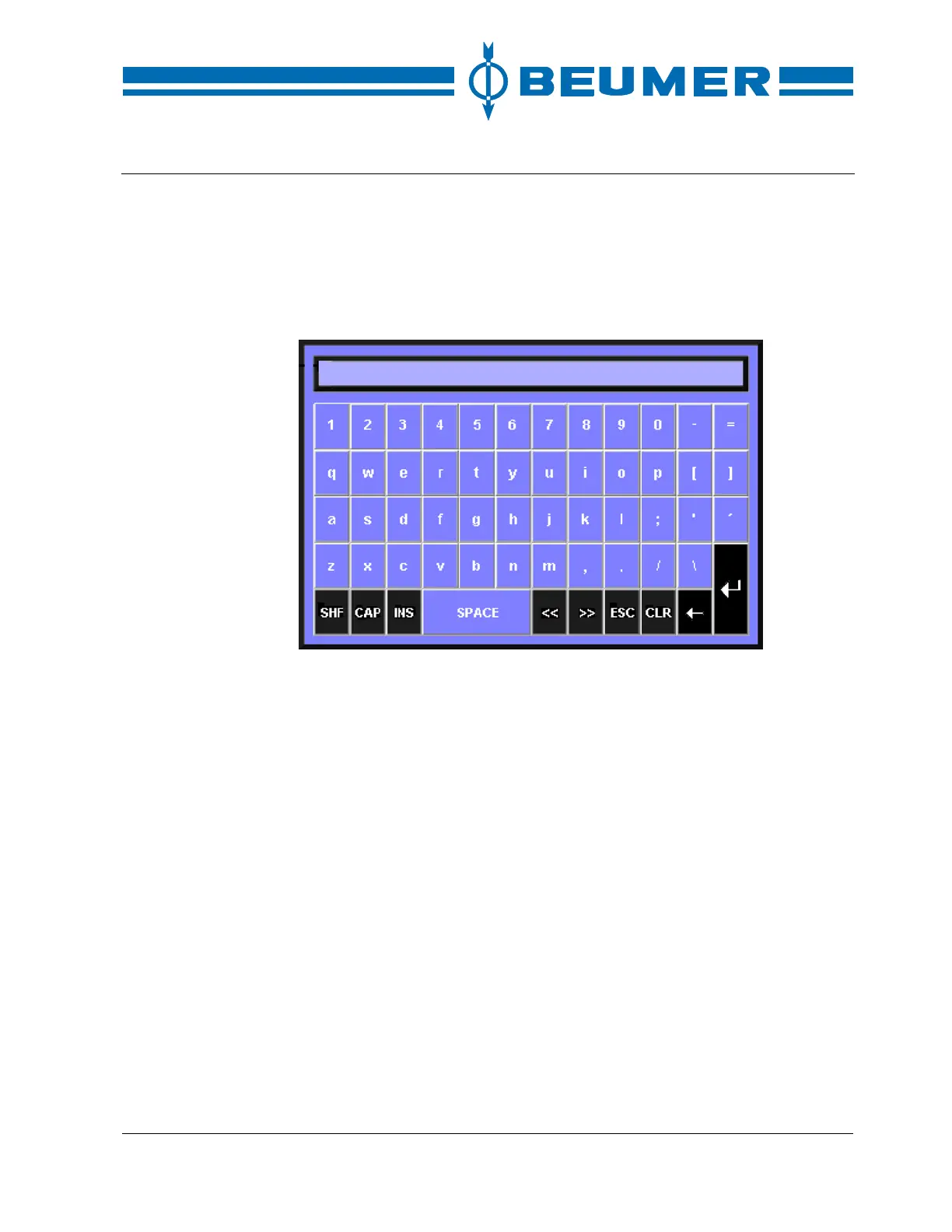
Numbers and letters are entered with the alphanumeric keys. The alphanumeri-
cal keyboard is displayed if required. The modifications in the input fields can be
carried out by this keyboard.
When an input field is open, it is not possible to open other displays or input
fields.
Alphanumeric keyboard
Numeric input
1. Select the input field for the parameter desired with the tab keys. The se-
lected input field is marked.
2. Press the "ENTER" key. The numeric keyboard appears.
3. Enter the value with the numeric keyboard.
4. Confirm the input by pressing the "ENTER" key. If the input is incorrect, press
the "ESC" key. The original value is retained.
Alphanumeric input
1. Select the input field for the parameter desired with the tab keys.
2. Press the "ENTER" key. The alphanumeric keyboard appears.
3. Select the desired character with the tab keys.
4. Confirm the selected character with the F1 key.
5. Repeat the procedure until all inputs required have been made.
6. Confirm the input by pressing the "ENTER" key. If the input is incorrect, press
the "ESC" key. The original value is retained.
Input by selection
field
1. Select the desired selection field with the tab keys and confirm it with the
"ENTER" key.
2. Mark the corresponding preselection with the cursor keys and confirm it with
the "ENTER" key.



 To Next Page