UF V (E3) 03/2019 Page 37/116
5. Functional overview of the RD4 chamber controller
The RD4 chamber controller controls the temperature inside the chamber:
You can enter the desired set point value in the “Set points” menu directly at the controller or use the
APT-COM™ 4 Multi Management Software (option) specially developed by BINDER.
The controller offers various notifications and alarm messages with visual and audible indication. All con-
troller setting remain valid until the next manual change. They are stored also after turning off the cha m-
ber.
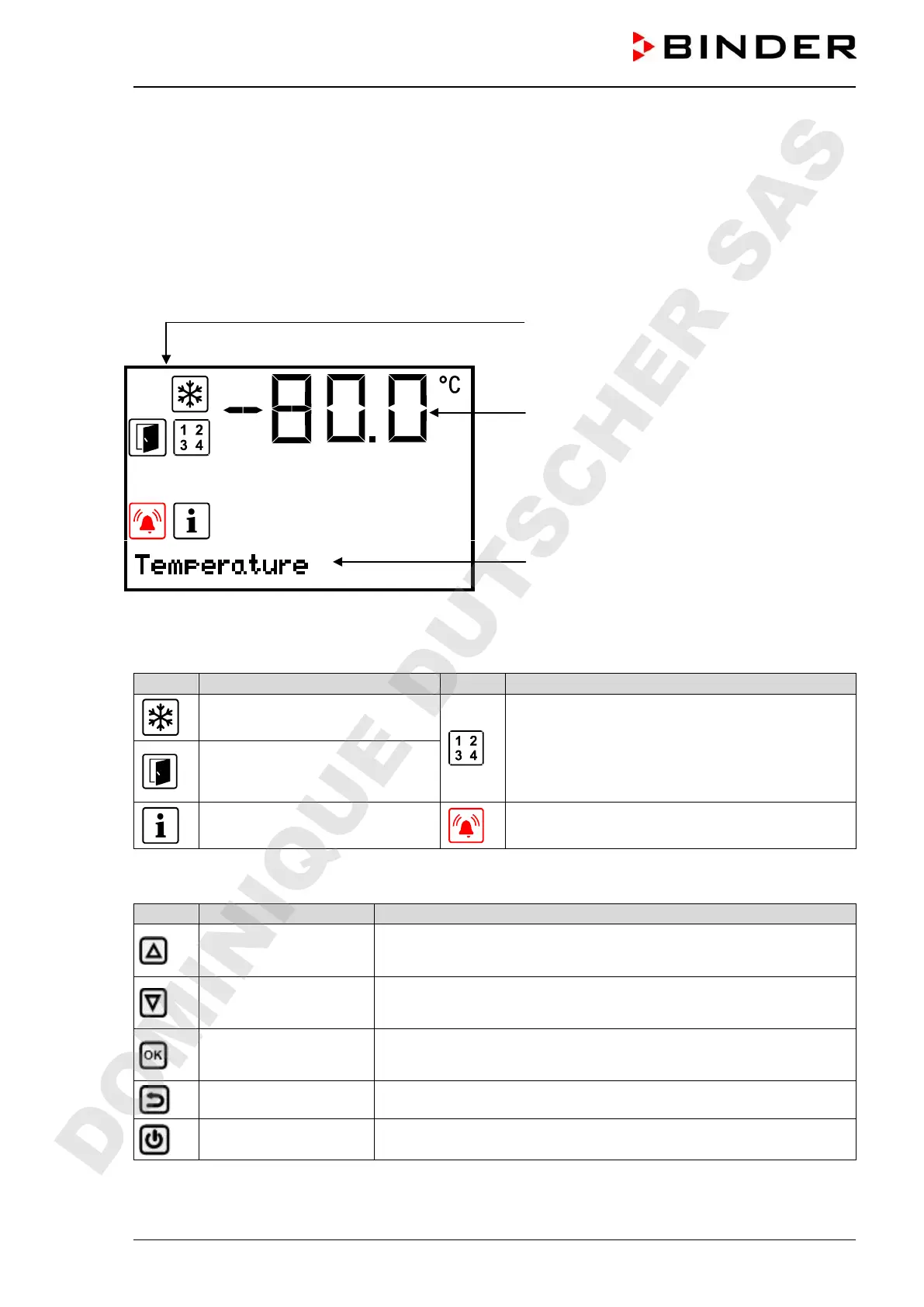
Status icons
Temperature value
Text information
Figure 21: Normal display of the RD4 controller (sample values)
Status icons in the controller display
Icon Signification Icon Signification
Refrigeration active
Display of activated special controller functions.
1 = CO2 emergency cooling activated
2 = Emergency cooling test activated
3 = Service setpoint active
Door open
Information
Collective alarm
Functional controller keys
Icon Signification Function
Arrow-up button
• Navigate between menus, submenus, other functions
• In the setting menu: change setting, decrease value
Arrow-down button
• Navigate between menus, submenus, other functions
• In the setting menu: change setting, increase value
OK button
• Select menu, submenu, function
• In the setting menu: Confirm entry
Back button
Back to previous menu level
Standby button
no function
DOMINIQUE DUTSCHER SAS


 To Next Page