UF V (E3) 03/2019 Page 77/116
20.2 Activating the service setpoint
Required access level: “User”.
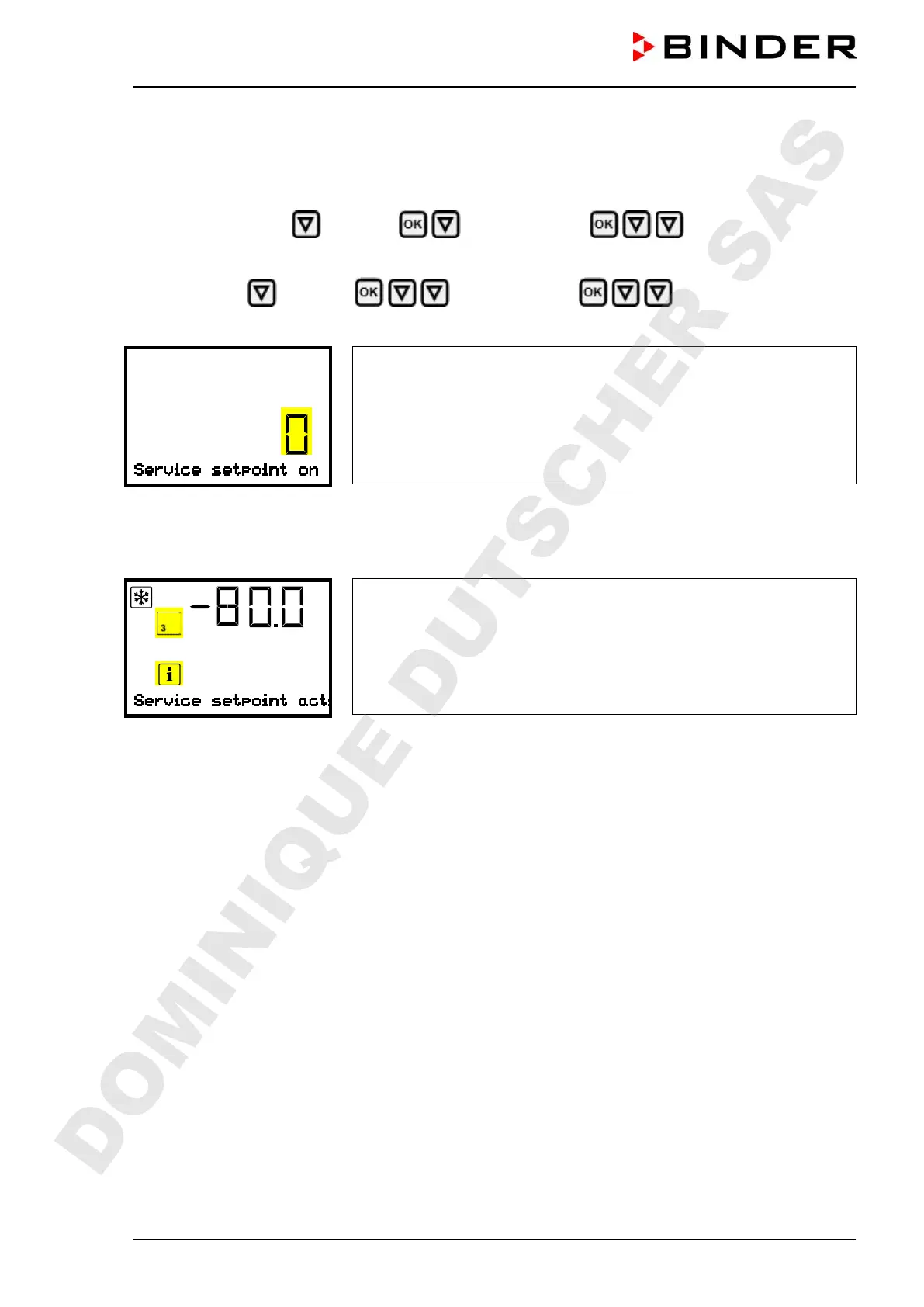
Path: Normal display Setpoints Functions on/off Service setpoint on/off
Path with optional CO
2
emergency cooling:
Normal display Setpoints Functions on/off Service setpoint on/off
Press the OK button to enable the setting.
Setting function 3 “Service setpoint on/off”.
The current setting flashes. Use the arrow buttons to select between 1
(Service setpoint active) und 0 (Service setpoint not active).
Confirm the setting with the OK button.
With the Back button you can go back to the “Functions on/off” submenu and, repeatedly pressing it, to
Normal display.
Normal display with the information message “Service setpoint active”.
The service setpoint will remain active until manually deactivating function 3 “Service setpoint on/off”.
DOMINIQUE DUTSCHER SAS


 To Next Page