UF V (E3) 03/2019 Page 72/116
17.3 Setting the storage rate for the “DL1” recorder data
Required access level: “Admin”.
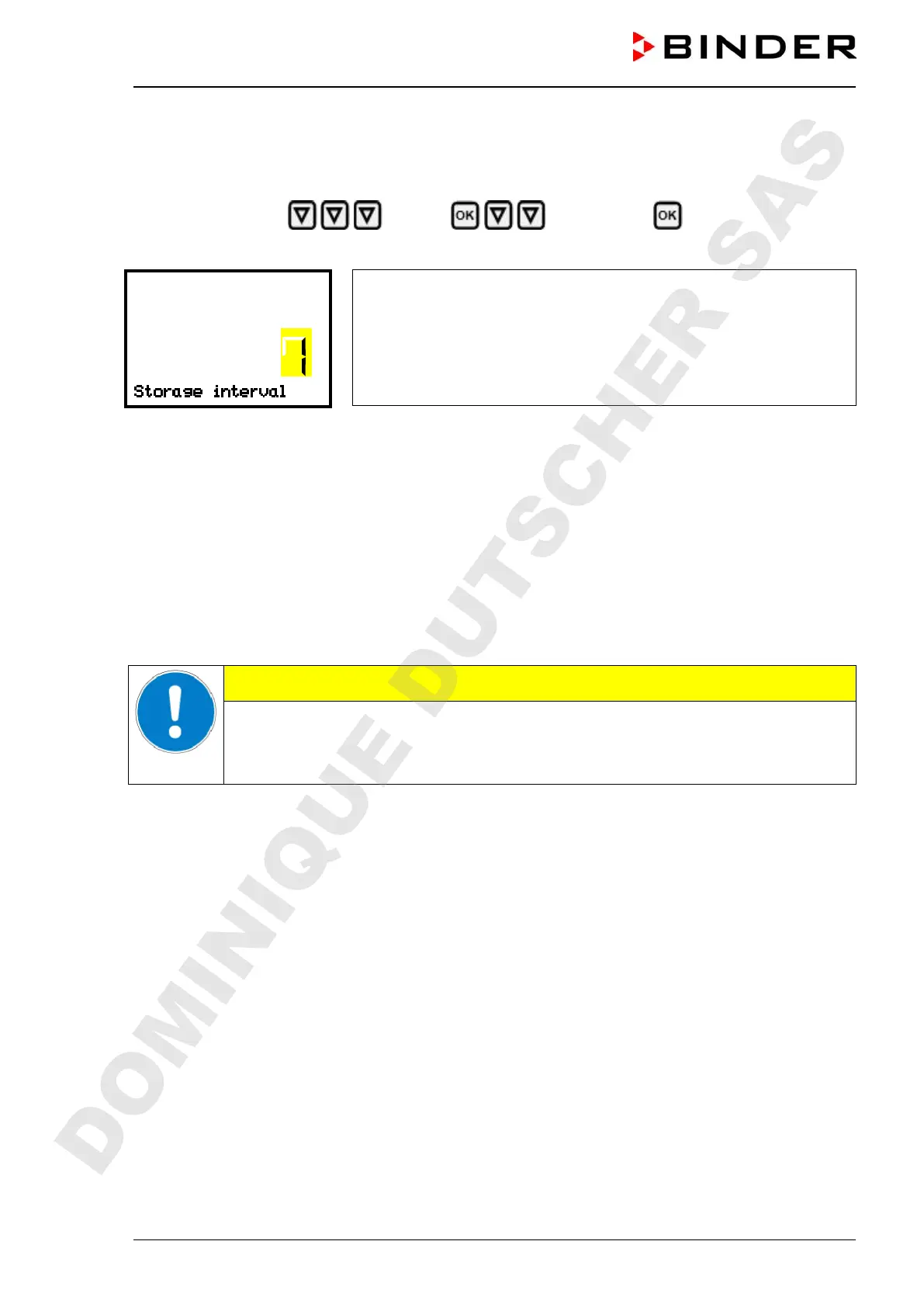
Path: Normal display Settings Data recorder Storage interval
Press the OK button to enable the setting.
Function “Storage interval”.
The current setting flashes. Use the arrow buttons to enter the desired
storage interval. Setting range: 1 minute to 60 minutes.
Press the OK button to confirm the setting.
With the Back button you can go back to the “Data recorder” submenu and, repeatedly pressing it, to
Normal display.
17.4 Deleting the data recorder
When importing a configuration via USB stick and when loading a new firmware version by BINDER ser-
vice, the entire data memory is deleted.
BINDER service can also install the configuration by means of a setup program without deleting the data.
Regardless of this, BINDER Service can delete the data via a setup program
CAUTION
Loading a new configuration via USB-Stick leads to deleting the data recorder.
Danger of information loss.
Backup data previously!
DOMINIQUE DUTSCHER SAS


 To Next Page