UF V (E3) 03/2019 Page 46/116
Example:
Desired temperature value: -86 °C, desired safety controller value: -60 °C.
Possible settings for this example:
Temperature set point Safety controller mode Safety controller value
-86 °C
Limit Limit value -60 °C
Offset Offset value 26 °C
11.1 Setting the safety controller mode
Required access level: “User”.
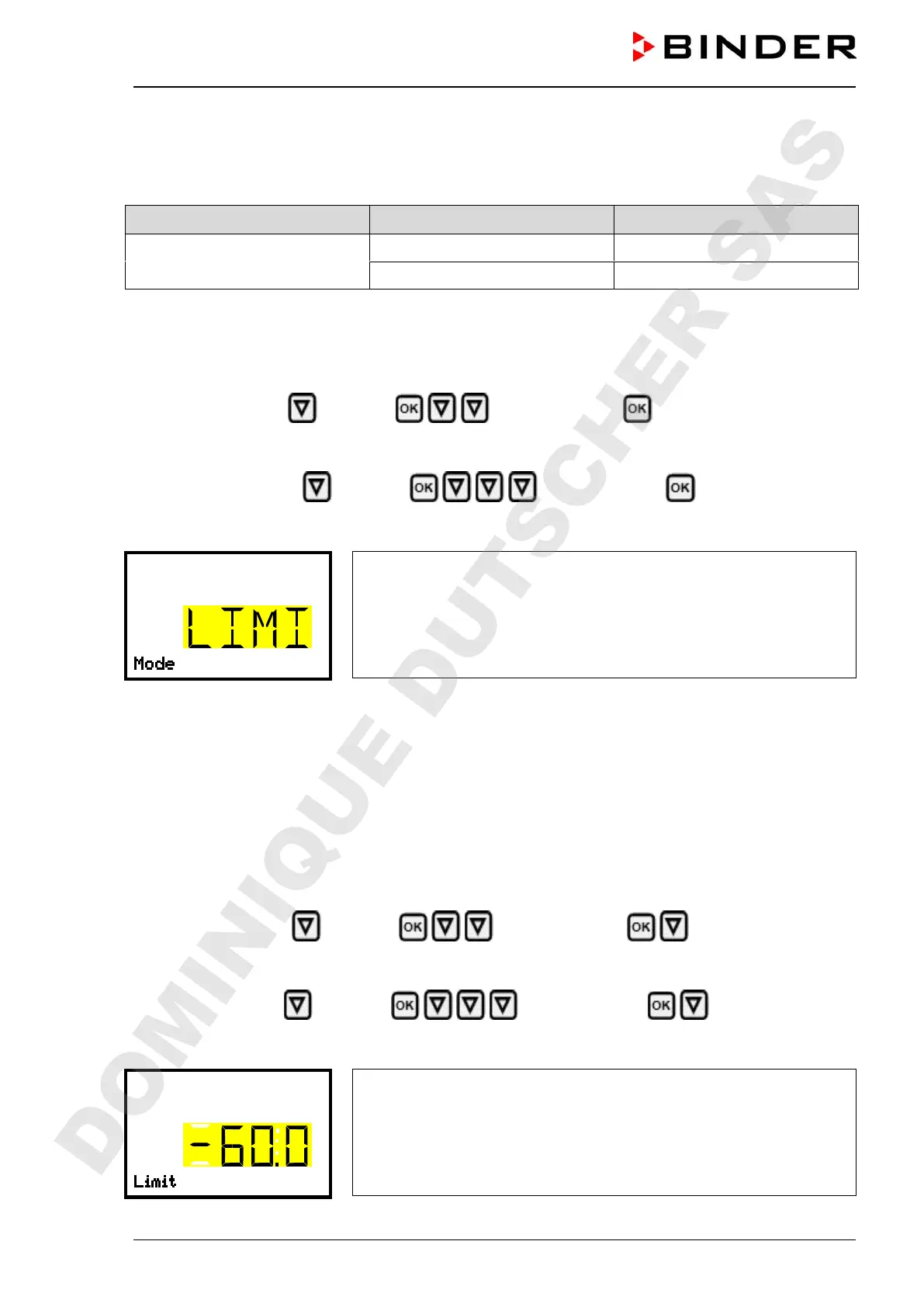
Path: Normal display Setpoints Safety controller Mode
With optional CO
2
emergency cooling:
Path: Normal display Setpoints Safety controller Mode
Press the OK button to enable the setting.
Setting the safety controller mode
The current setting flashes. Use the arrow buttons to select between
LIMI (Limit) and OFFS (Offset).
Confirm the setting with the OK button.
With the arrow-down button you proceed to setting the safety controller value (chap. 11.2)
With the Back button you can go back to the “Safety controller” submenu and, repeatedly pressing it, to
Normal display.
11.2 Setting the safety controller value
Required access level: “User”.
The desired safety controller mode must be selected first (chap. 11.1). Depending on the mode setting,
one of the following setting menus will appear.
Path: Normal display Setpoints Safety controller Limit or Offset
With optional CO
2
emergency cooling:
Path Normal display Setpoints Safety controller Limit or Offset
Press the OK button to enable the setting.
Setting the safety controller value with “Limit” safety controller mode.
The current value flashes. Enter the desired limit value with the arrow
buttons.
Confirm the entry with the OK button.
DOMINIQUE DUTSCHER SAS


 To Next Page