UF V (E3) 03/2019 Page 69/116
16. Access codes (option “Door access system”)
Chambers with the “Door access system” option are equipped with an electronic access control via
NumPad, which, in connection with the electromechanical door locking, enables personalized access con-
trol.
16.1 Assigning the access codes
You can assign up to 20 access codes as four-digit number combinations.
Except "0000" (no code) all number combinations are allowed.
As long as no access code has been assigned (all 20 access codes set to “0000”, factory setting), the
door can be opened directly with the “Open” pushbutton.
Once at least one access code has been assigned, the chamber door can no longer be opened without
entering the code.
Required access level: “Admin”.
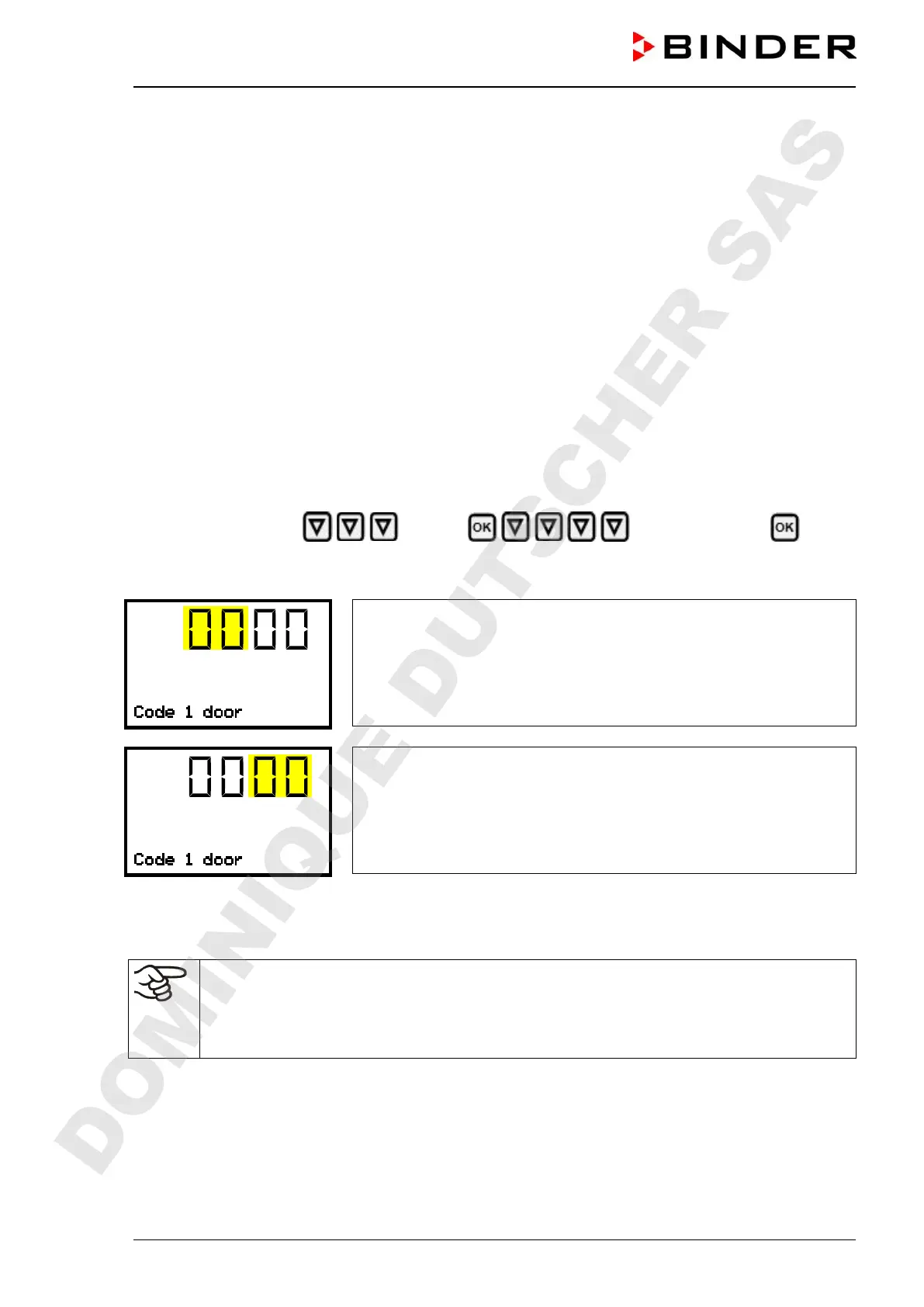
Path: Normal display Settings Door access code Code 1
door
Press the OK button to enable the setting.
Function “Code 1 door”: Assigning the first access code.
The left two digits are flashing. Enter the desired numbers with the
arrow buttons.
Confirm the setting with the OK button.
Function “Code 1 door”: Assigning the first access code.
The right two digits are flashing. Enter the desired numbers with the
arrow buttons.
Confirm the setting with the OK button.
With the arrow-down button you can now change to the enter the next access code.
With the Back button you can go back to the “Door access code” submenu and, repeatedly pressing it,
to Normal display.
Keep the access code well in mind.
Once an access code has been assigned, the chamber door can no longer be opened without
entering the correct code.
The access level required to assign or modify an Access code is “Admin”.
DOMINIQUE DUTSCHER SAS


 To Next Page