Biotage
®
Selekt User Manual | © Biotage 2020
Unload a Purification
Warning
»
Never flush or purge the system without a column mounted
or the column inlet and outlet tubing coupled together, on
both channels.
Flush the Column with Air
Empty the column of remaining solvents using the air flush
feature; see page 24.
Purge the Column
Any remaining pressure after a purification can be released
using the purge feature; see page 24.
Unload the Run
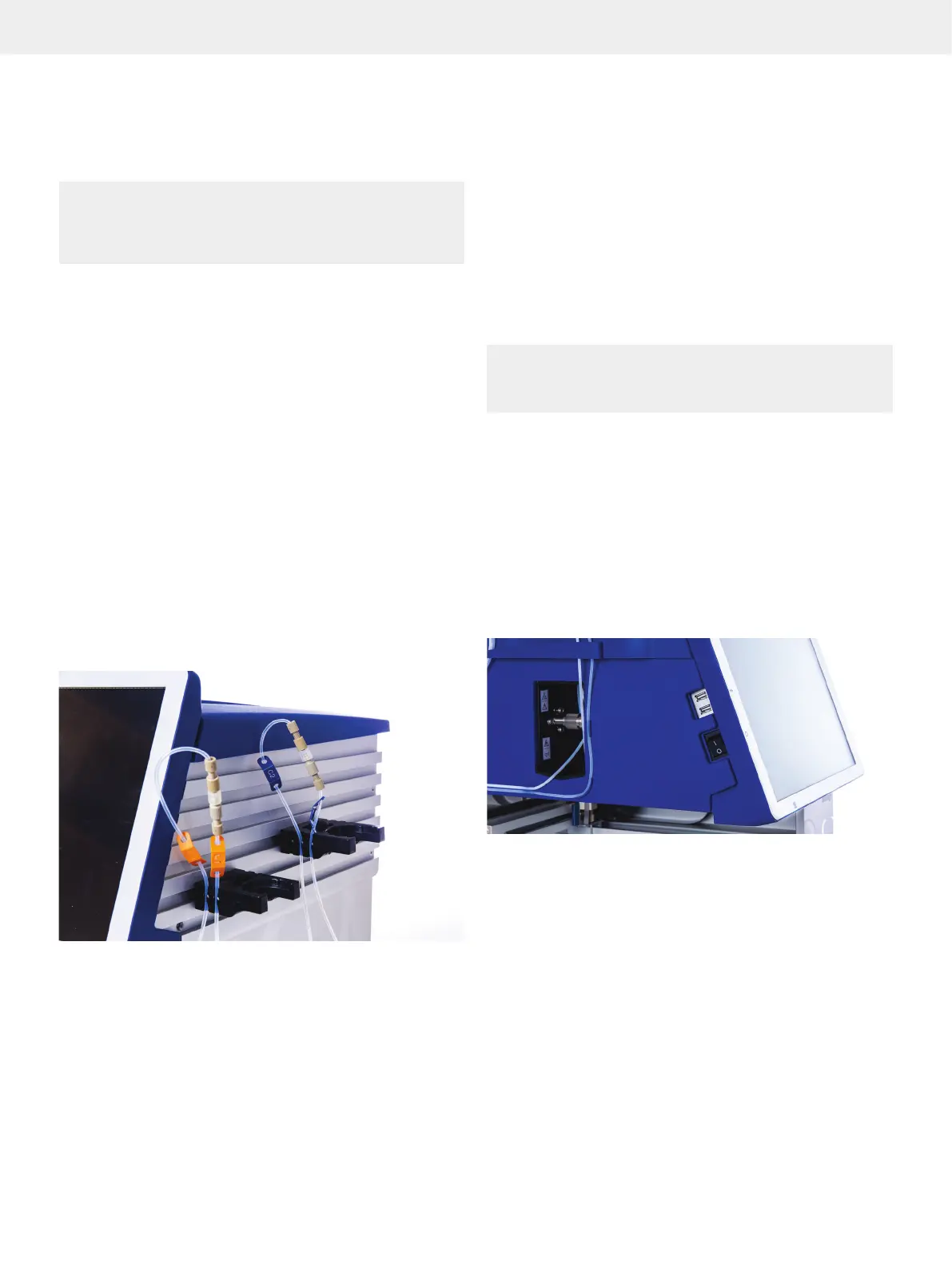
When the purification is finished, unload the column and
rack(s). To avoid leakage, plug the column inlet and outlet
fittings and couple the column inlet and outlet tubes together
(see Figure 34).
Remove Racks in the Software
When the RFID reader is not enabled in the system settings
(see page 27), racks that are unloaded have to be removed
manually in the software by selecting None in the
corresponding Select Rack drop-down list.
Figure 34. When a run is finished, couple the column inlet and outlet
tubes together.
Unload a Purification
Flush the System
If the last purification of the day is performed with a halogenated
solvent (e.g. DCM), we recommend that you assign methanol or a
similar solvent to the inlet line used with the halogenated solvent
(see page 7) and flush with at least 30 mL (see page 23).
Shut Down the System
Warning
»
Failure to perform an orderly system shutdown may result in
user data corruption and/or remaining pressure.
An orderly system shutdown helps prevent data corruption.
For critical applications, the use of a suitable Uninterruptable
Power Supply (UPS) may help avoid data loss during a power
outage.
1. When the system is not processing, press Menu, Shut Down,
and then Yes to confirm.
2. When the message saying it is safe to turn off the system
appears on the touch screen, turn off the system. The power
switch is located on the left side of the system; see Figure 35.
3. If desired, unplug the power cord from the power outlet.
Figure 35. The power switch is located on the left side of the system.



 To Next Page