System Overview
E-mail Functionality
With the system connected to an e-mail server, it is possible for
the users to:
»
Receive e-mail notifications when user interaction
is required for their runs, e.g. when a rack has to
be replaced, a solvent needs to be replenished,
a waste reservoir needs to be emptied, and a leak
is detected by Biotage
®
Solvent Detector.
»
Automatically receive the report by e-mail when
their purification run has been completed.
»
Send reports and logs from the system by e-mail.
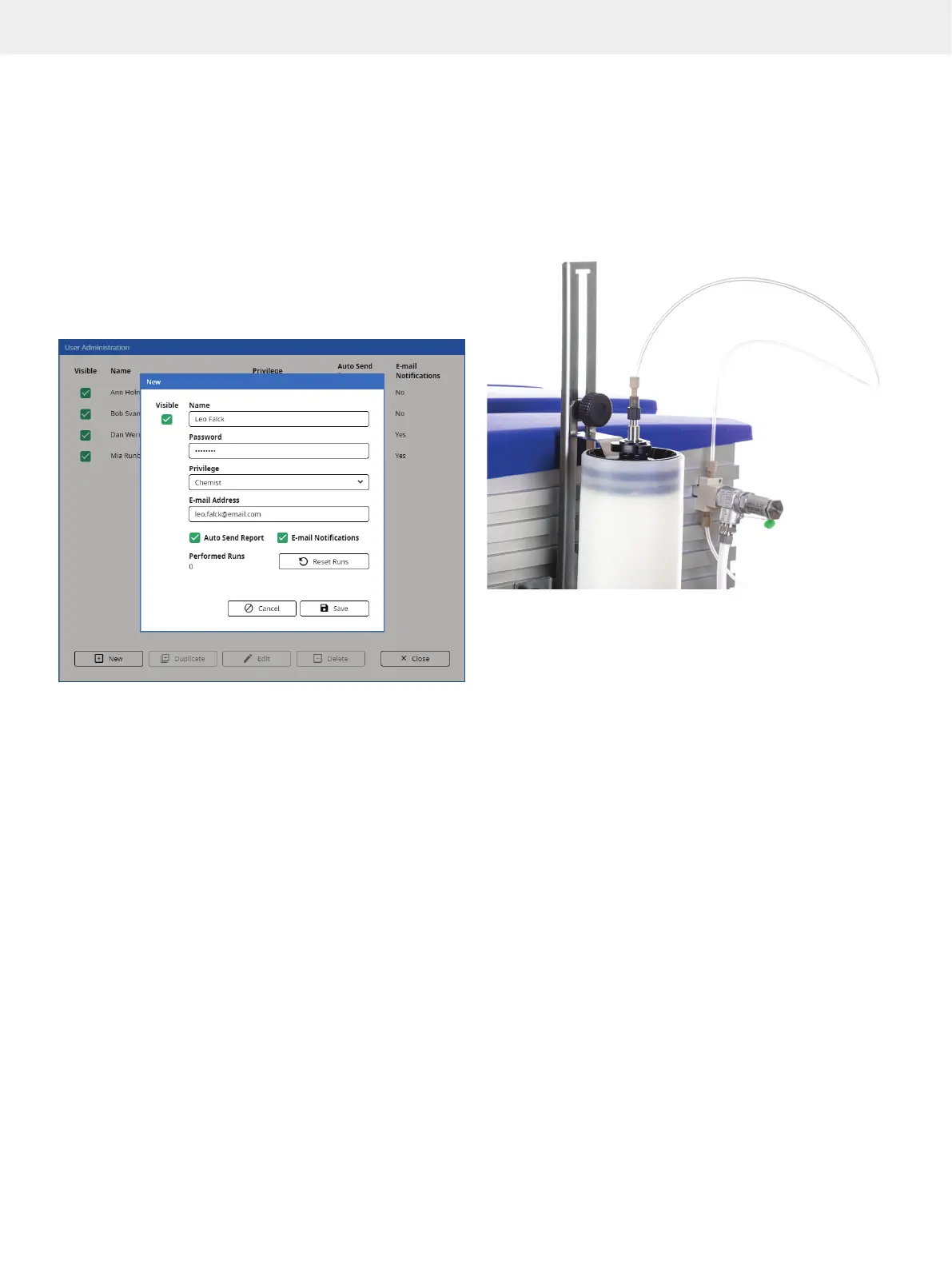
Figure 7. E-mail notifications and auto send of reports are enabled and
disabled individually in each user account.
Audible Alarm
When the audible alarm is enabled in the system settings,
a warning will sound if an error has occurred.
Lighting
To provide better visibility and status information for the user,
there is a light strip underneath the touch screen and a mirror
behind the collection racks.
When the light strip is enabled in the system settings, the color
indicates the status of the system:
»
White: System idle or processing.
»
Orange: User interaction required for the run on channel 1.
»
Blue: User interaction required for the run on channel 2.
»
Green: Run completed.
»
Red: System error. The system needs to be restarted.
Biotage
®
Safety Valve
The optional safety valve (P/N 417115SP) enables you to use
columns or combinations (e.g. column and dry load vessel)
with a combined column volume larger than 0.8 L and up to
a maximum of 3.1 L.
The safety valve is designed to open at 8 bar and discharge
fluid until the pressure drops below 8 bar.
Figure 8. The safety valve connected to a SNAP XL column mounted on
the system.
Spektra Software License (Optional)
The following features are included in the Spektra software
license that is sold separately:
»
λ-All detection. The system uses average
absorbance within a user-defined wavelength
range for collection and fractionation.
»
UV Baseline Correction. When the UV baseline
correction option is turned on, the gradient run is
preceded by a light absorbance detection phase.
During this phase, the light absorbance of the used
solvents (A, B, and modifier) is measured for the whole
detector range using either the initial gradient mix to the
end mix A/B or the initial gradient mix to 100% solvent B.
The measurement results in a baseline that is subtracted
from the detector signal during the gradient run.
»
Absorbance spectrum. The absorbance spectrum for
the whole detector range is displayed during the run.
»
Tool for spectrum analysis. The analysis view shows the
chromatogram and the absorbance spectrum for the whole
detector range for a selected point in the chromatogram.



 To Next Page