Prepare the System
Setup of Automatic Conversion Between
Normal and Reversed Phase
Selekt automatically converts system solvents from normal to
reversed phase when the following criteria are met:
»
Previous run was performed on the other channel.
»
Previous run was performed using a column intended
for the other chemistry type (reversed/normal
phase) than the one used for the current run.
»
None of the runs use more than two solvents,
i.e. no modifier, solvent C, or solvent D.
»
The strong solvent of the previous run
is still connected to the system.
Automatic conversion is performed between the runs as
follows:
1. The system pumps 100% of the strong solvent of
the previous run via bypass.
2. The system pumps 100% of the strong solvent of
the current run via bypass.
Assign Solvents and Set Reservoir Volumes
When a purification is run, the software determines which
solvent inlets are connected to the solvents used in the run.
Note: For reversed-phase purification with methanol and
water, it is strongly recommended to premix the water with
5% of methanol and degass either through vacuum or
sonication. Degassing of protic solvent blends decreases
out-gassing of entrapped air during gradient elution, which
will impact gradient performance and flow rates.
Note: With solvent and waste monitoring enabled (see
page 27), the capacity and current fluid level must be entered
each time you empty a waste reservoir or refill a solvent.
Note: All four solvent inlets must be primed with solvent to
achieve the specified pump performance.
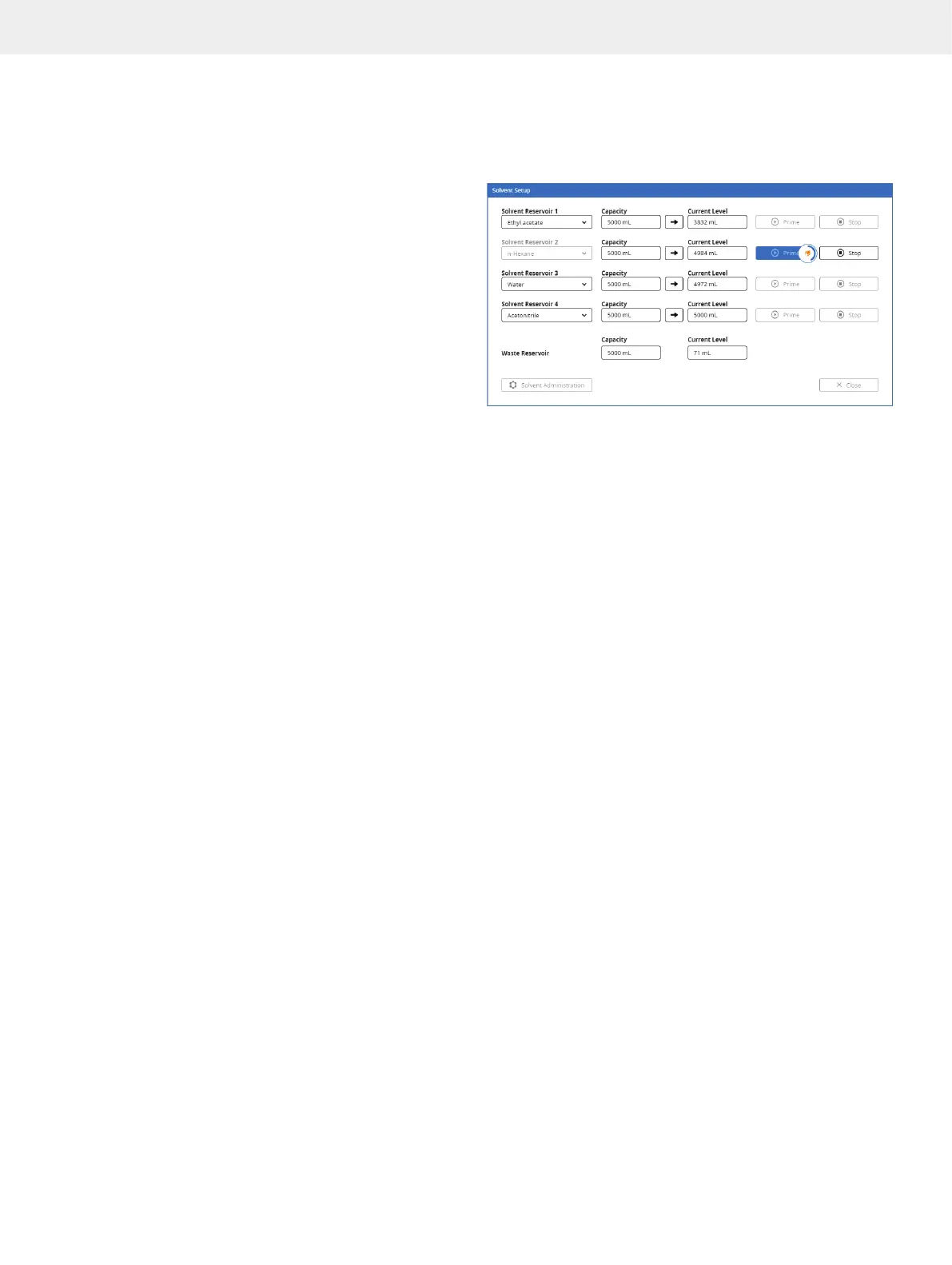
1. In the software, press Menu and then Solvent Setup.
2. Assign a solvent to each solvent inlet using the solvent
drop-down lists (see Figure 17).
To add solvents to the list, press Solvent Administration.
For more information, see page 25.
3. If solvent monitoring is enabled, enter the capacity and
the current solvent level of each solvent reservoir.
4. If waste monitoring is enabled, enter the capacity and
the current waste level of the waste reservoir.
5. Prime the solvent inlets that have been assigned a new
solvent; see below.
Figure 17. The Solvent Setup window with solvent and waste monitoring
enabled.
Prime the Solvent Inlets
Before you start a purification on your system, you might need
to prime the solvent inlets to:
»
Remove any air bubbles from the pump and the
solvent inlets by flushing them with solvents.
»
Empty the solvent inlets of solvents used in the previous
purification and fill them with new solvents.
Note: All four solvent inlets must be primed with solvent to
achieve the specified pump performance.
Note: We recommend to have all solvent reservoirs on the same
physical height to improve accuracy in the solvent mixing.
1. In the software, press Menu and then Solvent Setup.
2. Prime the solvent inlets by pressing the corresponding
Prime buttons (see Figure 17). Note that 27 mL of the
assigned solvent is used for each prime.
Flush the System
If the automatic line flush is disabled on your system (see
page 27), ensure to flush the column flow path before each
run (see page 18).



 To Next Page