12 | Installation
BioTek Instruments, Inc.
2. Remove the shipping hardware
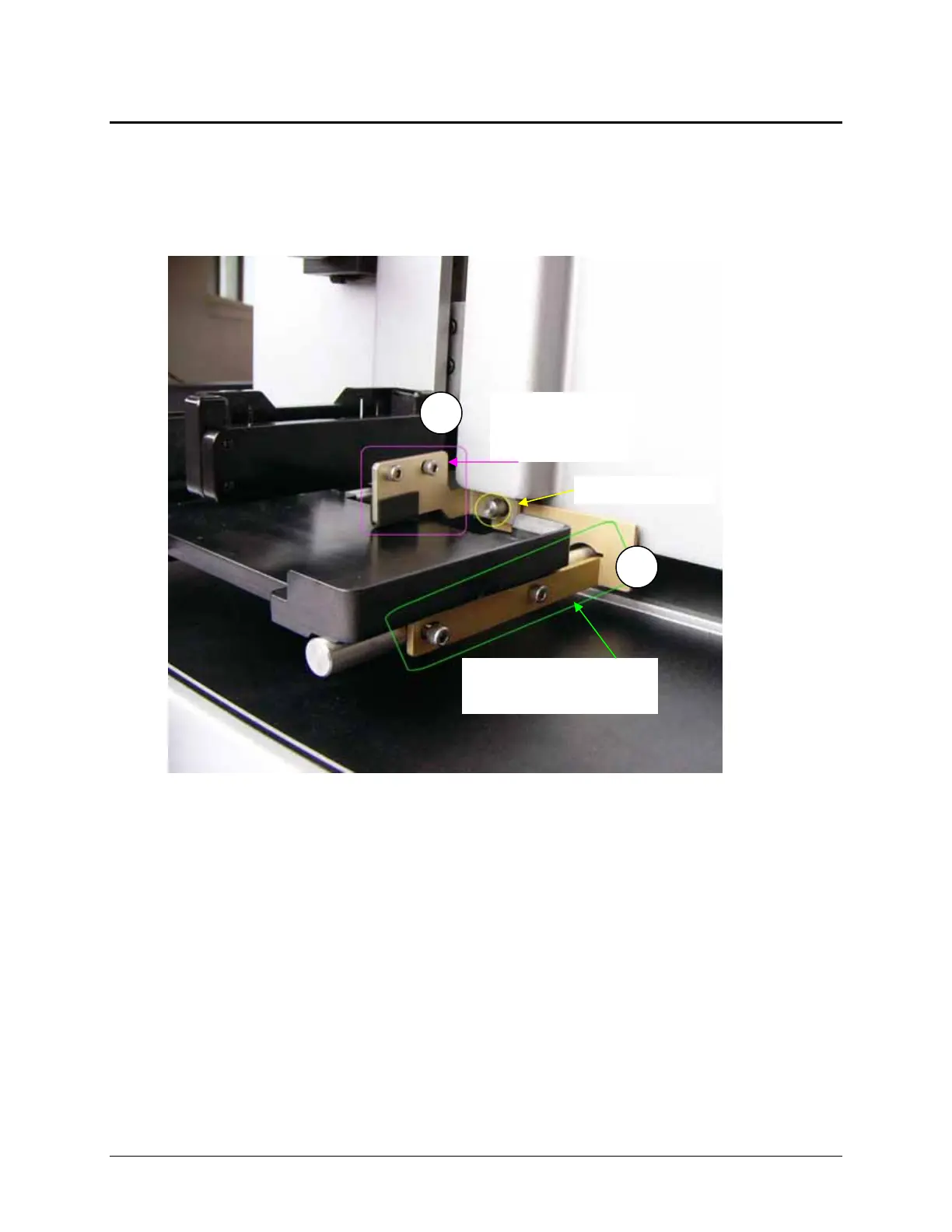
Two shipping brackets and a rubber band protect the MicroFlo during shipping. After
removing the dispenser from its boxes and bag, place it on a level work surface to
remove the shipping hardware.
Figure 1: Shipping Hardware
Required Materials
Hex wrench shipped in small plastic bag
Remove the shipping brackets
1. First remove the dispense arm shipping bracket: use the hex wrench to
remove the two screws that hold it to the dispense arm and slide it forward
and off the back rail.
2. Next, remove the plate carrier shipping bracket: use the hex wrench to
remove the two screws that hold it to the plate carrier and slide it forward
and off the back rail.
3. Attach the shipping brackets to the back of the instrument for storage. They
will be needed again if the dispenser must be shipped in the future.
1
2
Dispense arm
shipping
bracket
Plate carrier shipping
bracket
Back post



 To Next Page