sat801+ Pulse Oximeter
Use
26
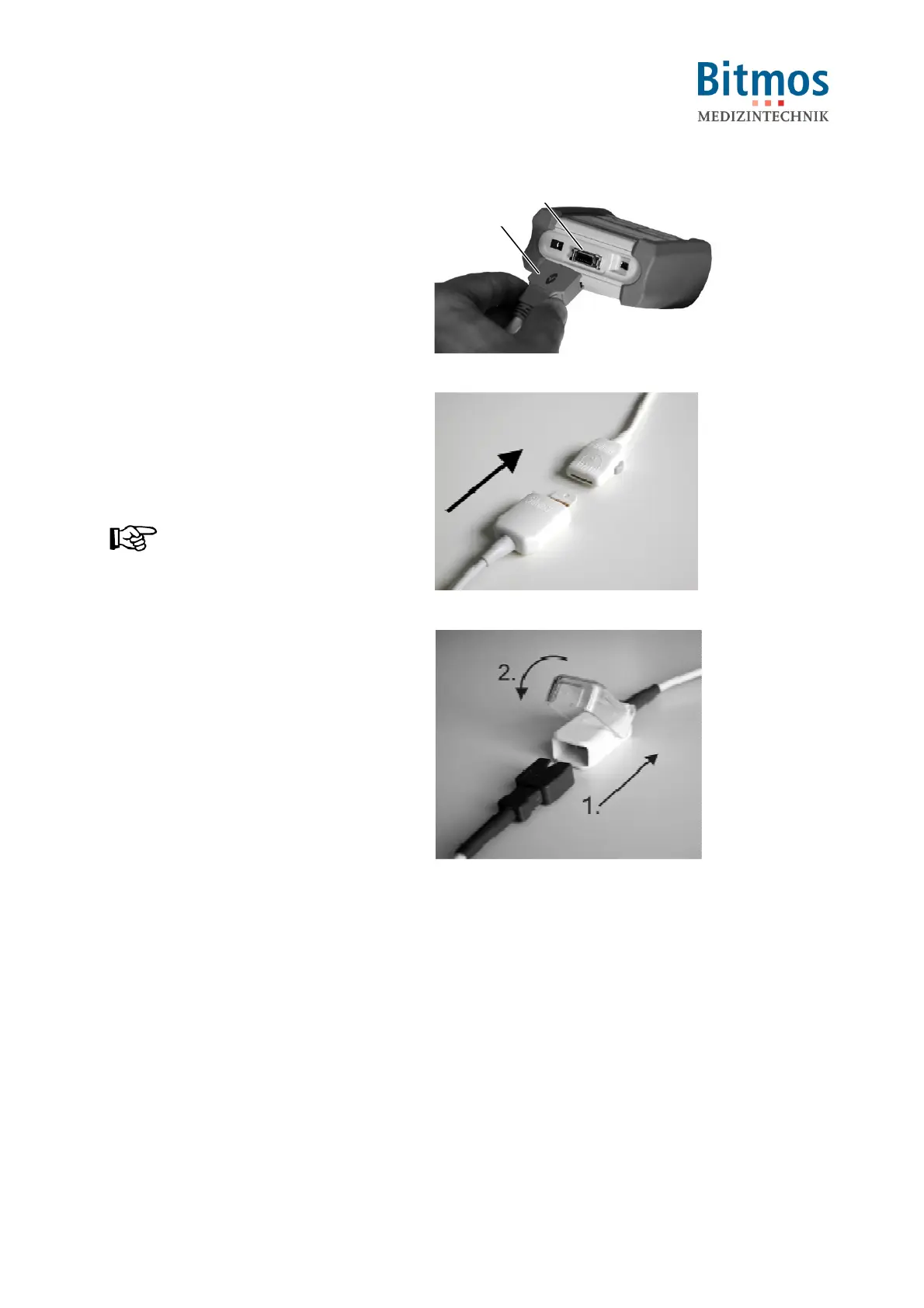
1. Connect the patient cable connector
(1) into the unit socket (2).
The plug only fits in one direction and
audibly snaps in.
2. Select the required Masimo-Sensor.
1
2
Fig. 14: Connect patient cable
3. Insert the sensor connector into the
patient cable connector.
The plug only fits in one direction and
can be felt snapping in.
NOTICE!
Some Masimo sensors (e.g. type
LNOP DCSC) come with an integrated
patient cable. In this case connection
to a separate patient cable is not
necessary.
Fig. 15: LNOP sensor connection
Fig. 16: LNCS sensor connection



 To Next Page