sat801+ Pulse Oximeter
Data
61
9.1.2 Total alarm list (Vital alarm list)
Selecting Total alarm list displays a list of all the alarm events (vital and technical alarms) as a
table on the display.
1. Starting from the main menu, call:
Data Total alarm list
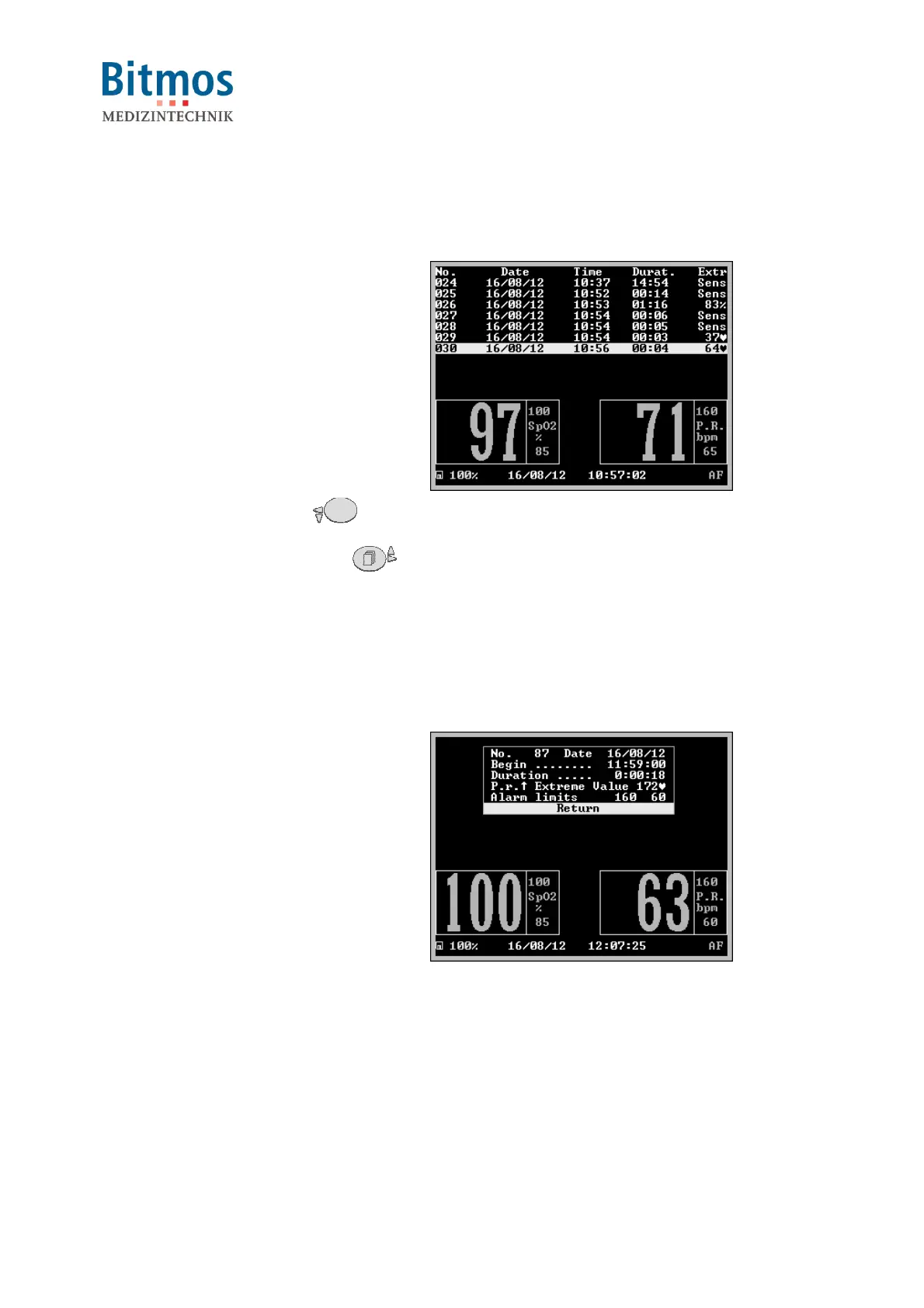
The total list of vital alarms is
displayed.
From left to right, this shows:
• the serial alarm ID (e.g. no. 30),
• date and time when the alarm
occurred (e.g. 16/08/12, 10:56h)
• the duration (e.g. 4 seconds)
• and the extreme value or type of
alarm event (e.g. 64 1/min)
2. Use navigation buttons to browse
through the list. Press to
show a more recent alarm (i.e.
higher alarm numbers) and to
show an older alarm (i.e. lower
alarm numbers).
3. Leave the list by confirming
Return.
Fig. 58: Total alarm list
9.1.3 Alarm details
1. Call the alarm list.
2. Mark an alarm entry and select it.
In the window, following information
is displayed:
• start date
• start time
• alarm duration
• type of alarm (here: PR hi)
• alarm limits
• extreme value or type of alarm
3. Leave the window by confirming
Return.
Fig. 59: Alarm details
9.2 Trend display (Trend)
The sat801+ stores monitoring data constantly. The SpO
2,
pulse and IQ values are recorded
every second. In addition, it also stores monitoring-related data such as alarms and device
settings.
The basic design of the sat801+ stores 160 hours of continuous monitoring with a maximum of
4,000 alarm list entries.
The sat801+ offers an easy and quick graphical trend display on the device.



 To Next Page