sat801+ Pulse Oximeter
Data
60
9 Data
9.1 Alarm lists (Alarm lists)
The sat801+ continuously stores monitoring data. SpO2, pulse and IQ values are continuously
logged on a second-by-second basis. In addition, data related to monitoring, such as alarms and
device settings, are also stored. In the basic extension stage, the device stores 160 hours of
continuous monitoring with a maximum of 4000 alarm list entries.
On the device you have the option of analysing the stored data in the form of lists and alarm
event graphics:
a list of all alarm events
the vital alarm list
trend displays
The stored data can be exported via various interfaces for more detailed evaluation.
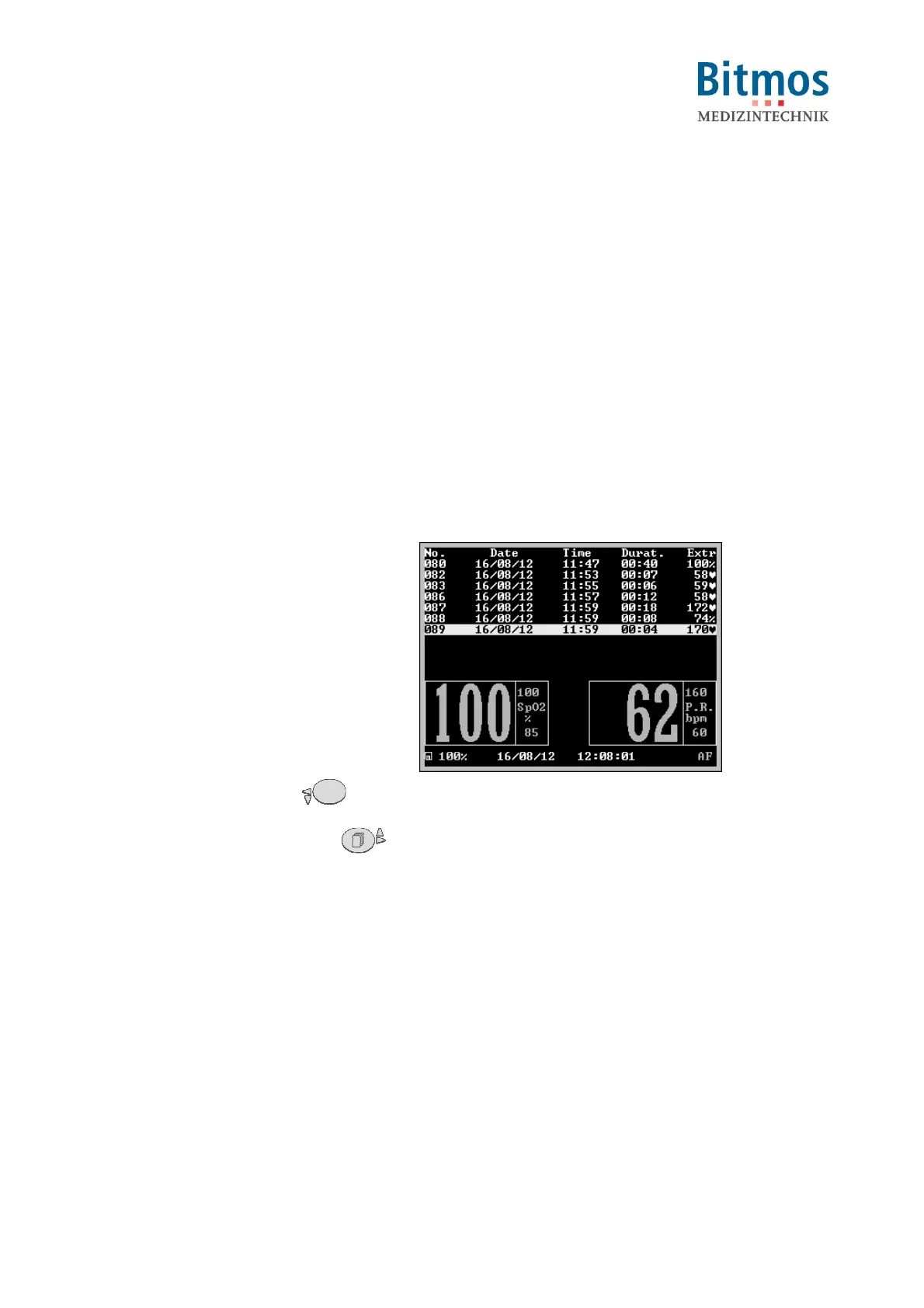
9.1.1 Vital alarm list (Vital alarm list)
1. Starting from the main menu, call:
Data Vital alarm list
The list of vital alarms is displayed.
From left to right, this shows:
• the serial alarm ID (e.g. no. 89),
• date and time when the alarm
occurred (e.g. 16/08/12, 11:59 h)
• the duration (e.g. 0 minutes 4
seconds)
• and the extreme value during the
alarm (e.g. 170 1/min)
2. Use navigation buttons to browse
through the list. Press to
show a more recent alarm (i.e.
higher alarm numbers) and to
show an older alarm (i.e. lower
alarm numbers).
3. Leave the list by confirming
Return.
Fig. 57: Vital alarm list



 To Next Page