sat801+ Pulse Oximeter
Operation
39
7.5.2 Setting the Alarm Filter
CAUTION!
Activating or changing the alarm filter settings is a serious intervention in the device
functions and must never be done without first consulting the doctor in charge of the
treatment!
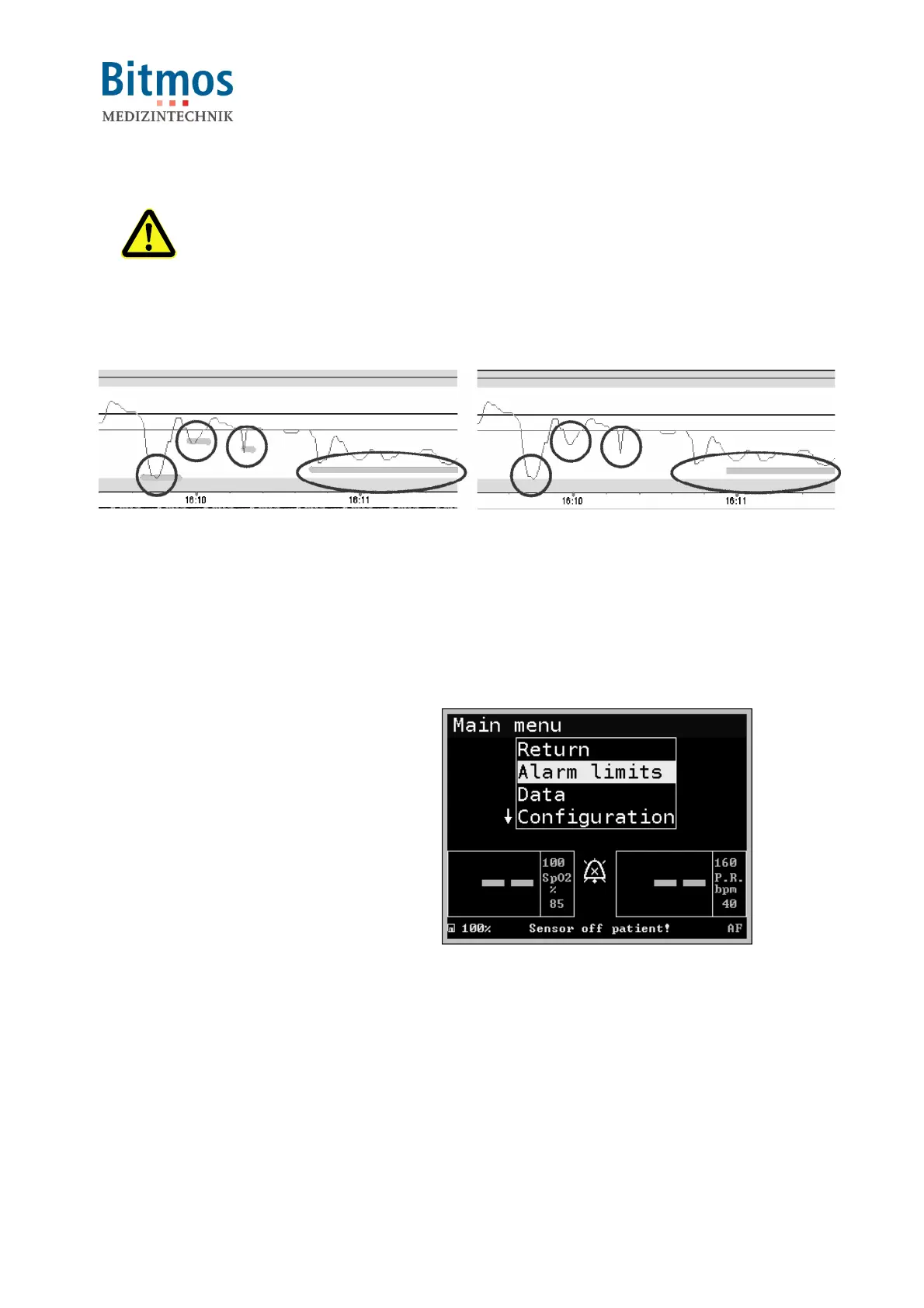
For canceling short and therefore irrelevant alarm conditions, an alarm filter can be set.
no alarm filter with alarm filter
The alarm filter produces a “silent alarm”. During the set alarm filter time period (adjustable
between 0=OFF and 20 seconds maximum), the occurrence of an alarm condition for oxygen
saturation and/or pulse rate will NOT lead to an acoustical nor optical alarm. After the above
mentioned alarm filter time period, the alarm will be generated. If in the meantime the source of
the alarm condition will vanish, there will be no alarm at all.
The alarm filters can be configured individually for SpO2 low and also for pulse rate high.
This feature will increase user compliance by suppressing short alarm periods.
The alarm filters are deactivated when shipped from the factory. (0=OFF)
1. Starting from the normal display, call:
Alarm limits
2. Select Al.F.SpO2
, for setting the
alarm filter period for the lower SpO2
alarm limit,
or
select Al.F.Pulse
for setting the
upper pulse rate limit
Fig. 34: Alarm limits



 To Next Page