sat801+ Pulse Oximeter
Alarms
54
8.3.1 High Priority Alarms
WARNING! Wrong alarm limits!
Check the alarm limits each time the device is used to ensure they are appropriate
for the patient being monitored.
High priority alarms require immediate user intervention in order to avoid possible damage to the
patient.
With high priority alarm
– high priority alarm sound is heard,
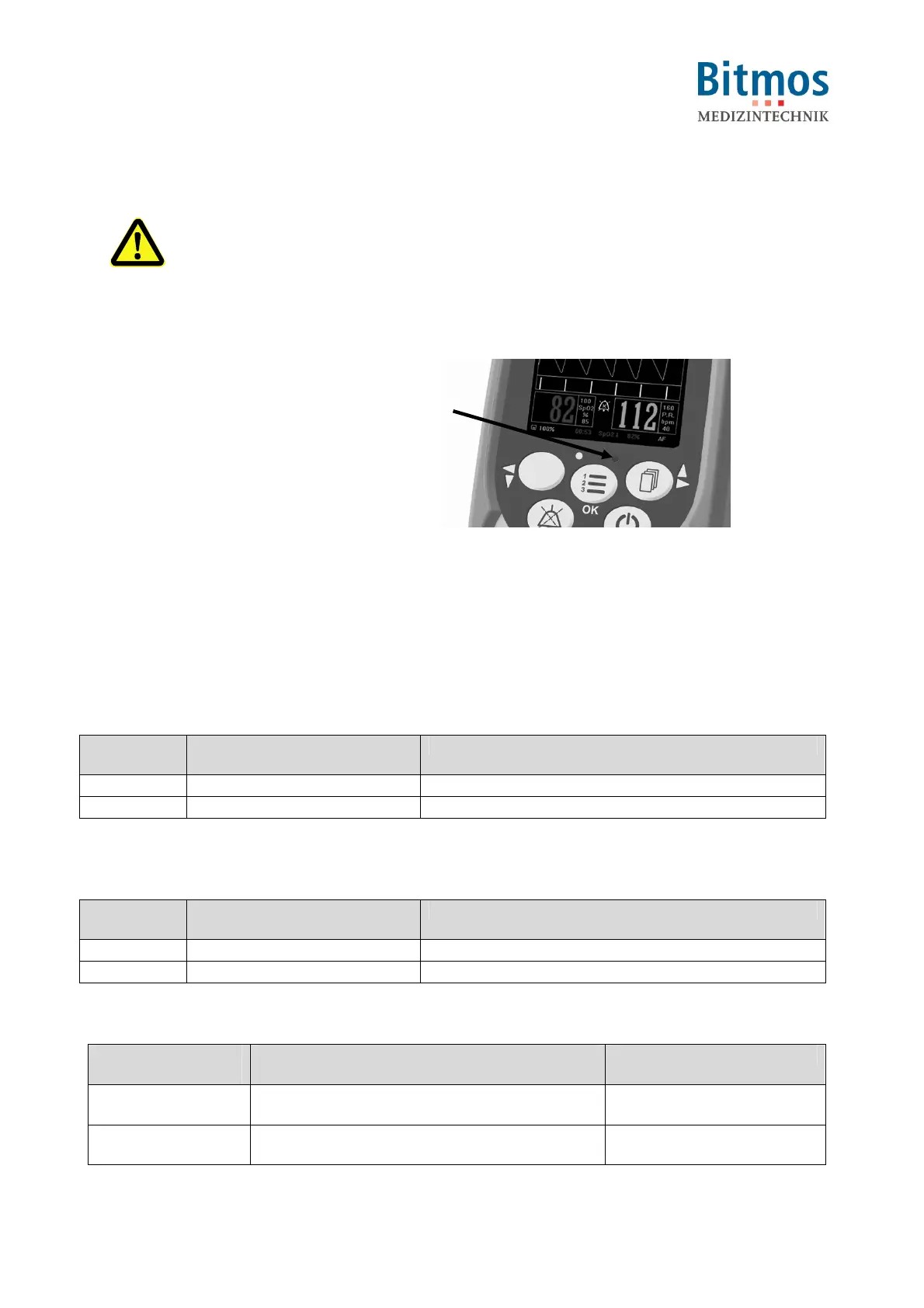
– the red alarm indicator blinks (1) and
– the cause of the alarm blinks in the
display (either numerical value or
battery symbol).
These signals remain for the duration of
the alarm conditions. They only disappear
when the alarm conditions no longer exist.
If the alarm tone mute button is pressed
during the alarm, the alarm signal remains
mute for the duration of the previously
entered mute time.
If ‚Sound Alarm OFF’ has been selected
no alarm is heard. The alarm condition is
then only displayed as an optical signal.
Fig. 54: High Priority Alarm Indicator
8.3.1.1 SpO
2
alarm
Status line
message
Message in the LC display Cause
SpO
2
↑
flashing SpO2 value oxygen saturation exceeds the set alarm limit
SpO
2
↓
flashing SpO2 value oxygen saturation falls below the set alarm limit
The elapsed duration of the current alarm is displayed on the status line.
8.3.1.2 Pulse rate alarm
Status line
message
Message in the LC display Cause
P.r.↑
flashing pulse rate value Pulse rate exceeds the set alarm limit
P.r.↓
flashing pulse rate value Pulse rate falls below the set alarm limit
The elapsed duration of the current alarm is displayed on the status line.
8.3.1.3 Sensor alarms
Status line
message
Message in the LC display Cause
Sensor not
connected
flashing sensor symbol Sensor or patient cable
became unplugged.
Sensor not on
Patient
flashing sensor symbol Sensor has fallen off.
1



 To Next Page