sat801+ Pulse Oximeter
Operation
44
Access permissions HomeCare on HomeCare off
Alarm limits - +
Alarm filter - +
Vital alarm list + +
Total alarm list + +
Trend + +
Pulse tone volume + +
Alarm tone volume +/- (Off is not
available)
+
Alarm tone suppression time - +
Erase data - +
Overwrite data - +
Masimo averaging time - +
Masimo perfusion sensitivity - +
SmartTone - +
Artifact filter - +
Backlight + +
Language + +
Access permission + +
Date and time - +
Product info + +
- = not allowed
+ = allowed
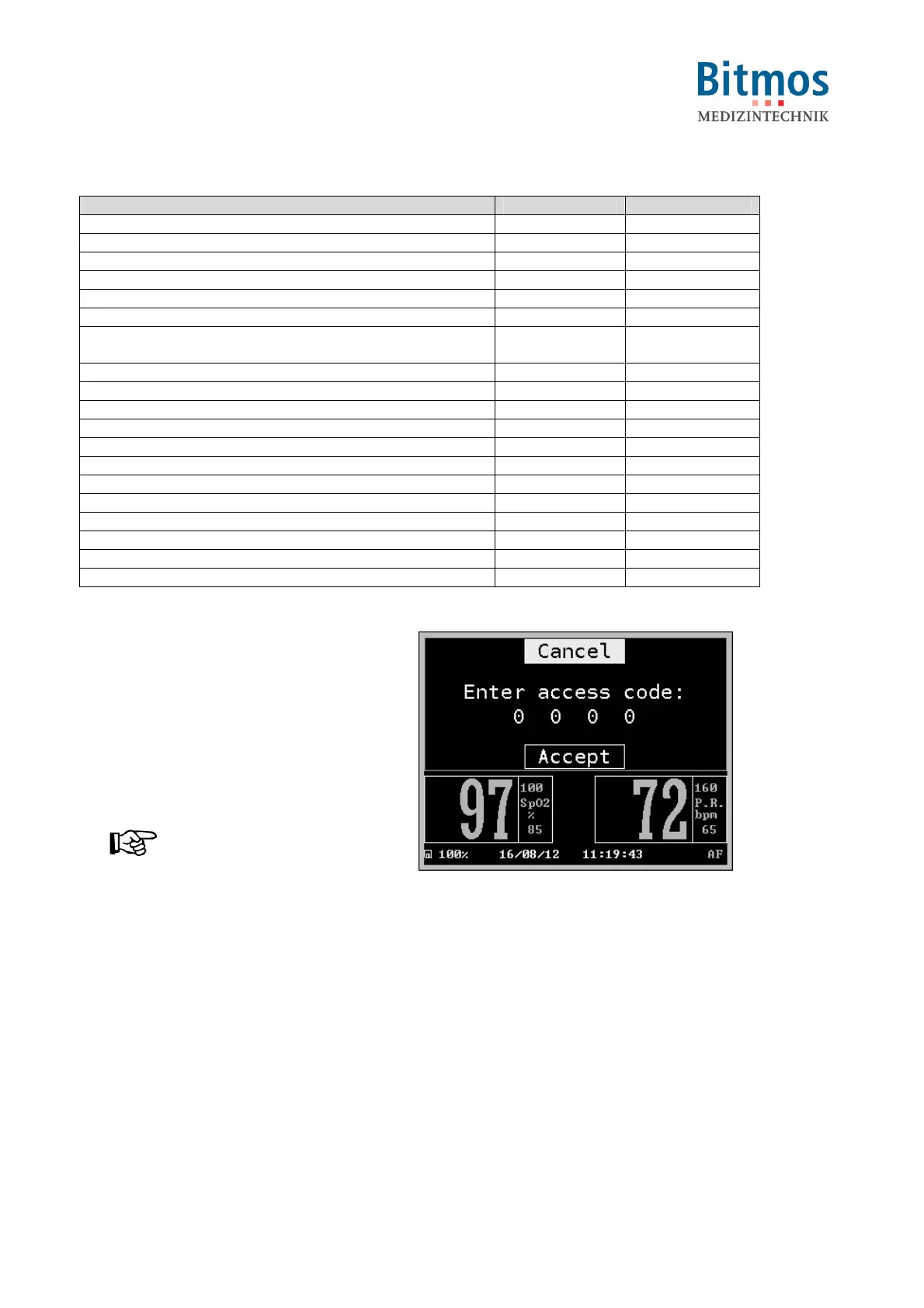
Setting the access permission:
1. Starting from the main
menu, call:
Configuration Screen
Mode
2. Select Home, Clinic or Sleep
lab and confirm.
3. Enter the four-digit pin code for the
respective access permission:
NOTICE!
The pin code is located in a
separate document.
Call the manufacturer.
4. Select the first digit.
5. Set the correct number.
6. Repeat steps 3 and 4 until the
complete code is entered.
7. Confirm the code by selecting
Accept.
Fig. 42: PIN code entry



 To Next Page