Changing Settings
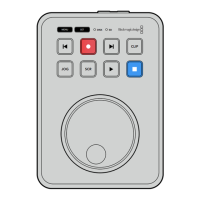
Pressing the ‘menu’ button will open the settings menu, which will appear as a video overlay
onthe bottom left corner of your connected HDMI display.
JOG SCR
CLIP
MENU SET
DISK SD
Press the menu button to open the settings menu
Use the search dial to navigate to the submenu or setting
Press the ‘set’ button to select the submenu or setting
Adjust settings using the search dial or the forward and backward skip buttons. Confirm the
selection by pressing the ‘set’ button.
To leave the menu, press ‘menu’ to step back through the options and return to the
home screen.
TIP You can position the menu to any of the four corners of your display using the
setup menu. We recommend turning the menu off when you have finished changing
settings to make sure the HDMI output is a clean feed when connected to an HDMI
switcher, such as ATEM Mini Extreme.
JOG SCR
CLIP
MENU SET
DISK SD
JOG SCR
CLIP
MENU SET
DISK SD
11Changing Settings


 To Next Page
 Loading...