Formatting Media on a Windows computer
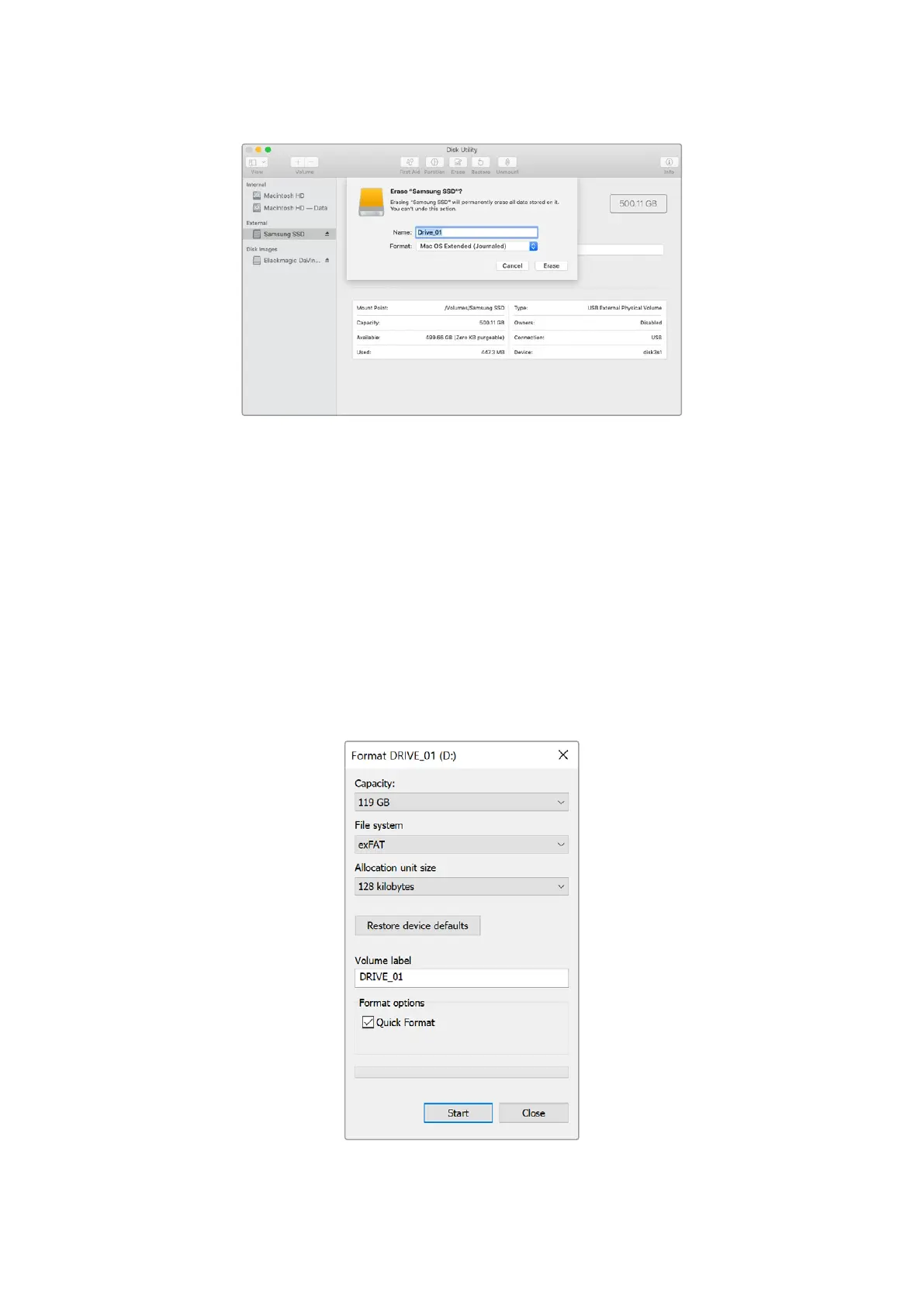
The format dialog box can format a drive in the exFAT format on a Windows PC. Make sure you
back up anything important from your SSD or SD card as you will lose everything on it when it is
formatted.
1 Connect a USB flash disk to your computer with an external dock or cable adapter. For SD
cards, connect it to your computer via an external card reader.
2 Open the start menu or start screen and choose computer. Right-click on your USB flash
disk or SD card.
3 From the contextual menu, choose format.
4 Set the file system to exFAT and the allocation unit size to 128 kilobytes.
5 Type a volume label, select quick format and click Start.
6 Your media will quickly be formatted and made ready for use with HyperDeck.
24Formatting Media


 To Next Page
 Loading...