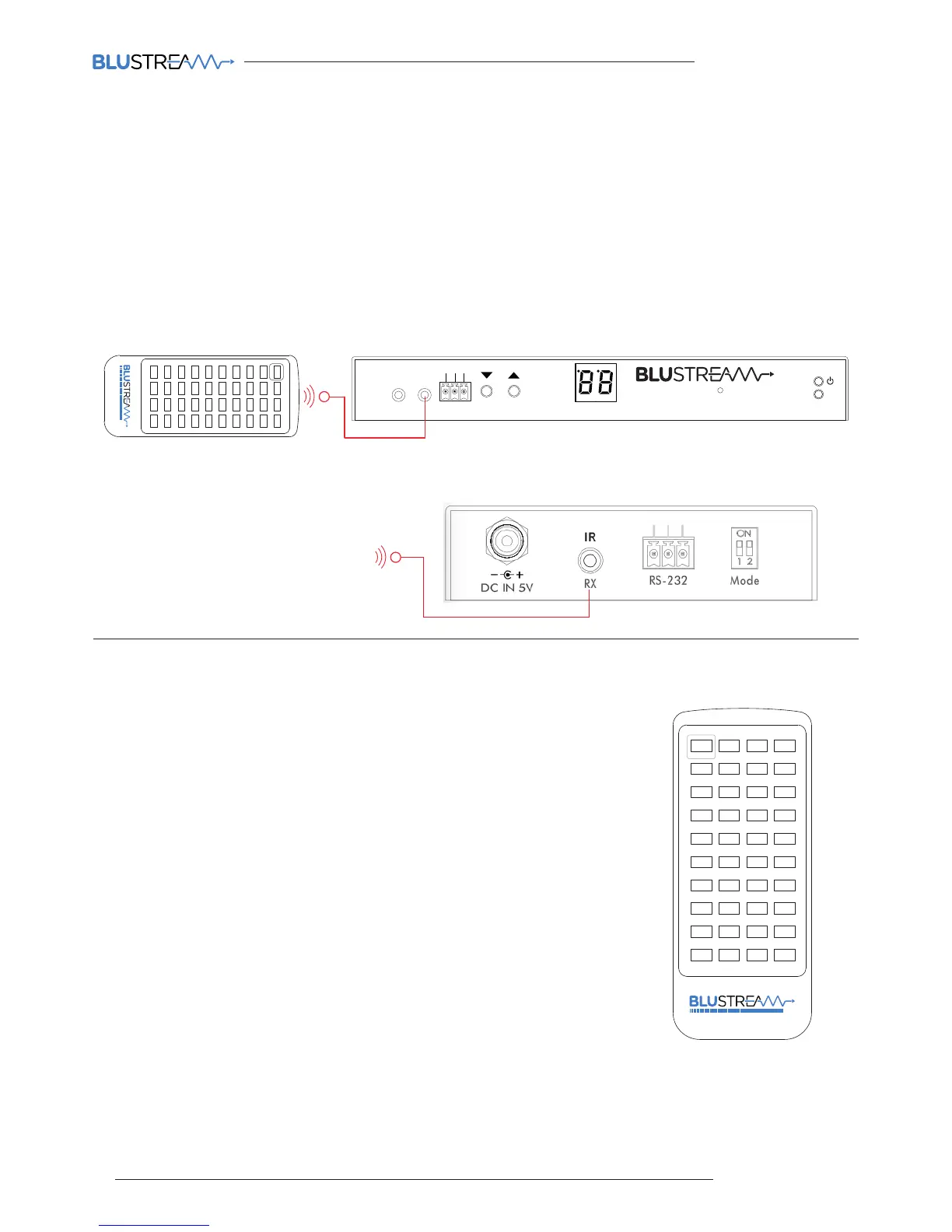
The Blustream Multicast system can be controlled using local IR hardware connected directly to the IP100UHD-RX
Receiver. This prevents the need for a third party control solution. Only the source selection feature is available using
local IR control through the Receiver. For advanced features such as video wall mode, audio embedding etc you will
need to use RS-232 or TCP/IP control.
Blustream have created 80 IR commands allowing source selection of up to 80 IP100UHD-TX Transmitters. For systems
larger than 80 source devices (IP100UHD-TX) we recommend the CM100 control module.
The full list of Blustream IR codes can be found at the rear of this manual on page 57 ‘IP100 Multicast Infrared Commands’
Infrared Control
Input (Transmitter) Selection
The Blustream REM100 remote control can be used at any Blustream IP100UHD-RX
Receiver product and can select up to 80 source inputs (transmitters).
Using the remote:
Sources 1-40 are selected using the input selection buttons 1-40
Sources 41-80 are selected by first activating the ‘secondary control mode’ which
is achieved by pressing and holding source button 1 for 5 seconds. Once this mode
is active the buttons 1-40 are now selecting sources 41-80.
To return control back to source inputs 1-40 simply press and hold source button 1
for 5 seconds to revert to ‘main control mode’.
Link
RXTX
CH Select
IR IR
Rx
Tx
Gnd
RS-232
CH
IP100UHD-RXMULTICAST UHD
1 2 3 4
41 42 43 44
45 46 47 48
49 50 51 52
53 54 55 56
57 58 59 60
61 62 63 64
65 66 67 68
69 70 71 72
73 74 75 76
77 78 79 80
5 6 7 8
9 10 11 12
13 14 15 16
17 18 19 20
21 22 23 24
25 26 27 28
29 30 31 32
33 34 35 36
37 38 39 40
MULTICAST
1 2 3 4
41 42 43 44
45 46 47 48
49 50 51 52
53 54 55 56
57 58 59 60
61 62 63 64
65 66 67 68
69 70 71 72
73 74 75 76
77 78 79 80
5 6 7 8
9 10 11 12
13 14 15 16
17 18 19 20
21 22 23 24
25 26 27 28
29 30 31 32
33 34 35 36
37 38 39 40
MULTICAST
Remote Control - REM100
Third Party Control System
Infrared Control with REM100 and IP100UHD-RX
Infrared Control with Third Party Control System and CM100



 To Next Page