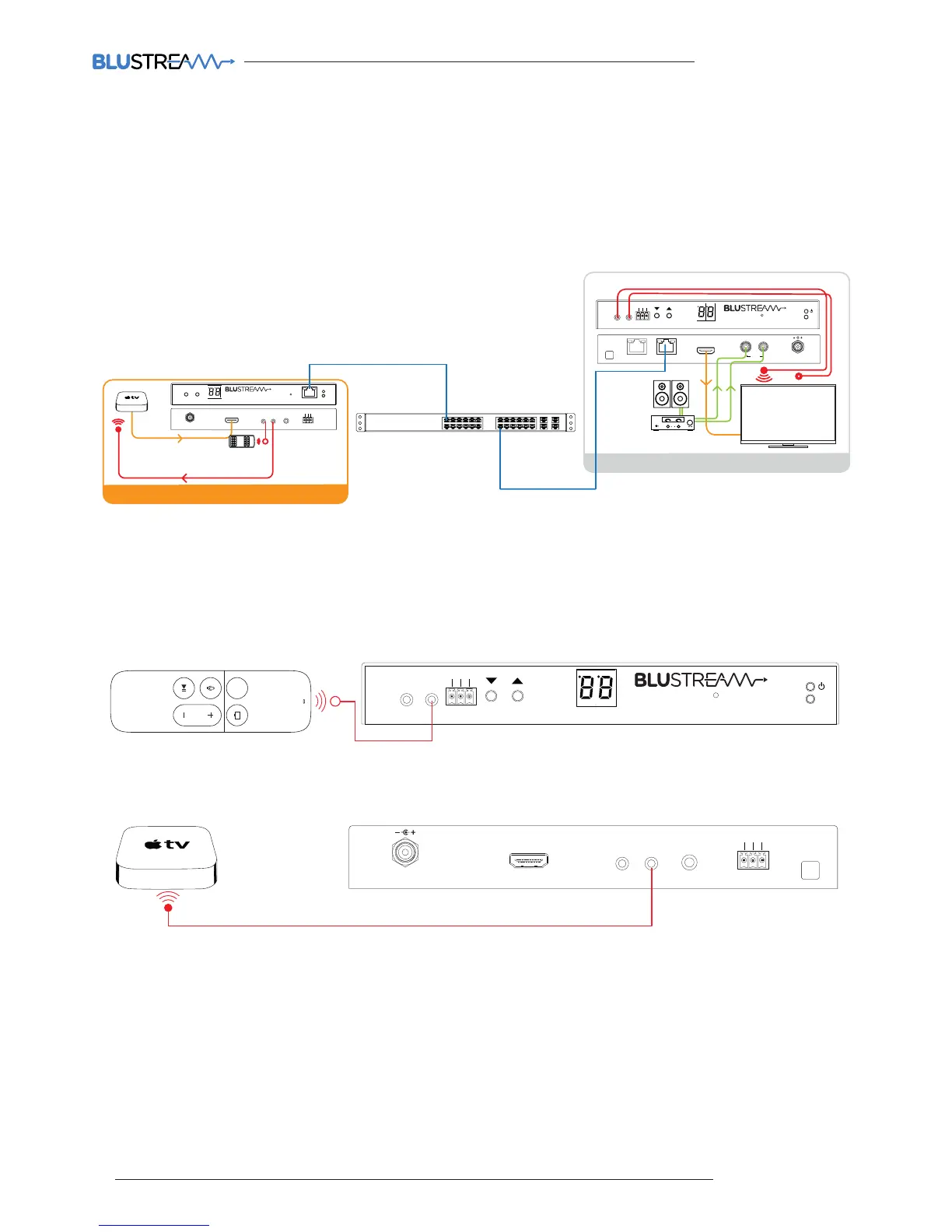
Note: The IR pass-through features are available in all modes of Multicast use (matrix mode, video-wall, one-to-one
and one-to-many)
Connections:
The IR receiver is connected to the IR RX socket on the IP100UHD-RX.
Infrared Pass-Through (Source Control)
The Multicast products feature Infrared pass-through allowing users to use original source remote controls in the field
and control those sources located in another area.
The IR signal is routed to only the current source that is selected meaning that individual source control can be
achieved with installations consisting of multiple source equipment of the same type, I.E - Multiple Satellite boxes of
the same make and model.
Link
RXTX
CH Select
IR IR
Rx
Tx
Gnd
RS-232
CH
IP100UHD-RXMULTICAST UHD
MENU
Rx
Tx
Line IN
HDMI IN
DC IN
IRIR
RX
TX
RS-232
24 56V~
Gnd
TX



 To Next Page