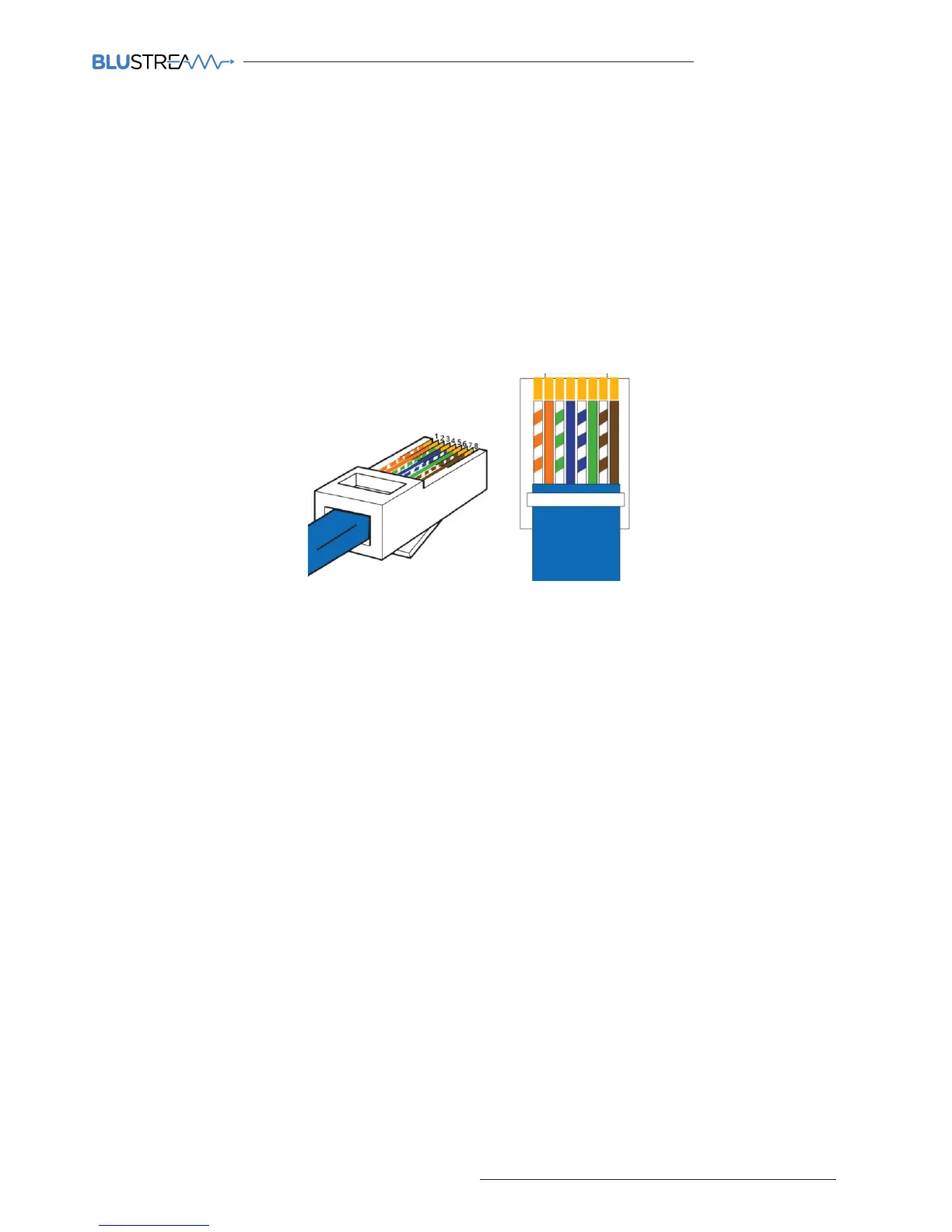
Terminating the interconnecting Network CAT cable
It is important that the interconnecting CAT cable between the Blustream Multicast products is terminated using the
correct RJ45 pin configuration. The link CAT cable MUST be a ‘straight’ (pin-to-pin) CAT cable and it is advised that this
is wired to the T568B wiring standard as this format is less prone to EMI (Electro-Magnetic Interference).
When installing CAT cables it is advised that you use the best possible CAT cable quality possible. HDMI distribution
products will only work if used with CAT5e standard cable or above. Blustream recommends using a CAT6 cable for
your installations, especially when running over longer distances, in areas of high EMI, or with 4K signal distribution.
1 2 3 4 5 6 7 8
RJ45 Pin-Out
T568B



 To Next Page