2
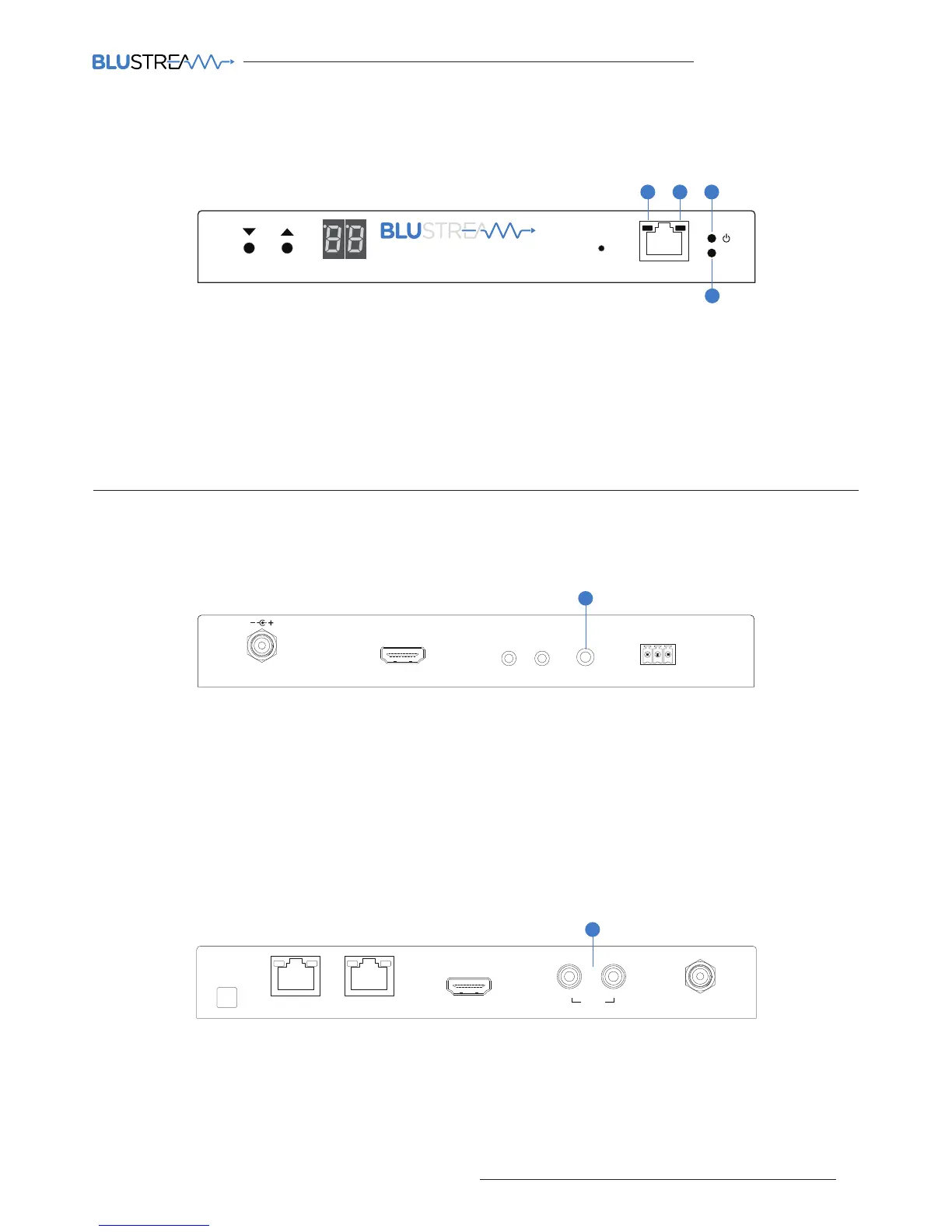
The Multicast products have several LED lights to indicate connectivity status and help diagnose connection problems.
Link
PoE PWR
CH
CH Select
Lan
IP100UHD-TXMULTICAST UHD
1 32
4
Multicast Status Lights
1 LAN PoE status light - Solid Orange indicates PoE from the network switch powering the Multicast product
2 LAN status light - Solid Green indicates active network connection
3 Power status light - O = No power, Flashing = Product booting, On = Power on
4 Link status light - O = No connection to network, Flashing = not connected to any device (another Multicast
product or network switch), On = Connected to Multicast device or network switch
Audio Connections
1 Analogue L/R Line Level audio input
The Analogue line level input can be used to replace the original HDMI audio of the source connected to the
Multicast Transmitter with Analogue L/R 2ch line level audio. The embedded Analogue audio is then distributed
with the adjacent HDMI video signal throughout the Multicast system.
Switching between original HDMI audio and embedded line level analogue 2ch audio is achieved using Blustream
serial/Telnet/IP commands.
Note: It is only possible to select EITHER HDMI audio or local Analogue line input. It is not possible to distribute
both audio sources at the same time.
2 Analogue L/R Line Level audio output
The IP100UHD-RX Multicast Receiver includes audio breakout from the selected HDMI source to associated
Analogue L/R audio outputs. Extracted audio will be concurrent with the corresponding HDMI video output.
Note: The source input must be PCM 2ch audio for Analogue audio outputs to work. The Blustream Multicast
products do not down-mix Dolby Digital, DTS or 5.1ch audio signals.



 To Next Page