Multicast Web-GUI - IP100UHD-TX - Transmitter
The menu structure for the built-in Web-GUI is as follows...
System:
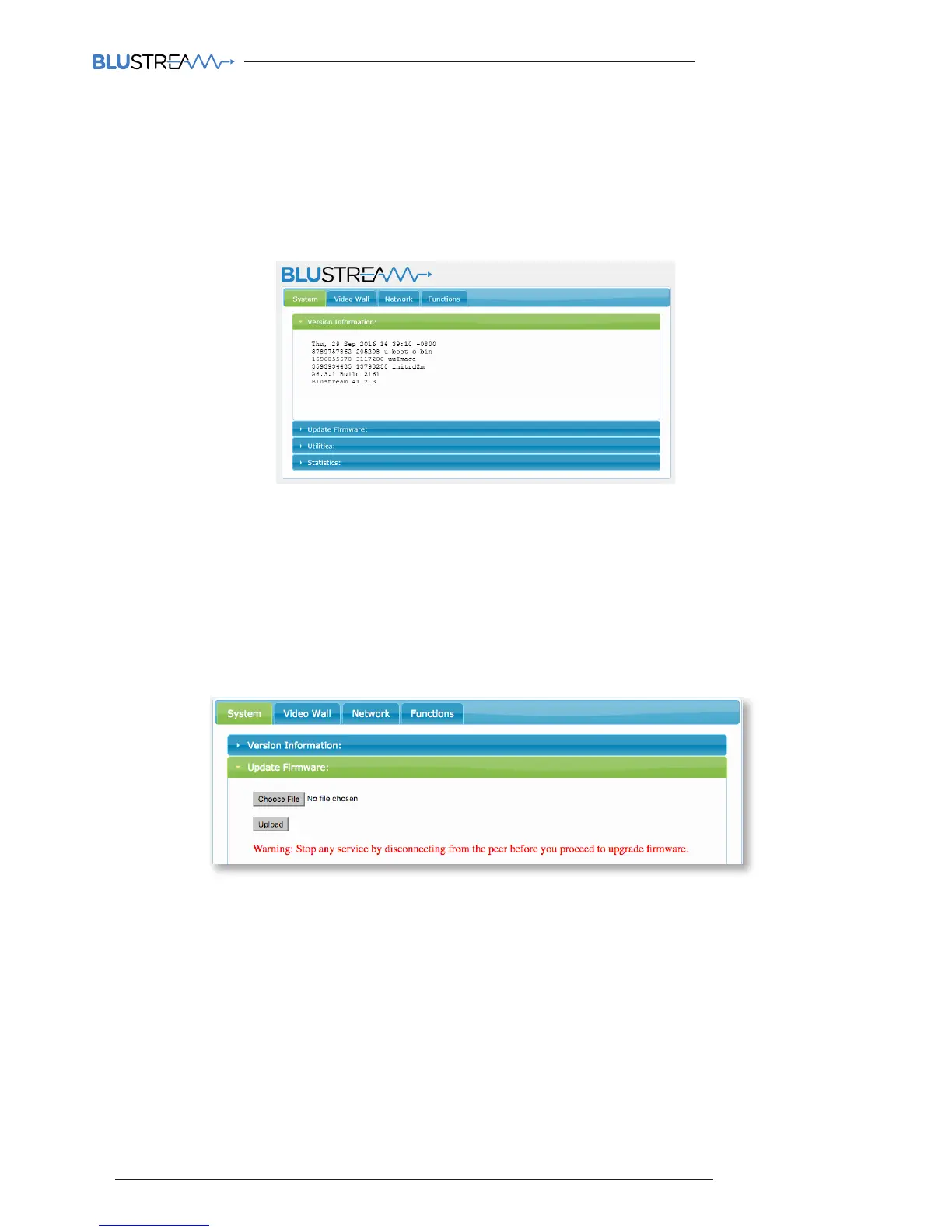
Version Information:
This gives the user an overview of the individual unit you are connected to, including model number and firmware
version
Update Firmware:
It may be necessary to update the firmware of the Blustream Multicast products. It is advised to check the Blustream
website to see if any firmware updates have been uploaded. Download these files and save them to your PC.
To update the Blustream IP100UHD-TX & IP100UHD-RX please follow the below instructions:-
Click ‘Update Firmware’
1) Click ‘CHOOSE FILE’ and open the folder in which you have saved the Blustream Firmware Update PC
PROGRAM/Web GUI files.
2) Select the require ‘Transmitter.BIN’ or ‘Receiver.BIN’ file
3) Click ‘UPLOAD’ which will begin the firmware upgrade process
4) Once the upgrade has completed please disconnect the network cable/power and re-connect to reboot the
product. The Transmitter/Receiver display will no longer display ‘PG’ when complete.
Please note:
DO NOT unplug the power or network connection to the IP100UHD-TX/RX as this may result in failure to
upgrade firmware, which may lead to possible failure of the unit.
Firmware upgrade process will take several minutes. Do not connect any other Blustream product that has
the same IP address during this time.



 To Next Page