RS-232 (Serial) Bi-Directional Pass-Through
The Multicast products feature bi-directional RS-232 pass-through for control of products using serial commands.
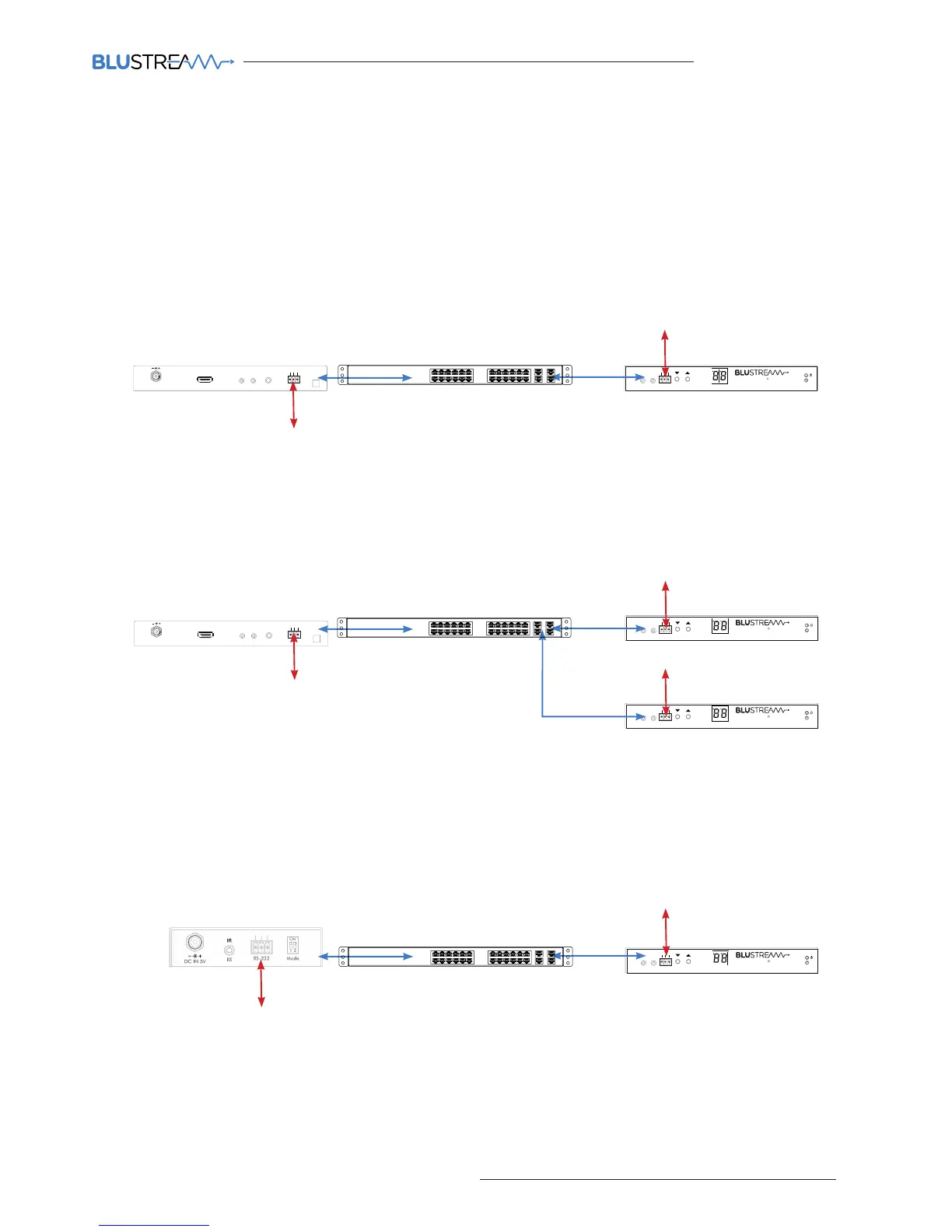
There are multiple methods for distribution of RS-232 using the Blustream Multicast solution which include:-
Note: Only one method of RS-232 pass-through can be used at the same time. It is not possible to mix dierent
methods of RS-232 control.
1) 1-to-1 routed RS-232
A link is programmed that creates an open connection between ANY Multicast product in the system (Transmitters or
Receivers). Once established the RS-232 commands can be sent in either direction between products.
Multiple links can be created between Multicast products for additional independent product control.
2) 1-to-many routed RS-232
A link is programmed that creates an open connection between MULTIPLE Multicast products in the system
(Transmitters or Receivers). Once established the RS-232 commands can be sent in either direction between products
but allows a single command to be sent to multiple products at the same time I.E - All displays powered on.
3) Guest Mode - Telnet/IP conversion to RS-232
This method of control converts a Telnet/IP control command into an RS-232 command. A link is programmed that
creates an open connection between a CM100 control module and any IP100UHD-TX or RX (Transmitters or Receivers)
product in the system. Telnet/IP commands are sent into the CM100 from a third party control solution. This is then
converted into an RS-232/serial command for control of third party products.
Third party control system I.E - Control4, Elan, RTI etc
Serial controlled display
RS-232
RS-232
Third party control system I.E - Control4, Elan, RTI etc
Serial controlled display
RS-232
RS-232
Serial controlled display
RS-232
Link
RXTX
CH Select
IR IR
Rx
Tx
Gnd
RS-232
CH
IP100UHD-RXMULTICAST UHD
Third party control system I.E - Control4, Elan, RTI etc
Serial controlled display
RS-232
or
TCP/IP
RS-232



 To Next Page