Guest Mode - Telnet/IP Conversion To RS-232
The Multicast products feature bi-directional RS-232 pass-through for control of products using serial commands from
the CM100. This is also known as RS-232 Guest Mode. To utilise this you must first enable Guest Mode as follows.
RS-232 Guest Mode Set Up
1) Guest Mode must be enabled in each IP100UHD-TX and RX unit in order to use this functionality.
Connect to the Web GUI of the IP100UHD-TX or RX that you wish to enable guest mode for by entering its IP
Address in your web browser and navigate to the Functions' tab.
For example: 169.254.6.1 is the default IP address for RX ID 1.
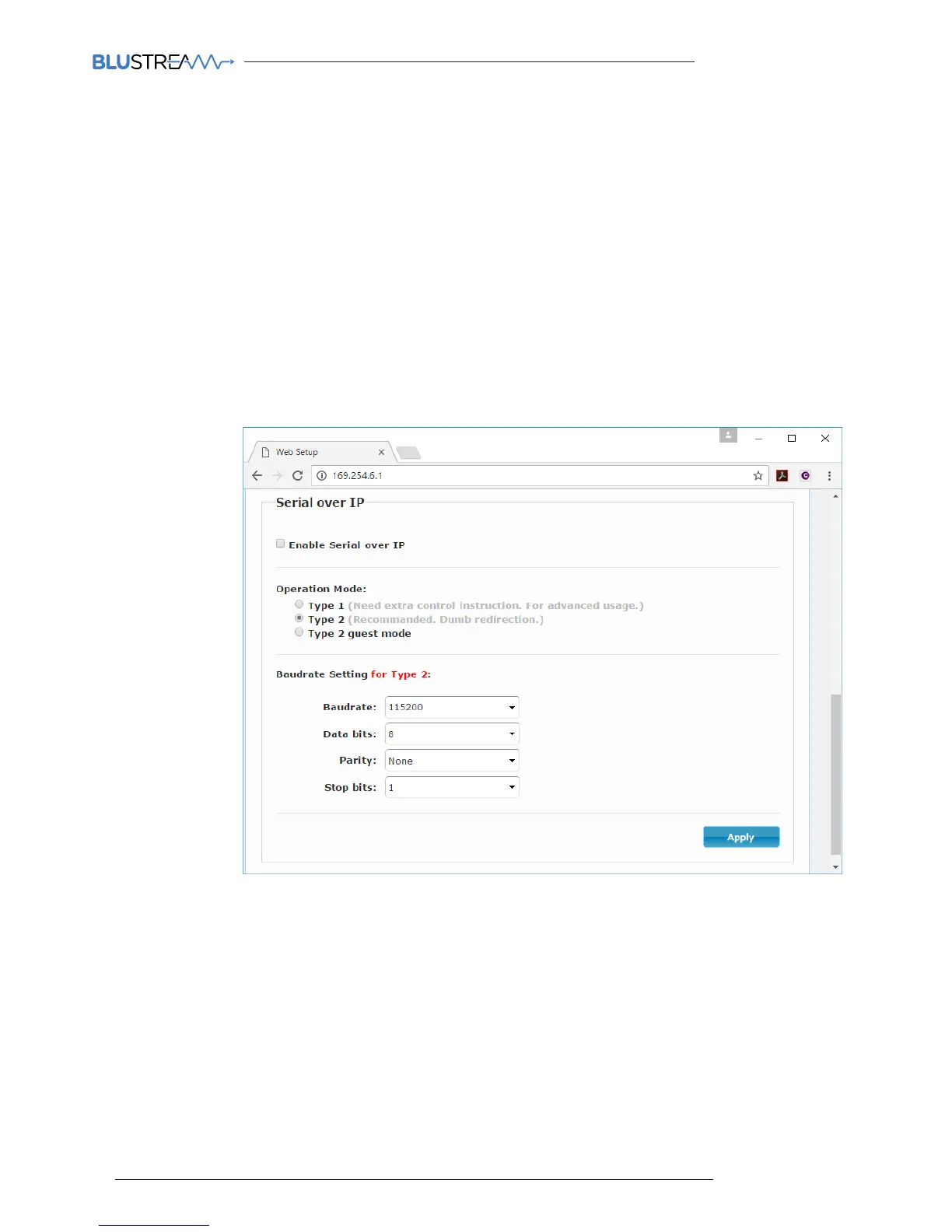
2) Check the checkbox for 'Enable Serial over IP'
3) Select the checkbox for 'Type 2 guest mode'
Ensure all Baudrate settings are correct for the product that you wish to control.
RS-232 Guest Mode Communication
1) To open a Guest Mode connection between the CM100 and an IP100UHD-TX or RX unit you must send the
following command via IP or RS-232:
INxxxGUEST Connect to TX xxx in Guest mode from the CM100
OUTxxxGUEST Connect to RX xxx in Guest mode from the CM100
Example:- Transmitter one is ID 001, meaning 'IN010GUEST' will allow bi-directional Serial or TCP/IP
commands between CM100 and Transmitter 001.
2) Once a connection is established, any characters that you send from the CM100 will be transmitetd to the
IP100UHD-TX or RX that you have connected with, and vice versa.
3) To close the connection you must send the escape command 0x02 (02 in Hex).
If using telnet you can also close the connection by pressing CTRL + B.



 To Next Page