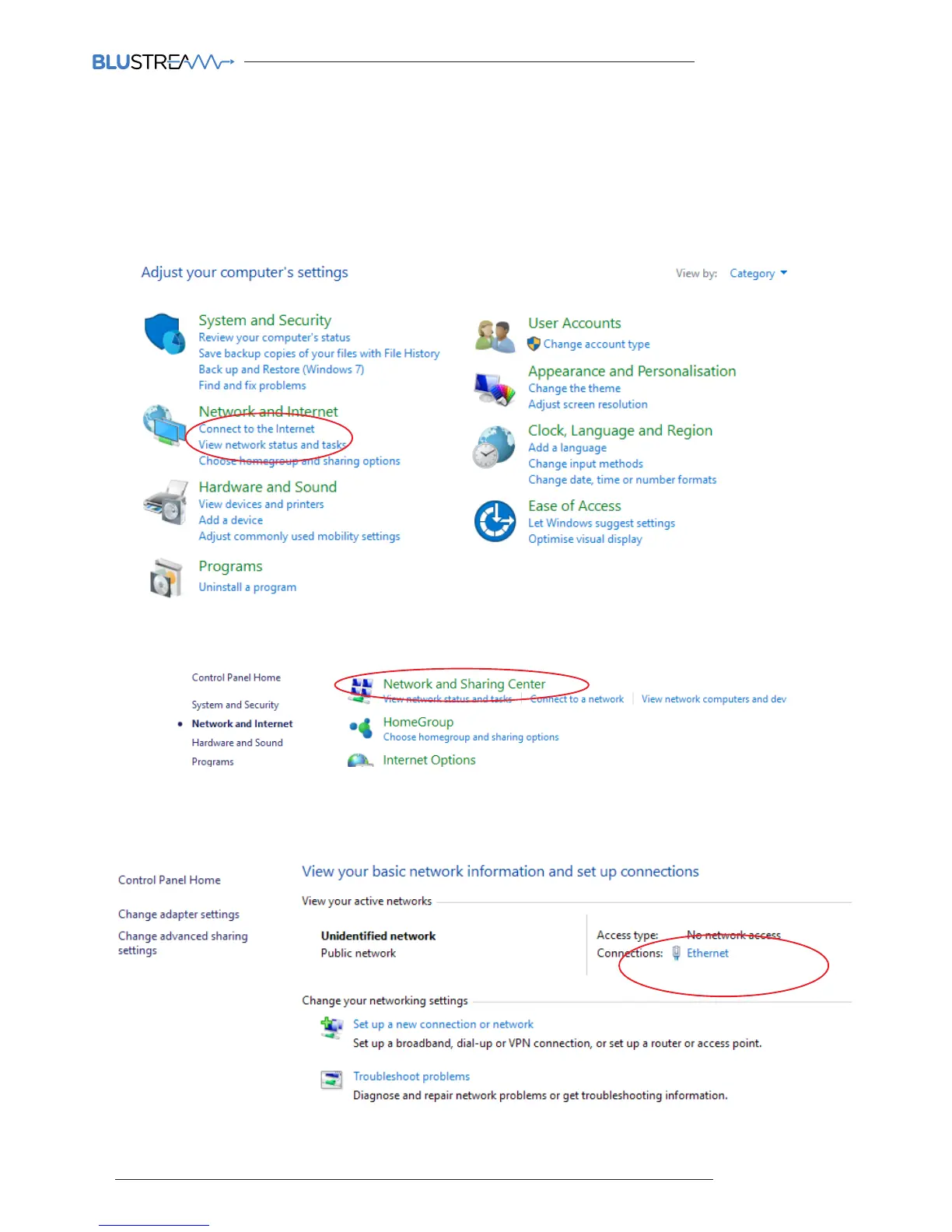
To communicate with the Control Network or Multicast Video Network, you may need to change your IP Address.
1) Connect your computer to your network switch using an Ethernet cable
2) In the Windows toolbar navigate to ‘CONTROL PANEL’
3) Select ‘NETWORK AND INTERNET’
Changing Your Computer IP address
5) Select ‘NETWORK AND SHARING CENTER’
6) Under ‘View your Active Networks’ you can see connection types available.
The example below shows both LAN (local area connection) and Wireless.
Select ‘Local Area Connection’ as this is the method of communication you are using with the switch.



 To Next Page