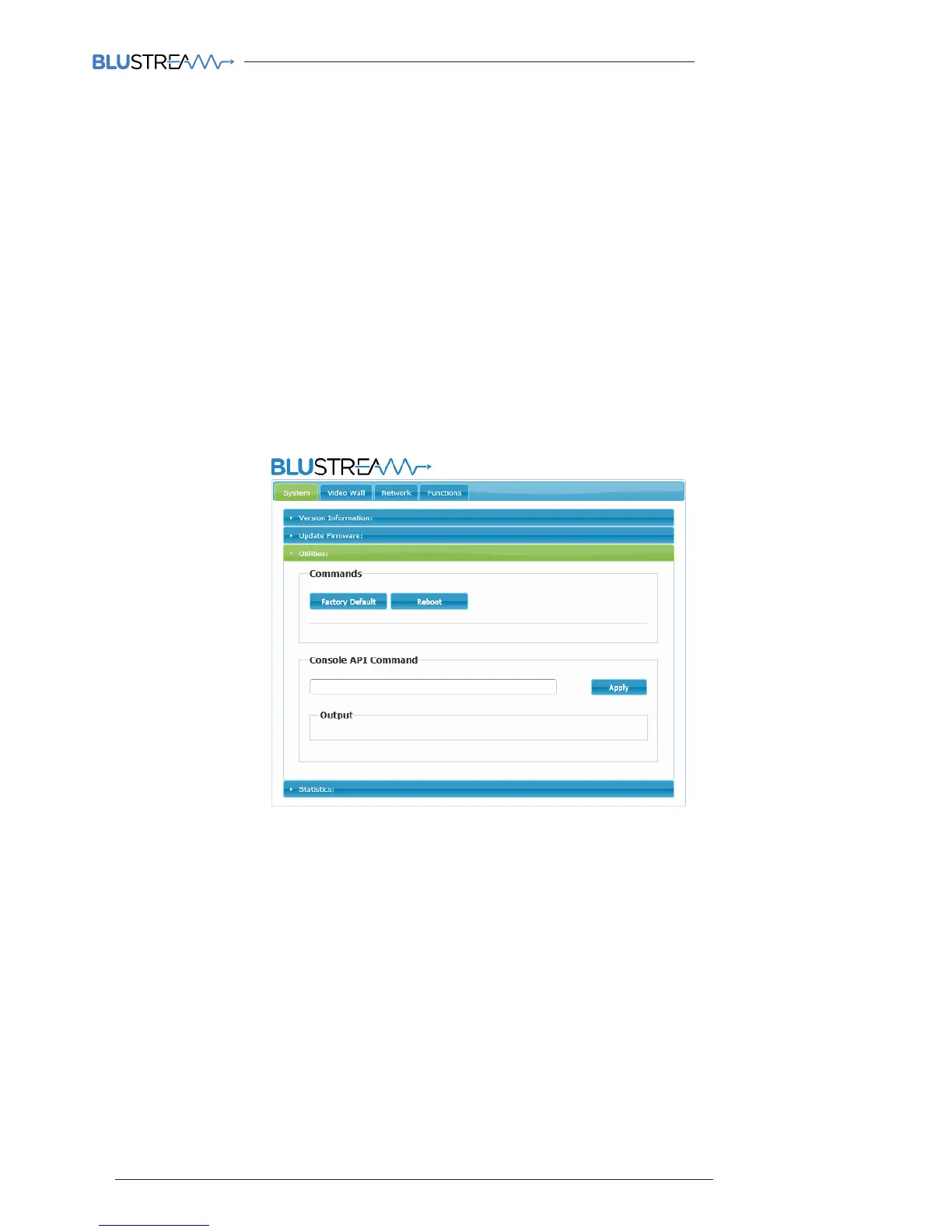
Multicast Web-GUI - IP100UHD-RX - Receiver
The menu structure for the built-in Web-GUI is as follows...
System:
Version Information:
This gives the user an overview of the individual unit you are connected to, including model number and
firmware version
Update Firmware:
Please see page 19 for more information on firmware upgrading your IP100UHD-RX Utilities:
Factory Default - resets your receiver unit back to factory settings. The IP address will revert to: 169.254.100.254
Reboot - reboots the receiver unit
Console API Command - please use the CM100 to provide API commands to this unit
Output - this section is the feedback from the API command above - please utilise the CM100 for feedback
Statistics:
Network - details information about the connection status of the unit you are communicating directly with
(unit ID, IP address, subnet, gateway, MAC address, casting mode (Multicast / Unicast), link status and link
mode) . Changes to the units IP address details can only be viewed from this section, please refer to the
Network tab to amend the IP structure of the unit
Video - this is the EDID response from the piece of equipment you are connected to. Not required.
Video Wall:
Basic Set-Up:
Please see page 34 of this manual for the details on video wall set-up
Advanced Set-Up:
This is sub-section is a continuation of the Video Wall section within the Blustream PC Program - please refer
to page 35



 To Next Page