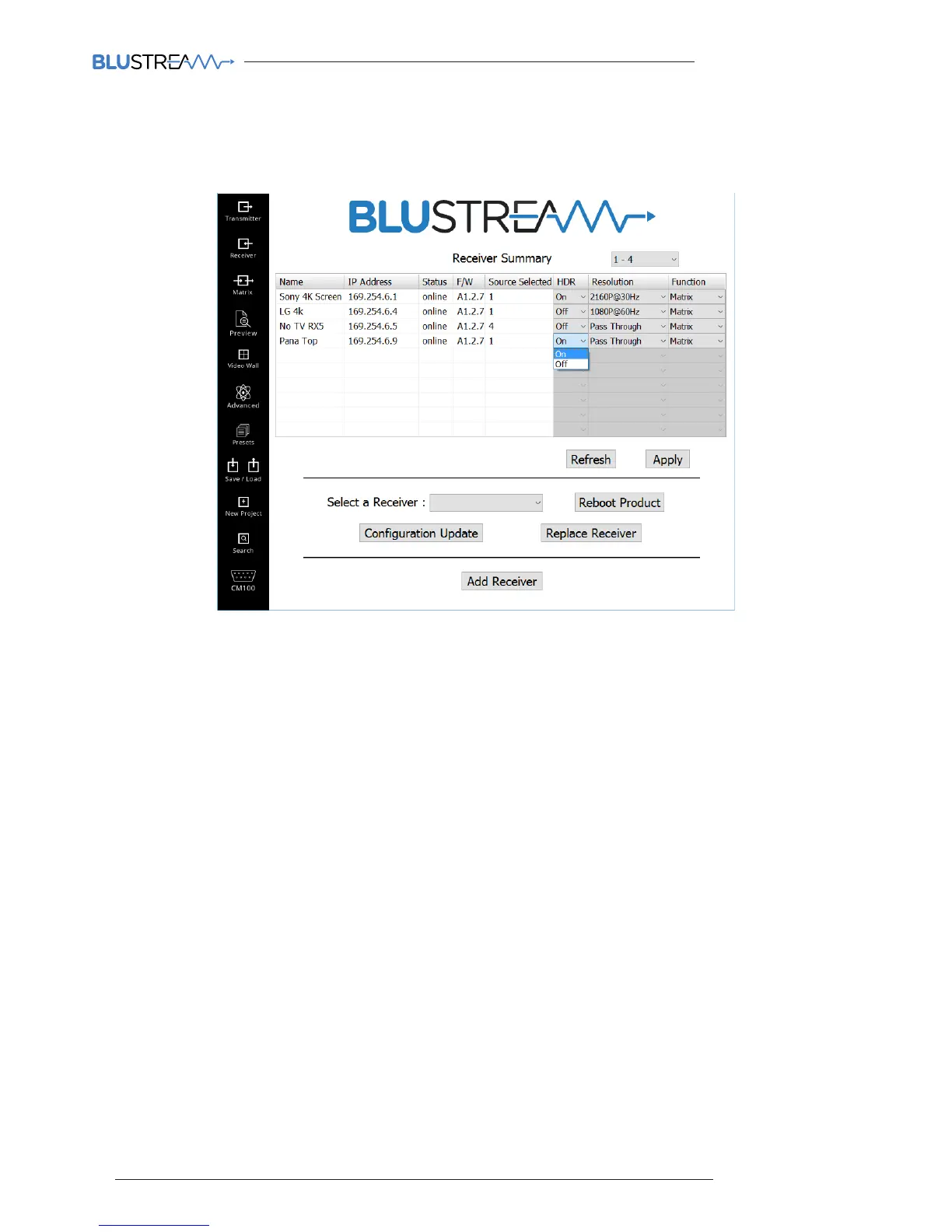
Receiver Summary
The Blustream Multicast Receiver summary window gives an overview of all of the Receiver products that have been
configured in the system and the ability to update and add to the system.
Features of the Receiver summary page include:
1. Receiver summary (page drop down) - each page can show a summary of 10 Receiver products connected to the
system. To view further products in the system select further pages from the drop-down box.
2. ID / Output - automatically assigned during the PC wizard configuration. This number is used for control of the
Multicast system using third party drivers.
3. Name - configured during the PC wizard configuration, can be amended using the Configuration Update button on
the same page.
4. IP Address - the IP address assigned to the unit during configuration, can be amended using the Configuration
Update button on the same page.
5. Status - shows the online / oline status of a product
6. F/W Version - this should marry up with the firmware version that you can find on the Blustream website (see page
19 for more details)
7. HDR On/O - turns on HDR compatibillity - only use on screens that support HDR
8. Resolution - adjust the output resolution using the built-in video scaler inside the IP100UHD-RX Receiver. The
scaler is cable of both upscaling and downscaling the incoming video signal.
Output resolutions include:
Pass Through - the Receiver will output the same resolution that the source is outputting (no scaling)
2160p @ 30Hz
2160p @ 24Hz
1080p @ 60Hz
1080p @ 50Hz
720p @ 60Hz
720p @ 50Hz
1280x1024 @ 60Hz
1024x768 @ 60Hz
1360x768 @ 60Hz
1440x900 @ 60Hz
1680x1050 @ 60Hz



 To Next Page