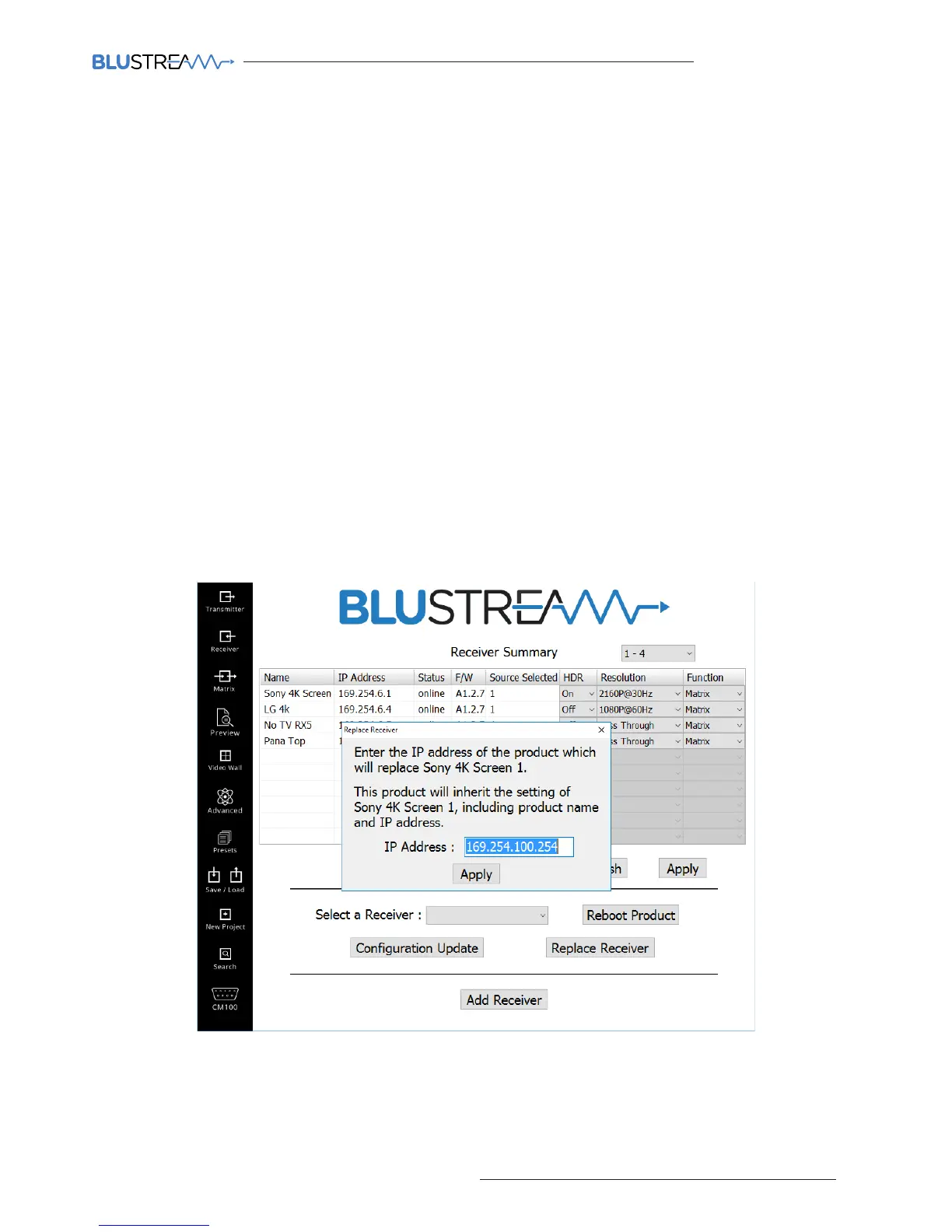
3) Enter the IP address of the product that will be used to replace the faulty unit. If this is a new factory default unit the
IP address will be ‘169.254.100.254’
4) Click ‘Apply’
5) The Receiver will reboot and be configured with the same ID, name and IP address as the unit it has replaced.
1. Function - switch Multicast receiver between ‘MATRIX’ mode and ‘VIDEO WALL’ mode.
2. Refresh - will refresh the product details shown. When the Transmitter summary window is first selected you will
need to press ‘Refresh’ in order to display system details.
3. Apply - press apply once any details or settings have been updated within this page
4. Reboot Product - you must select the Receiver to reboot (using the adjacent drop-down selection box) prior to
pressing ‘Reboot Product’
5. Configuration Update - allows you to update the IP address, name and multicast/unicast settings of each Receiver.
You must select the Receiver using the adjacent drop-down selection box prior to pressing ‘Configuration Update’
6. Replace Receiver - should a Blustream Receiver unit become faulty, the PC program has a simplified way of
replacing the product. Please see below for detailed instructions.
7. Add Receiver - if an additional Receiver is required in the system the PC wizard will assist in configuring the new
IP100UHD-RX to become part of the exisiting system setup. This process is the same process as described in ‘NEW
PROJECT CONFIGURATION’ (page 22).
Replacing a Receiver
There may be a time in which a Blustream Multicast product has stopped working. Using the summary window the
product will show ‘OFFLINE’ in the status window. If aer reviewing the faulty product with Blustream Technical
Support it is deemed necessary to replace the unit please follow the below steps:
1) Select the faulty Receiver from the drop down box
2) Click ‘Replace Receiver’
The following window will open:



 To Next Page