Replacing a Transmitter
There may be a time in which a Blustream Multicast product has stopped working. Using the summary window the
product will show ‘OFFLINE’ in the status window. If aer reviewing the faulty product with Blustream Technical
Support it is deemed necessary to replace the unit please follow the below steps:
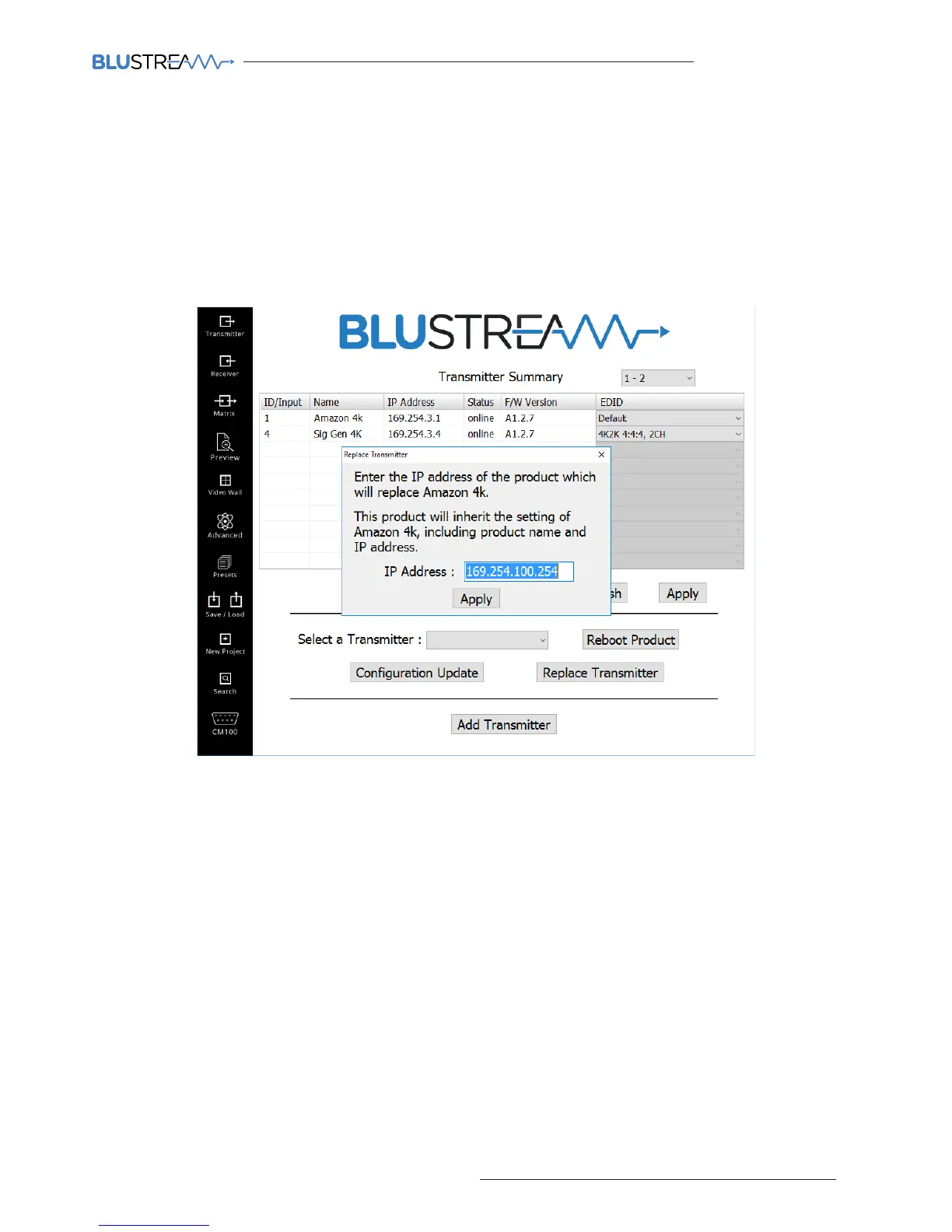
1) Select the faulty Transmitter from the drop down box
2) Click ‘Replace Transmitter’
The following window will open:
3) Enter the IP address of the product that will be used to replace the faulty unit. If this is a new factory default unit the
IP address will be ‘169.254.100.254’
4) Click ‘Apply’
5) The Transmitter will reboot and will now be configured with the same ID, name, and IP address as the unit that has
been replaced.



 To Next Page