Network:
The network tab allows for the address details for the unit to be amended to fit with alternative IP address ranges.
You can also swap between Unicast and Multicast functionality of the receiver. Please note: amending the IP
address details manually will complicate the use of the Blustream PC Soware when working with a system - not
recommended
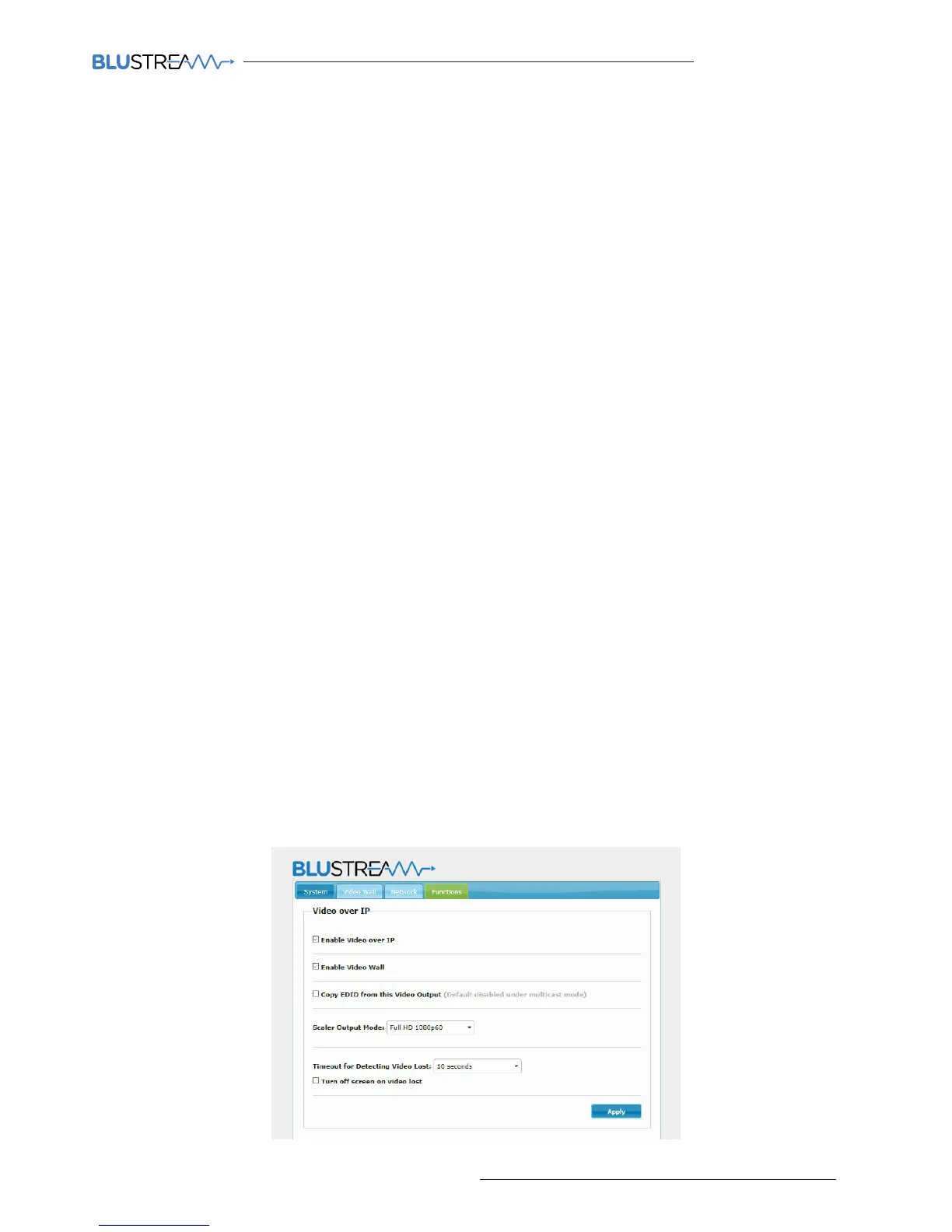
Functions:
Enable Video over IP:
This check box should always be ticked
Enable Video Wall:
This check box should always be ticked
Copy EDID from this Video Output:
This is an advanced feature if the EDID settings within the Blustream PC Wizard program, Web GUI interface,
or manual configuration are not compatible with the display. As soon as this feature is selected any IP100UHD-TX
Transmitter that is selected by the IP100UHD-RX Receiver will copy the EDID from the display connected. It is
advised that this is only done for 1 Transmitter at a time and this feature is turned o prior to selecting other
Transmitter/sources.
Scaler Output Mode:
Select the output resolution to the maximum the screen will handle, or the resolution you require the in-built
scaler to output
Timeout for Detecting Video Lost:
Blustream Multicast receivers have their own Multicast logo that will display on the connected screen aer a set
amount of time when no video signal is sensed. Please select from time options in the drop-down box.
Turn O Screen on Video Lost:
Should you not wish for the Blustream Multicast logo to be shown when no video signal is sensed then select the
adjacent tickbox. This feature may be used for commercial displays that can automatically turn o when no
video feed is present.
Serial over IP:
The Blustream Multicast system can be used to control thrird party products using RS-232. For full details please
refer to the separate Blustream manual ‘Advanced Multicast RS-232 Distribution’ which can be found on the
Blustream website.



 To Next Page