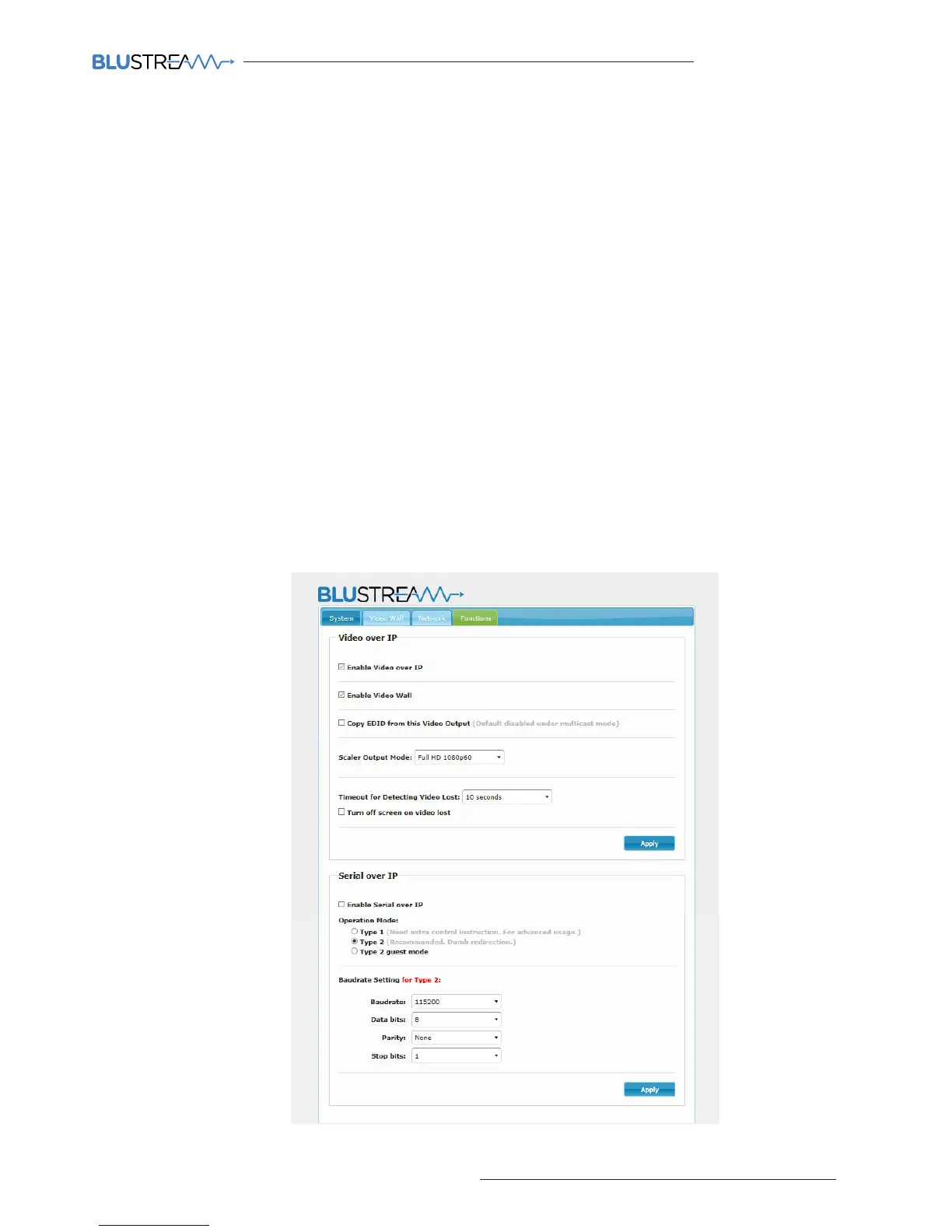
Functions:
Enable Video over IP:
This check box should always be ticked
Enable Video Wall:
This check box should always be ticked
Maximum Bit Rate:
You can manually alter the bit-rate if the data stream from the source into the switch using the options within
the drop down box. Please note: image quality will be degraded when setting this to anything less than ‘Best
Eort’ - if the Multicast video network is kept independent to other networks there will be no additional
network traic and therefore the Mulitcast products will continue to stream 4K HDMI at the maximum possible
picture quality without needing to lower the Bit rate.
Maximum Frame Rate:
Allows for the adjustment of the number of frames captured / distributed across the IP network. It is
recommended to keep this at 100%
Serial over IP:
To enable RS232 pass through from the transmitter, please utilise this section to configure the serial settings of
your system. Please refer to separate Blustream manual ‘Advanced Multicast RS-232 Distribution’ which can be
found on the Blustream website.



 To Next Page