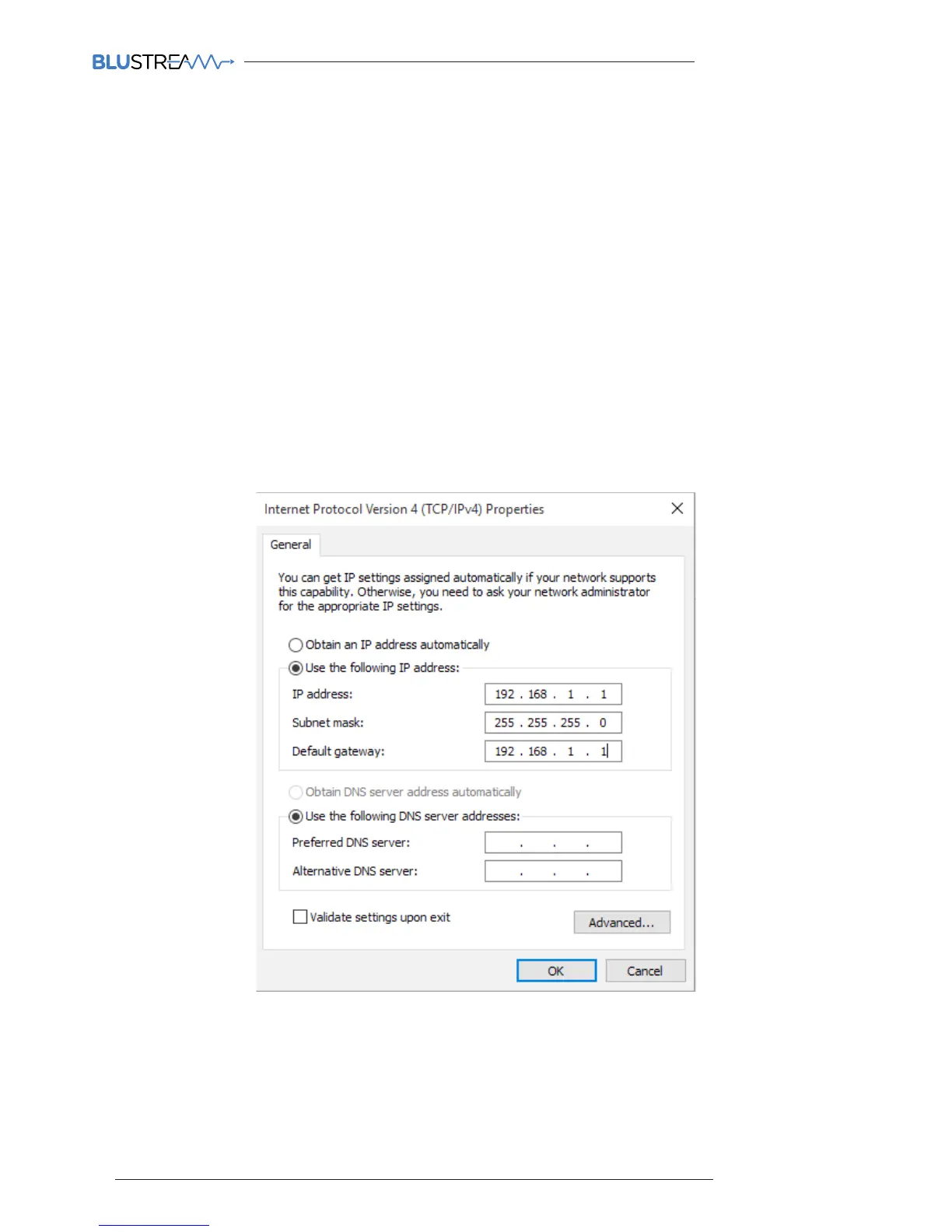
9) A. Under the ‘General’ tab select ‘USE THE FOLLOWING IP ADDRESS’
B. Enter the following FIXED IP network details for your Network Switch (check with the manufacturer of the
LAN switch if this address is relevant in advance)
IP Address 192.168.1.1
Subnet Mask 255.255.255.0
Default Gateway 192.169.1.1
C. Enter the following FIXED IP network details for Blustream Multicast products
IP Address 169.254.1.100
Subnet Mask 255.255.0.0
Default Gateway 169.254.1.1
It is important that you have the IP address range of your PC configured to the correct range when setting up your LAN
switch. Once you have finished setting up your LAN switch, you will need to amend the IP address range of your PC to
utilise the features of the PC Wizard and set up your multicast system.
10) Click ‘OK’ and exit the network setup
11) Enter the default Network Switch or Blustream Multicast address in your web browser and check that you can
connect to the unit. If you have already configured the Transmitter and Receiver products enter the address of
one of these (it is advised to use 169.254.3.1 which will be the default first Transmitter IP address).



 To Next Page