Power Source
Loading AA Alkaline Batteries
8
BMP
®
21-PLUS/BMP
®
21-LAB User’s Manual
Loading AA Alkaline Batteries
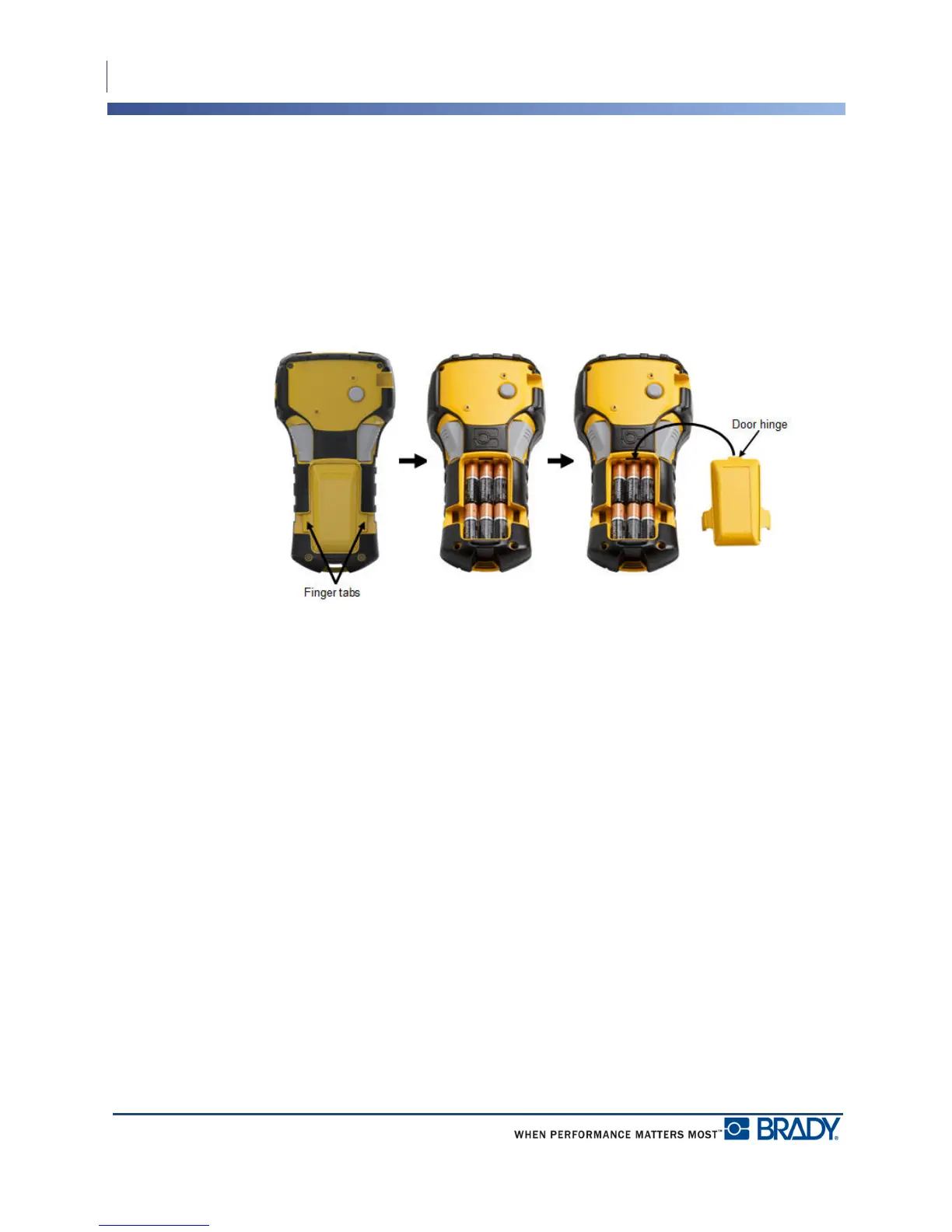
1. On the back of the printer,
squeeze the finger tabs
located on both sides of the
battery compartment door,
then swing the battery
compartment door up and
out. (The door will come
off.)
2. Insert 6 AA alkaline
batteries, observing correct
polarity. (Do NOT use
rechargeable AA batteries
or Ultimate Lithium AA
batteries).
3. Re-insert the battery door
hinge at the top of the
compartment and push
down on the battery
compartment door,
snapping it into place.



 To Next Page