65
Flags (BMP
®
21-PLUS only)
BMP
®
21-PLUS/BMP
®
21-LAB User’s Manual
Flags (BMP
®
21-PLUS only)
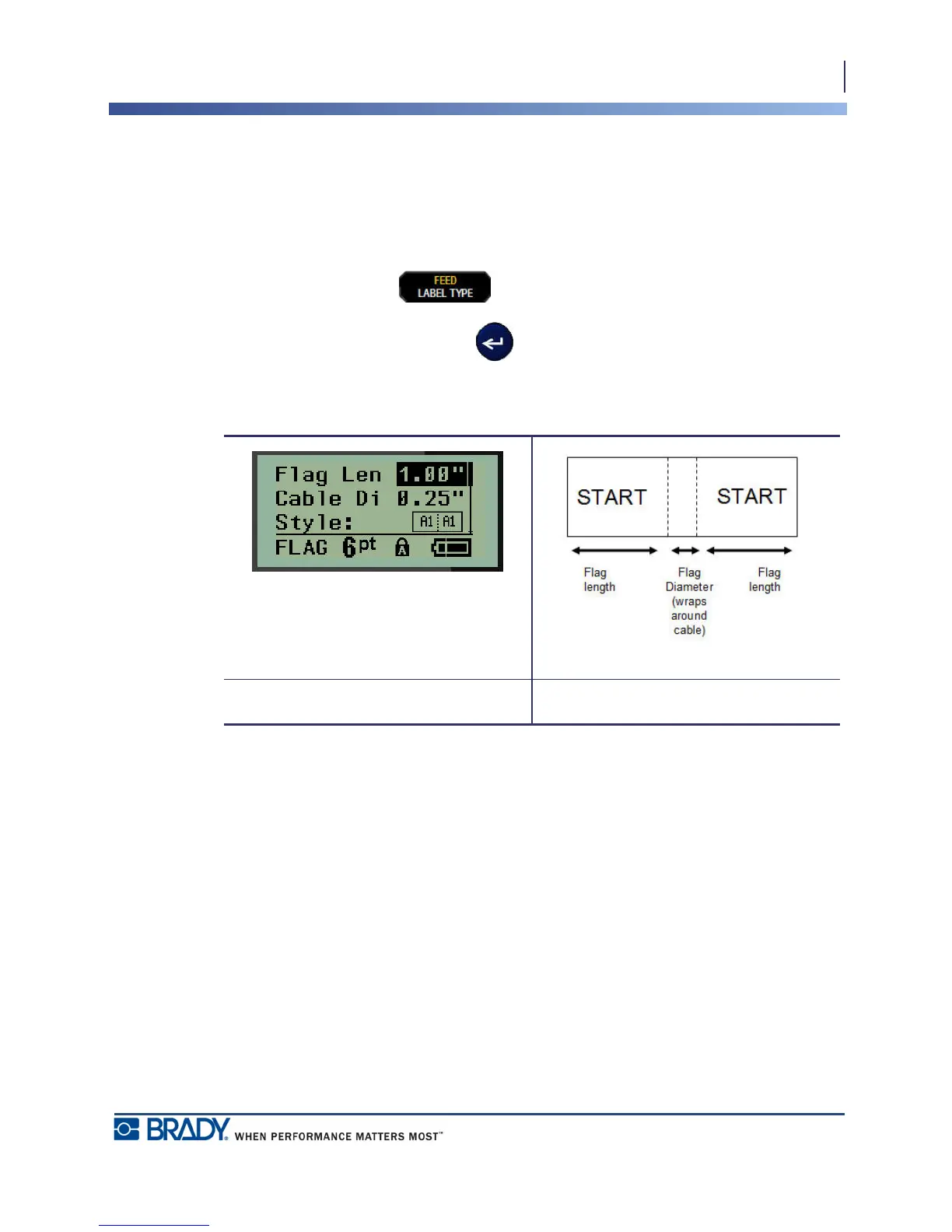
A Flag label wraps around a wire or cable, with the ends joined together to form a flag. The
Flag label type is designed to work with any media except SelfLam or Permasleeve.
To use a Flag label type:
1. Press LABEL TYPE .
2. Navigate to Flag and press Enter .
Data fields display requesting additional information.
3. In the Flag Length: field, enter the total length of the flag (as it exists before being
wrapped around a wire or cable).
4. In the Cable Diameter: field, enter the diameter measurement of the cable to which the
flag will be applied.
The range for the cable diameter is 0.25 inches (6.35mm) to 8 inches (203.2mm). By entering
the diameter of the wire or cable, the system automatically calculates an additional length of
label to allow complete wrap of the wire/cable with additional label material left for the flag.
Flag data fields Flag label on print out



 To Next Page