77
Troubleshooting
Cleaning the Printer
BMP
®
21-PLUS/BMP
®
21-LAB User’s Manual
Cleaning the Printer
Cleaning the printer will improve print quality and legibility. It also increases output, machine
life, printer reliability and performance.
Display Screen
To clean the display screen:
1. Lightly moisten a soft (non-scratching) cloth with isopropyl alcohol.
OR
Use pre-moistened static-free cloths available with the Brady PCK-6 Cleaning Kit.
2. Gently wipe the display screen until clean.
Internal Components
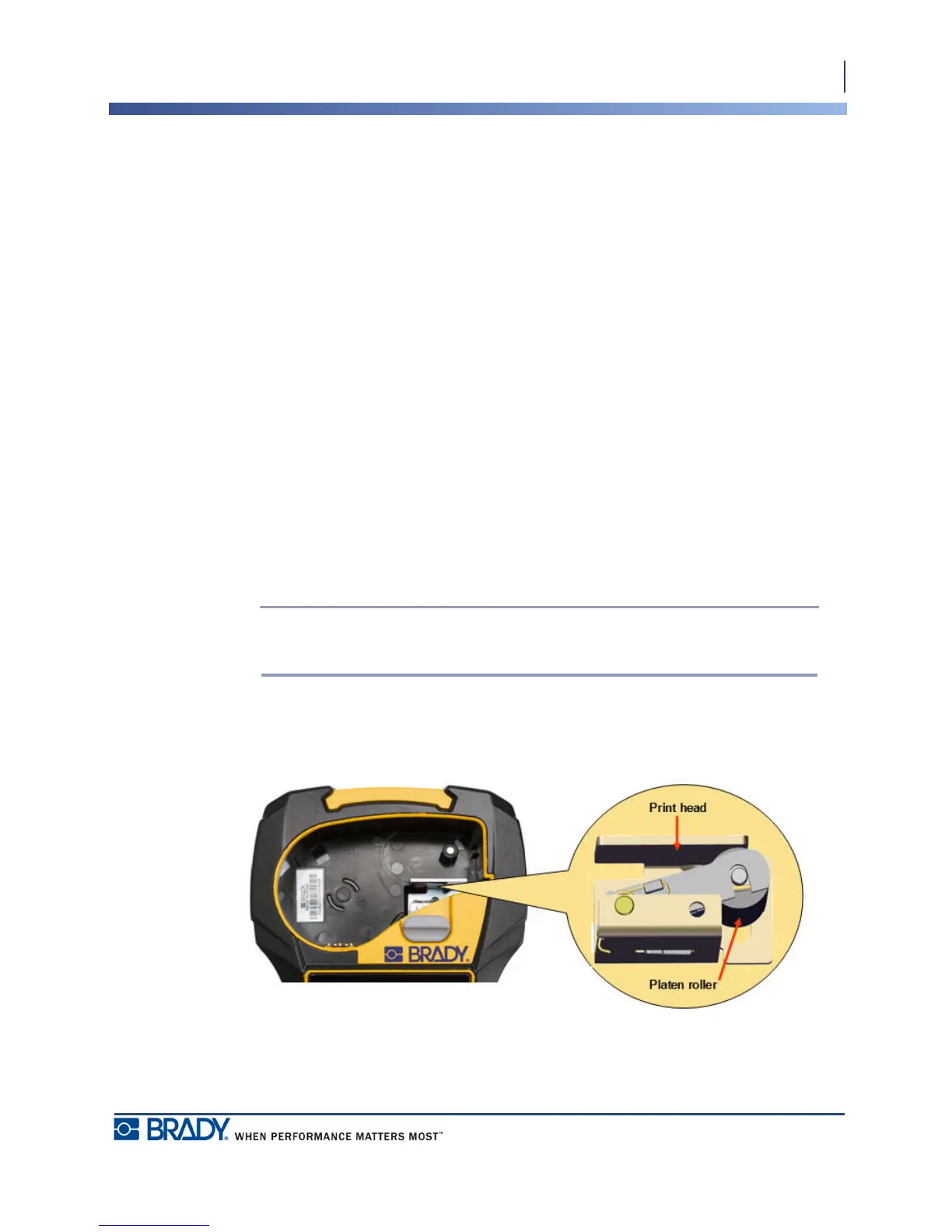
The only internal components that may require cleaning are the print head and platen roller.
To clean the internal components:
1. Turn the printer off.
2. Open the printer cover and remove any cartridge currently in the printer.
Note: Make sure the locking lever is in the UNLOCK position. If not, you will not
be able to access the print head.
3. Using a lint-free swab moistened with isopropyl alcohol (or a swab from the Brady PCK-
6 Cleaning Kit), gently swab the print head.
4. With the same moistened swab, gently brush the platen roller.
Figure 9 • Print head and platen roller in cartridge bay



 To Next Page