Power Source
Loading the Lithium Ion Battery Pack
10
BMP
®
21-PLUS/BMP
®
21-LAB User’s Manual
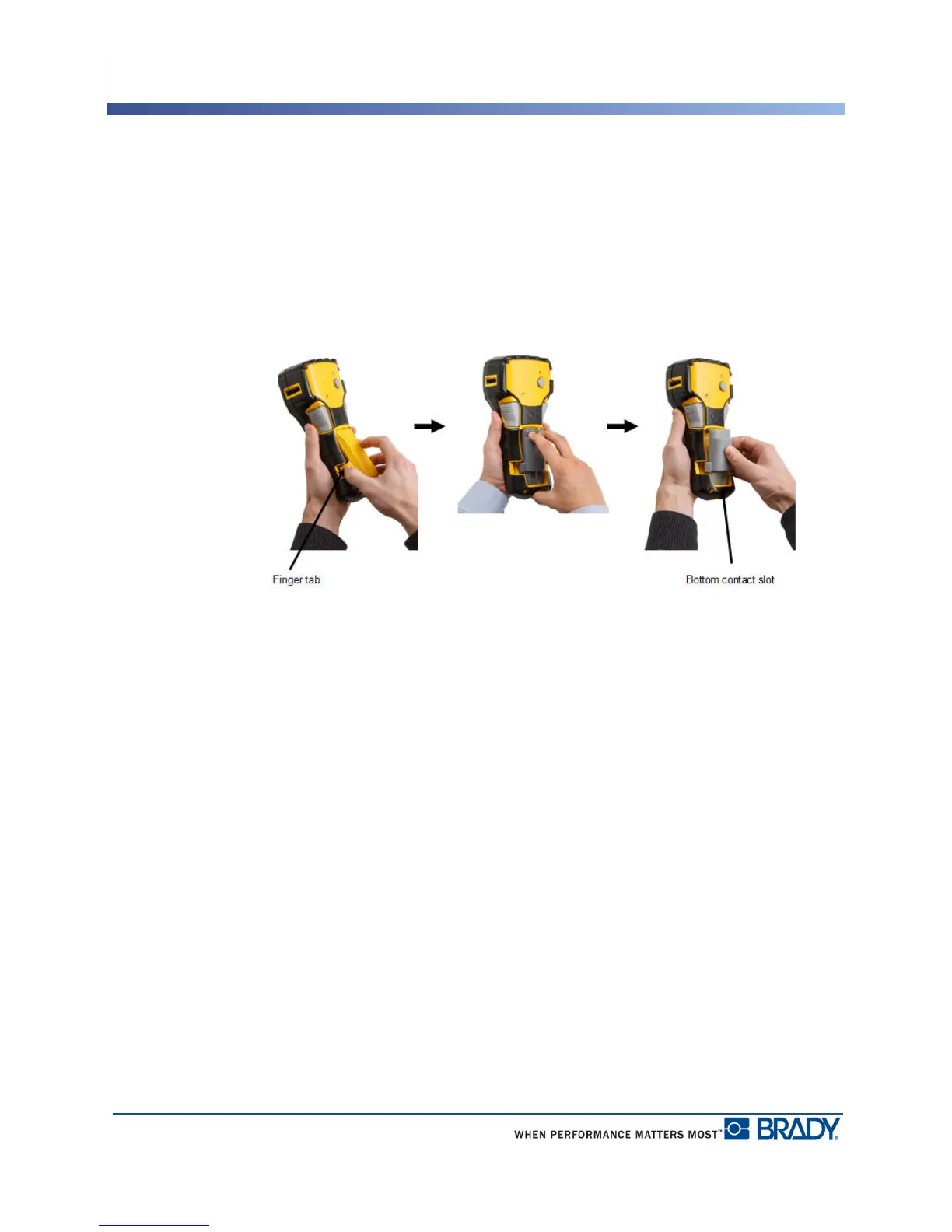
Remove Lithium Battery
1. Squeeze the finger tabs
located on both sides of the
battery compartment door,
then swing the battery
compartment door up and
out. (The door will come
off.)
2. Placing your thumb at the
base of the printer, use
your forefingers to gently
pull up on the raised
portion of the battery. This
releases the top of the
battery from the contacts.
3. Grasp the raised battery
and pull it up and out from
the bottom contact slots.



 To Next Page